EasyManua.ls Logo

Vista Viper - E-Mail

Vista Viper
93 pages
Print Icon
To Next Page IconTo Next Page
To Previous Page IconTo Previous Page
Loading...
VIPER-H4 user
manual V1.0
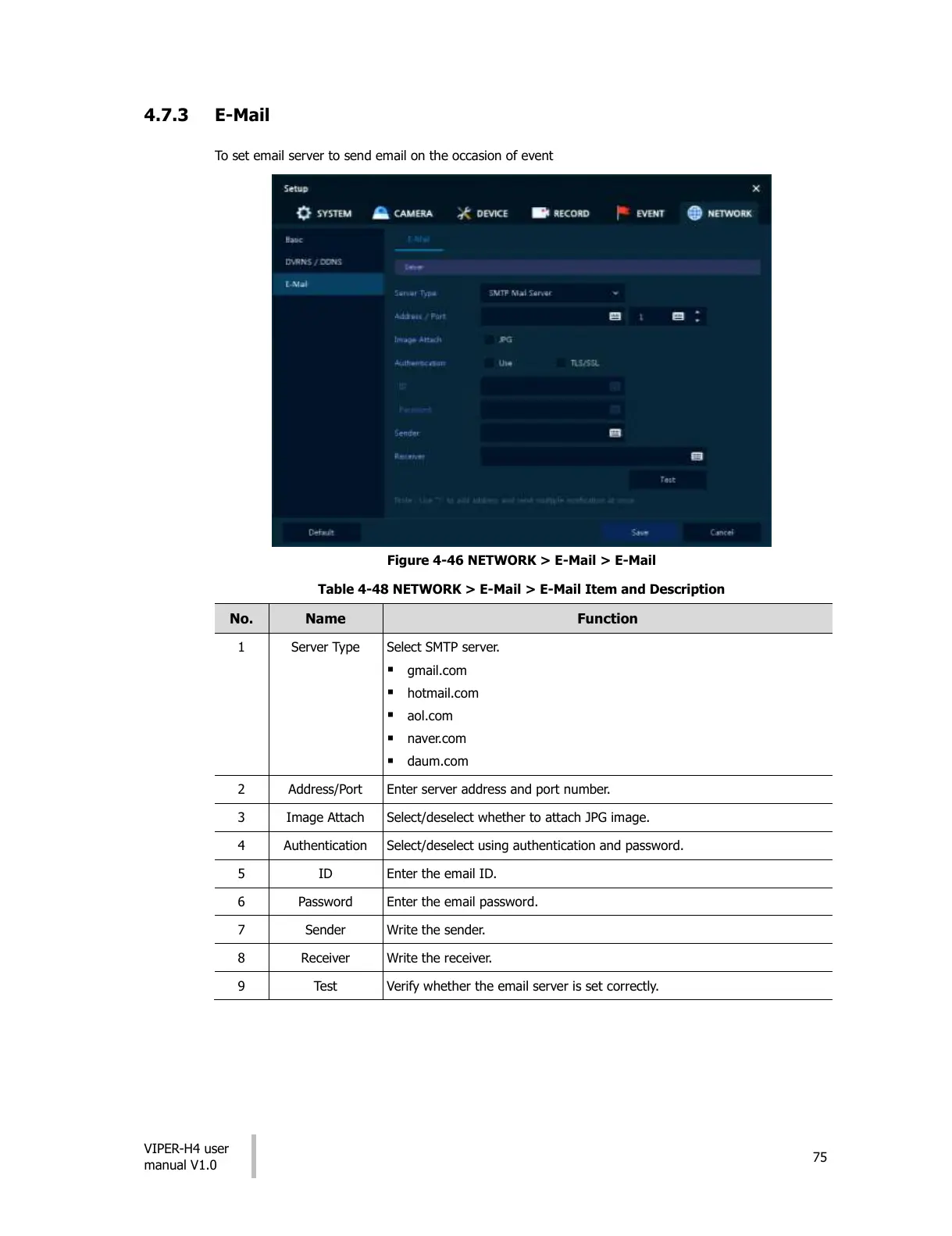
4.7.3 E-Mail
To set email server to send email on the occasion of event
Figure 4-46 NETWORK > E-Mail > E-Mail
Table 4-48 NETWORK > E-Mail > E-Mail Item and Description
No.
Name
Function
1
Server Type
Select SMTP server.
gmail.com
hotmail.com
aol.com
naver.com
daum.com
2
Address/Port
Enter server address and port number.
3
Image Attach
Select/deselect whether to attach JPG image.
4
Authentication
Select/deselect using authentication and password.
5
ID
Enter the email ID.
6
Password
Enter the email password.
7
Sender
Write the sender.
8
Receiver
Write the receiver.
9
Test
Verify whether the email server is set correctly.
All manuals and user guides at all-guides.com

Other manuals for Vista Viper

Related product manuals