VIPER-H4 user
manual V1.0
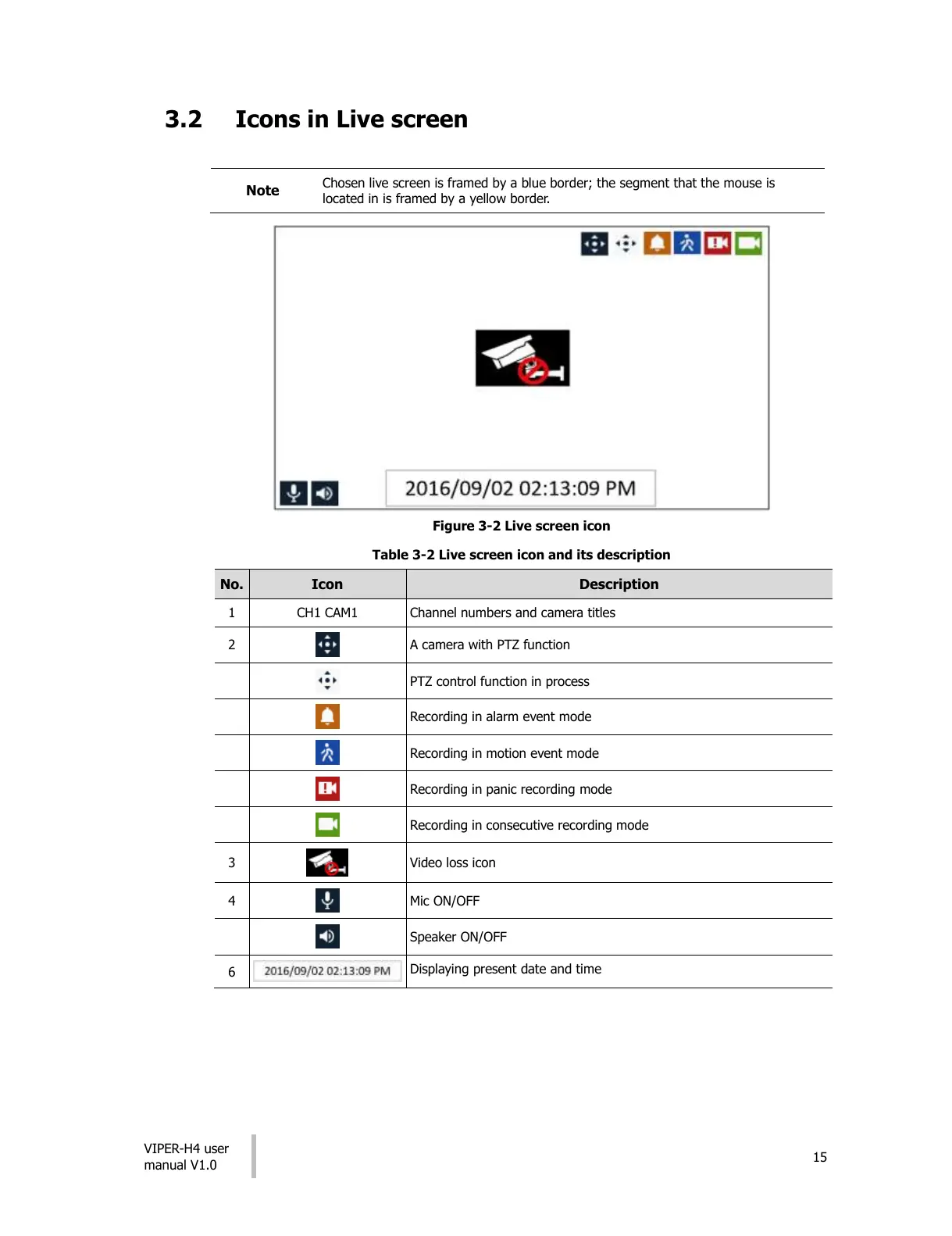
Chosen live screen is framed by a blue border; the segment that the mouse is
located in is framed by a yellow border.
Figure 3-2 Live screen icon
Table 3-2 Live screen icon and its description
Channel numbers and camera titles
A camera with PTZ function
PTZ control function in process
Recording in alarm event mode
Recording in motion event mode
Recording in panic recording mode
Recording in consecutive recording mode
Displaying present date and time
All manuals and user guides at all-guides.com




 To Next Page