VIPER-H4 user
manual V1.0
4.4.5 TEXT > TEXT
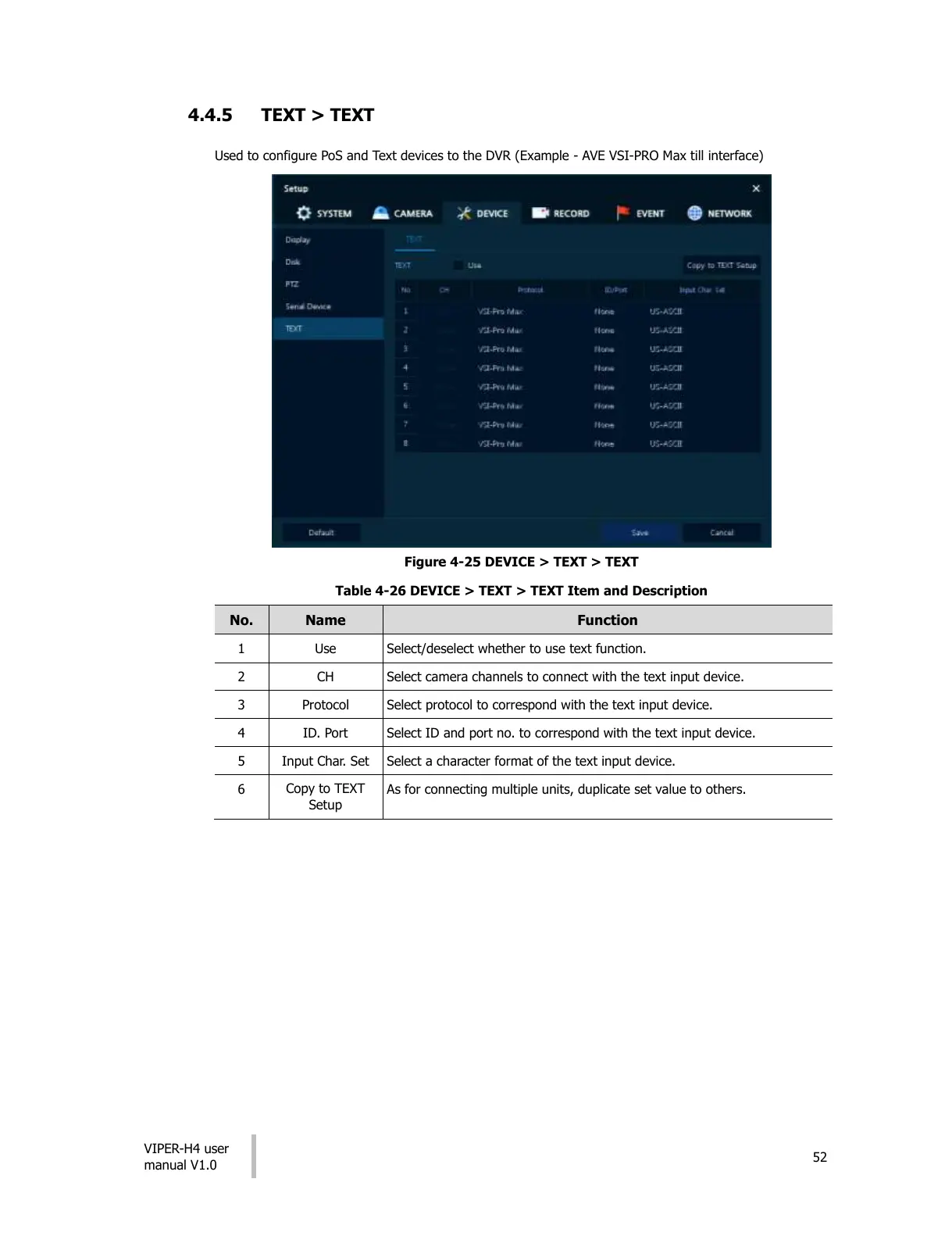
Used to configure PoS and Text devices to the DVR (Example - AVE VSI-PRO Max till interface)
Figure 4-25 DEVICE > TEXT > TEXT
Table 4-26 DEVICE > TEXT > TEXT Item and Description
Select/deselect whether to use text function.
Select camera channels to connect with the text input device.
Select protocol to correspond with the text input device.
Select ID and port no. to correspond with the text input device.
Select a character format of the text input device.
As for connecting multiple units, duplicate set value to others.
All manuals and user guides at all-guides.com




 To Next Page