VIPER-H4 user
manual V1.0
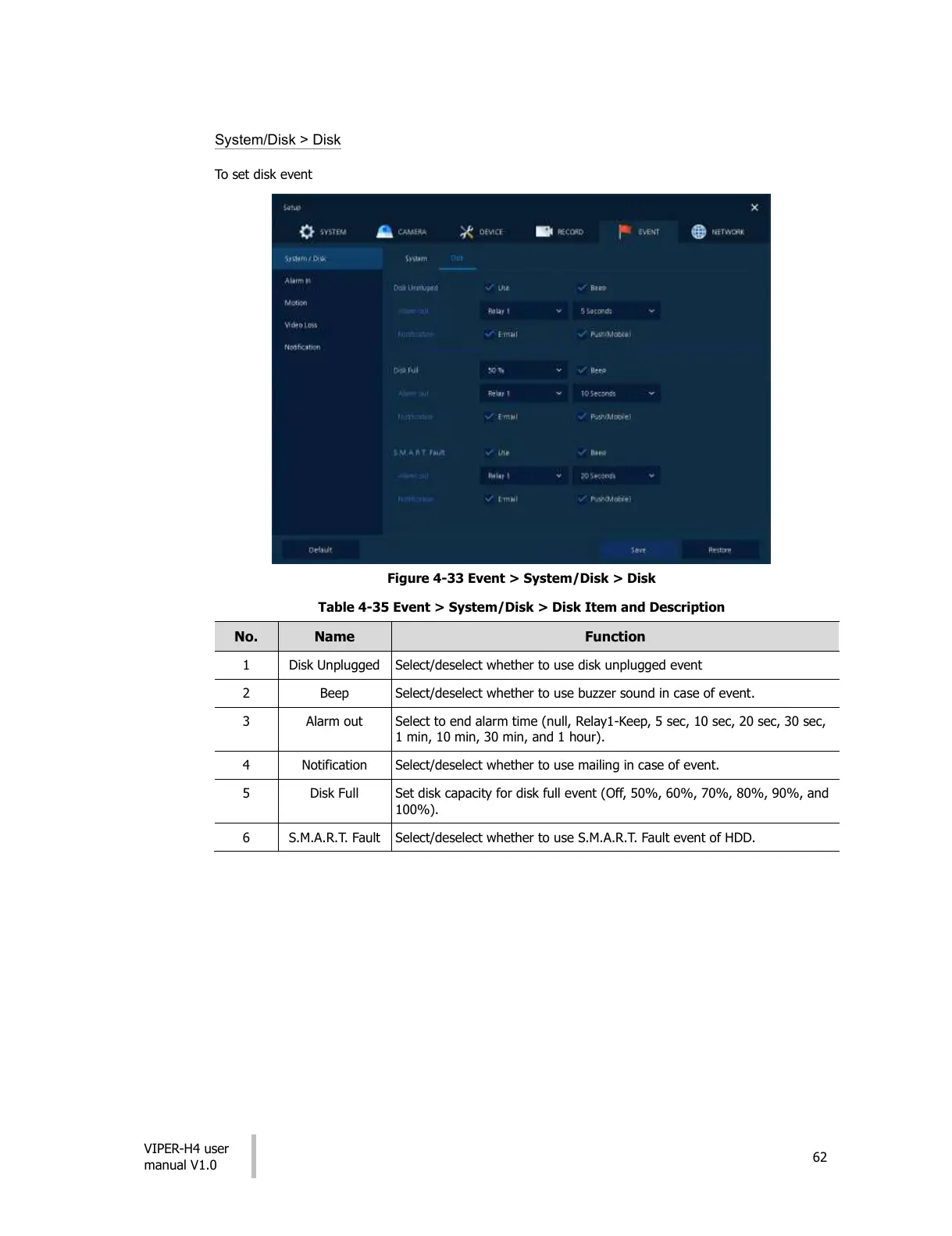
System/Disk > Disk
To set disk event
Figure 4-33 Event > System/Disk > Disk
Table 4-35 Event > System/Disk > Disk Item and Description
Select/deselect whether to use disk unplugged event
Select/deselect whether to use buzzer sound in case of event.
Select to end alarm time (null, Relay1-Keep, 5 sec, 10 sec, 20 sec, 30 sec,
1 min, 10 min, 30 min, and 1 hour).
Select/deselect whether to use mailing in case of event.
Set disk capacity for disk full event (Off, 50%, 60%, 70%, 80%, 90%, and
100%).
Select/deselect whether to use S.M.A.R.T. Fault event of HDD.
All manuals and user guides at all-guides.com











 To Next Page