VIPER-H4 user
manual V1.0
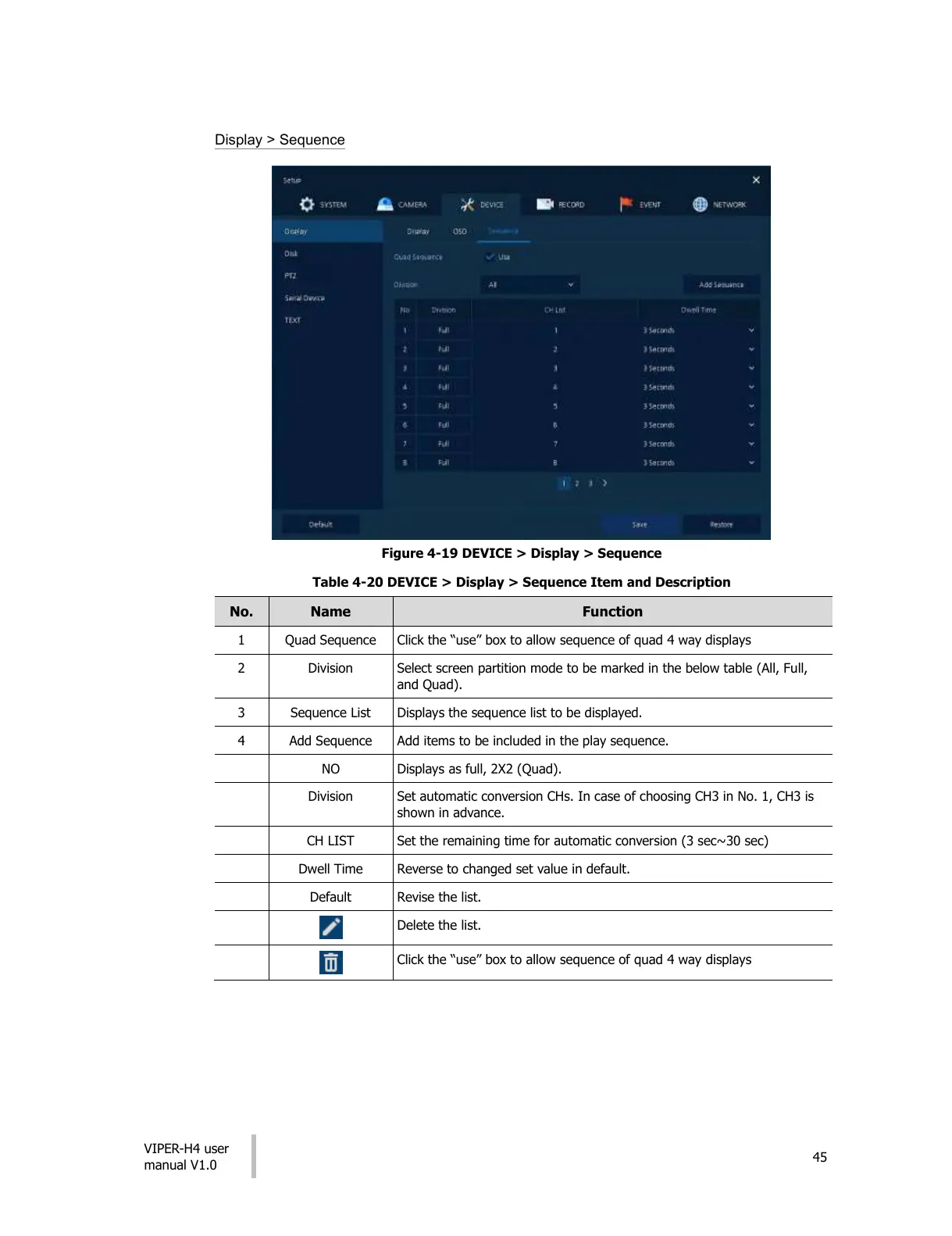
Display > Sequence
Figure 4-19 DEVICE > Display > Sequence
Table 4-20 DEVICE > Display > Sequence Item and Description
Click the “use” box to allow sequence of quad 4 way displays
Select screen partition mode to be marked in the below table (All, Full,
and Quad).
Displays the sequence list to be displayed.
Add items to be included in the play sequence.
Displays as full, 2X2 (Quad).
Set automatic conversion CHs. In case of choosing CH3 in No. 1, CH3 is
shown in advance.
Set the remaining time for automatic conversion (3 sec~30 sec)
Reverse to changed set value in default.
Click the “use” box to allow sequence of quad 4 way displays
All manuals and user guides at all-guides.com











 To Next Page