VIPER-H4 user
manual V1.0
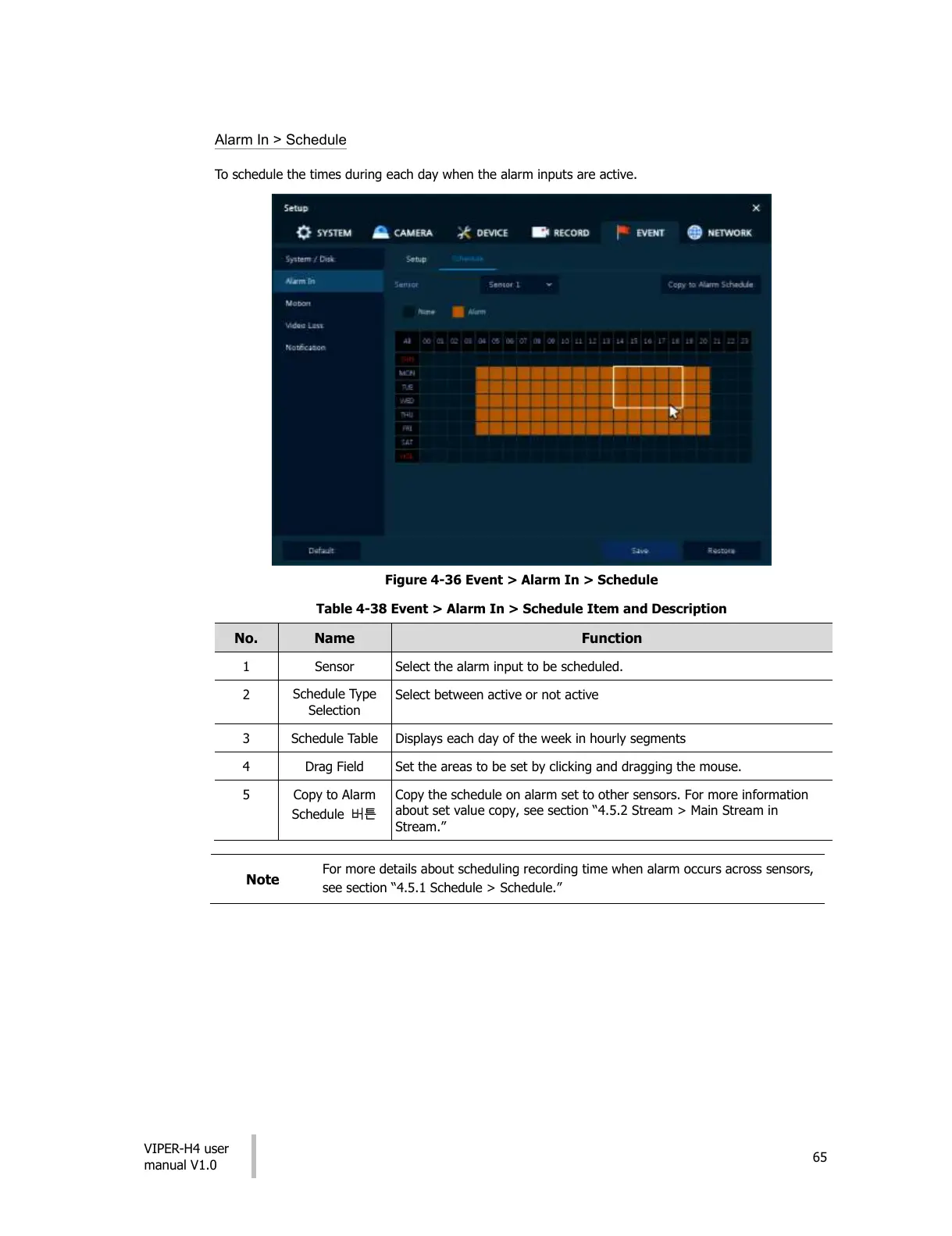
Alarm In > Schedule
To schedule the times during each day when the alarm inputs are active.
Figure 4-36 Event > Alarm In > Schedule
Table 4-38 Event > Alarm In > Schedule Item and Description
Select the alarm input to be scheduled.
Select between active or not active
Displays each day of the week in hourly segments
Set the areas to be set by clicking and dragging the mouse.
Copy to Alarm
Schedule 버튼
Copy the schedule on alarm set to other sensors. For more information
about set value copy, see section “4.5.2 Stream > Main Stream in
Stream.”
For more details about scheduling recording time when alarm occurs across sensors,
see section “4.5.1 Schedule > Schedule.”
All manuals and user guides at all-guides.com




 To Next Page