D
D
D
L
L
L
P
P
P
P
P
P
r
r
r
o
o
o
j
j
j
e
e
e
c
c
c
t
t
t
o
o
o
r
r
r
–
–
–
U
U
U
s
s
s
e
e
e
r
r
r
’
’
’
s
s
s
M
M
M
a
a
a
n
n
n
u
u
u
a
a
a
l
l
l
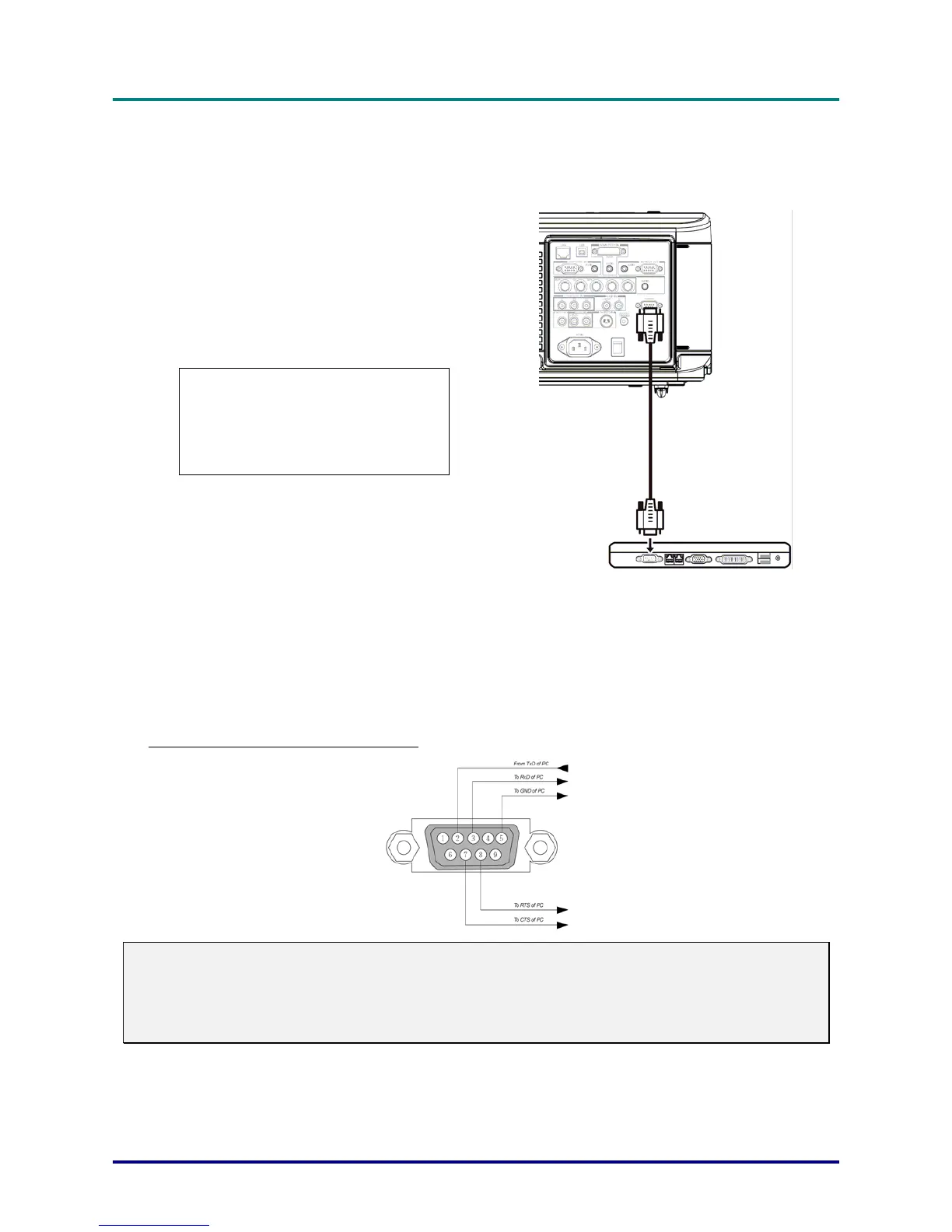
PC Control Codes and Cable Connections
This projector provides a function to control and monitor the projector's operations by using the RS-
232C serial port.
1.
Connect a RS-232C serial cross cable to
SERIAL PORT IN on the projector and serial
port on the PC.
Launch a communication software provided
with PC and setup the communication condi-
tion as follows:
Baud rate : 38400 bps
Parity check : none
Stop bit : 1
Flow control : none
Data bit : 8
2.
Minimum delay for next command: 1ms
Type the command for controlling the projec-
tor and then enter the "Enter" key.
3.
Example:
When you want to change the input to Computer 2, Type “C” “0” “6” “Enter.”
The below table shows the typical command lists for controlling the projector. Please consult your lo-
cal dealer for further information of another commands.
PC Control Connector (DIN-9P)
Note:
1. Pin 1, 4, 6 and 9 are not used.
2. Jumper “Request to Send” and “Clear to Send” together on both ends of the cable to simplify the
cable connection.
3. For long cables, it is recommended to set communication speed within projector menus to 9600 bps.
– 95 –



 To Next Page