D
D
D
L
L
L
P
P
P
P
P
P
r
r
r
o
o
o
j
j
j
e
e
e
c
c
c
t
t
t
o
o
o
r
r
r
—
—
—
U
U
U
s
s
s
e
e
e
r
r
r
’
’
’
s
s
s
M
M
M
a
a
a
n
n
n
u
u
u
a
a
a
l
l
l
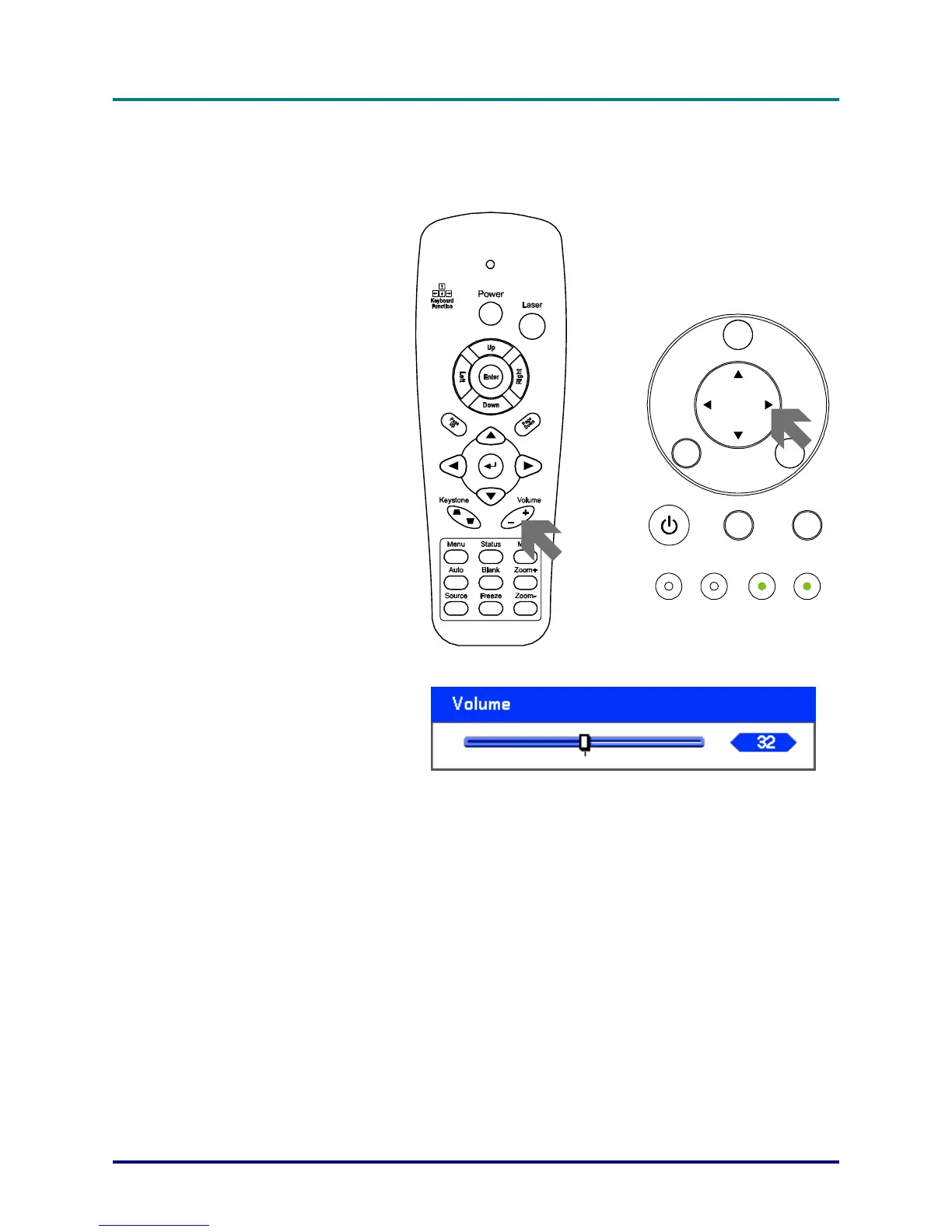
Adjusting Volume Up and Down
The volume can be adjusted from the OSD Control Panel or with the Remote Control unit. Refer to
the following as a guide.
1.
Press the Volume +/- buttons on
the remote control or the ◄ ►
buttons on the OSD control
panel. The volume level is dis-
played on screen.
2.
Use the Volume +/- buttons or
the ◄ ► buttons on the OSD
control panel to adjust the level.
MENU
ENTER
POWER W ARNING LA MP1 LAMP2
SOUR CE AUTO
CANCEL
È
– 30 –



 To Next Page