D
D
D
L
L
L
P
P
P
P
P
P
r
r
r
o
o
o
j
j
j
e
e
e
c
c
c
t
t
t
o
o
o
r
r
r
—
—
—
U
U
U
s
s
s
e
e
e
r
r
r
’
’
’
s
s
s
M
M
M
a
a
a
n
n
n
u
u
u
a
a
a
l
l
l
Structure of the HTTP Server
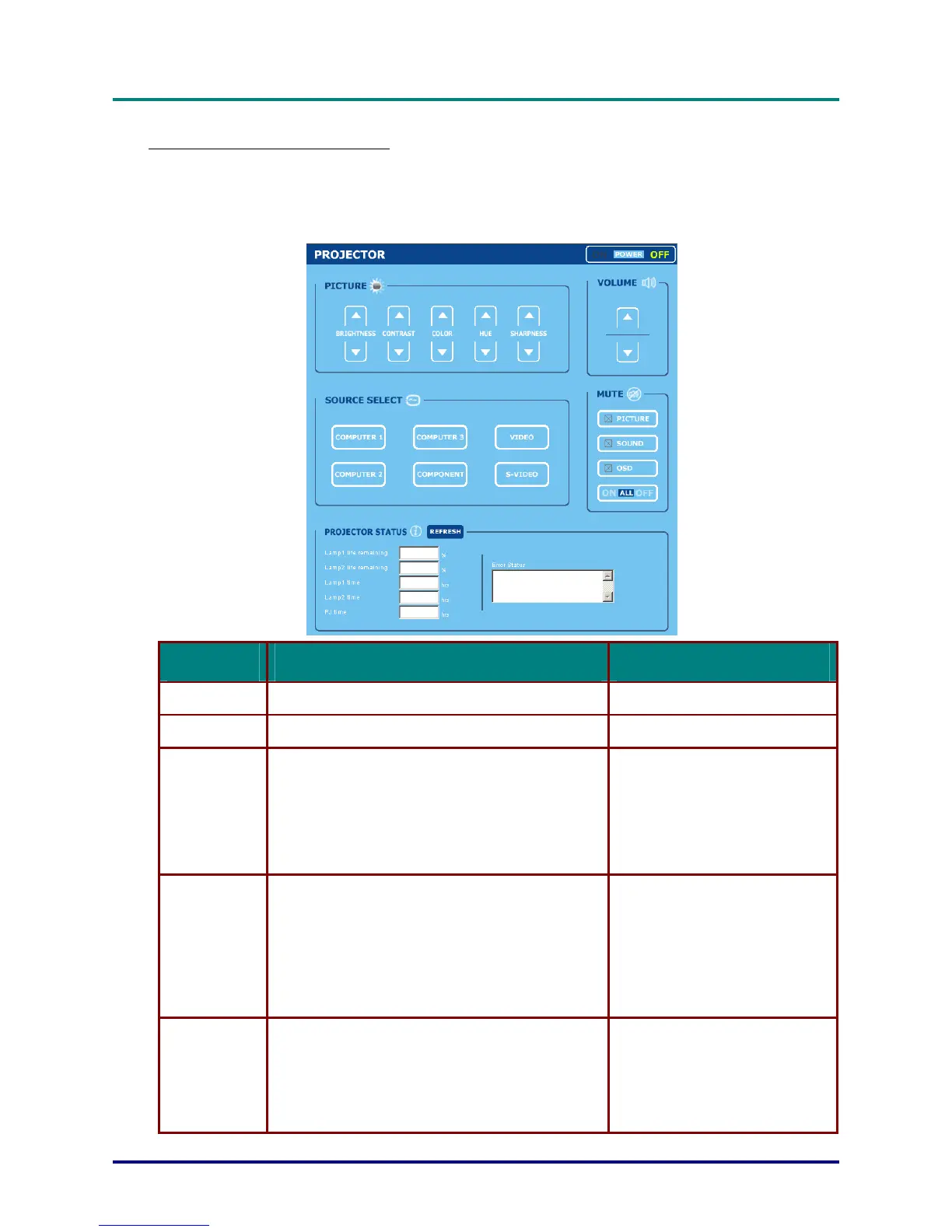
Once the projector is connected to a network and configured correctly, the following screen is dis-
played through the web browser.
http:// <the projector's IP address> /index.html
FUNCTION SETTING DESCRIPTION
POWER Panel ON
OFF
This controls the power to the projector
VOLUME Panel ▲ – Increases the volume adjustment value
▼ – Decreases the volume adjustment value
This controls the volume of the projector
MUTE Panel PICTURE ON – Mutes the video
PICTURE OFF – Cancels the video muting
SOUND ON – Mutes the audio
SOUND OFF – Cancels the audio muting
OSD ON – Mutes the on-screen display
OSD OFF – Cancels the muting of the on-screen display
ALL ON – Mutes each of the video, audio, and on-screen display func-
tions
ALL OFF – Cancels the muting of each of the video, audio, and on-
screen display functions
This controls the mute functions of the projec-
tor
PICTURE Panel BRIGHTNESS ▲▼ – Increases or decreases the brightness adjust-
ment value
CONTRAST ▲▼ – Increases or decreases the contrast adjustment
value
COLOR ▲▼ – Increases or decreases the color adjustment value
TINT ▲▼ – Increases or decreases the hue
adjustment value
SHARPNESS ▲▼ – Increases or decreases the
sharpness adjustment value
Controls the video adjustments of the projec-
tor
SOURCE SELECT
Panel
COMPUTER1 – Switches to the COMPUTER 1 IN connector
COMPUTER2 – Switches to the COMPUTER 2 IN connector
COMPUTER3 – Switches to the COMPUTER 3 IN connector
COMPONENT – Switches to the COMPONENT IN connectors
VIDEO – Switches to the VIDEO IN connector
S-VIDEO – Switches to the S-VIDEO IN connector
This switches the input connector of the pro-
jector
– 102 –



 To Next Page