D
D
D
L
L
L
P
P
P
P
P
P
r
r
r
o
o
o
j
j
j
e
e
e
c
c
c
t
t
t
o
o
o
r
r
r
–
–
–
U
U
U
s
s
s
e
e
e
r
r
r
’
’
’
s
s
s
M
M
M
a
a
a
n
n
n
u
u
u
a
a
a
l
l
l
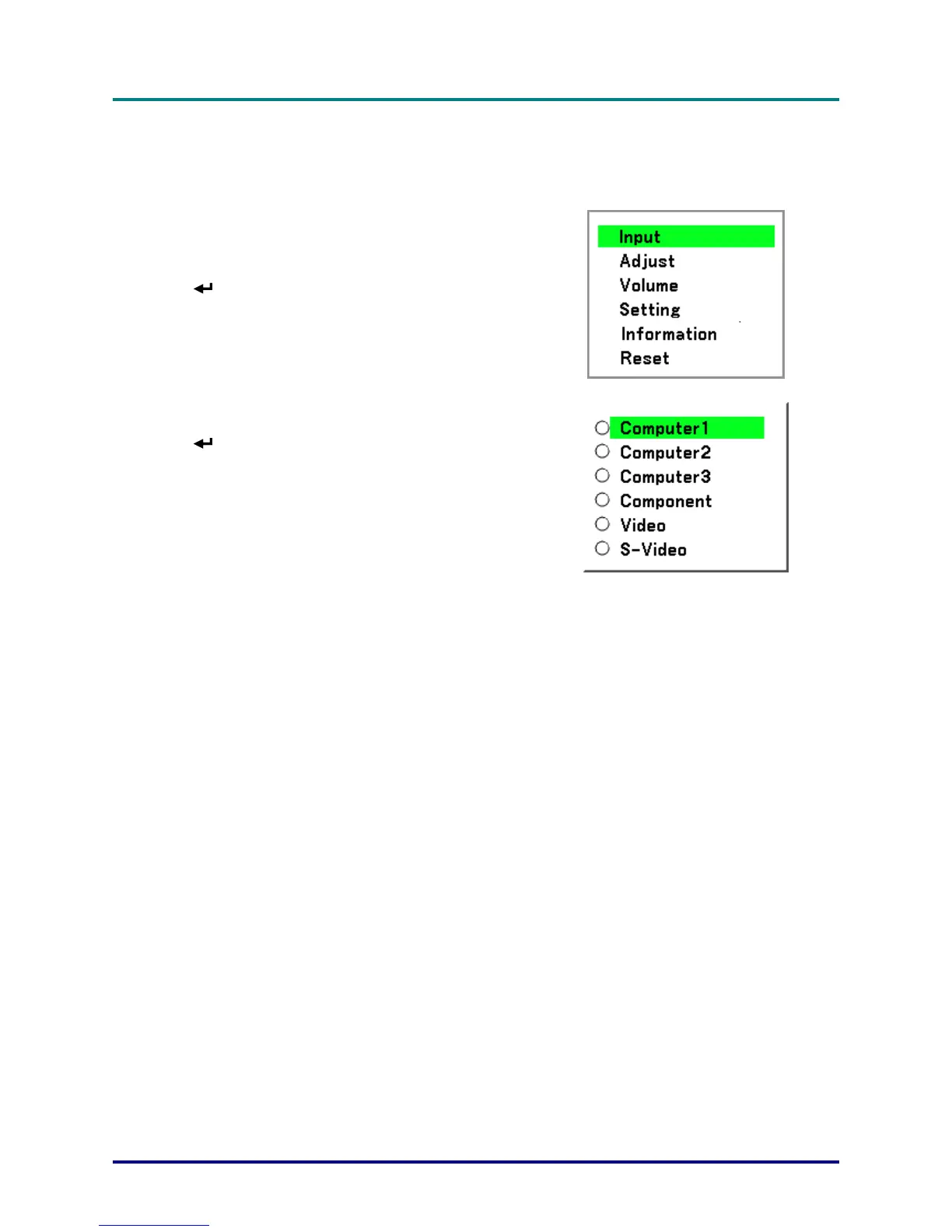
Selecting an Input Source
The Input Source can be selected from the projector's control panel or from the remote control unit.
Refer to the following guide to select the Input Source.
1.
Press Menu on the OSD control panel or on the
remote control unit to display the Main Menu.
Scroll to the Input menu using ▲or▼ and press
.
Note:
Return to the projected image by pressing Cancel
twice.
2.
Select the required source using ▲or▼ and press
.
– 23 –



 To Next Page