D
D
D
L
L
L
P
P
P
P
P
P
r
r
r
o
o
o
j
j
j
e
e
e
c
c
c
t
t
t
o
o
o
r
r
r
—
—
—
U
U
U
s
s
s
e
e
e
r
r
r
’
’
’
s
s
s
M
M
M
a
a
a
n
n
n
u
u
u
a
a
a
l
l
l
Option
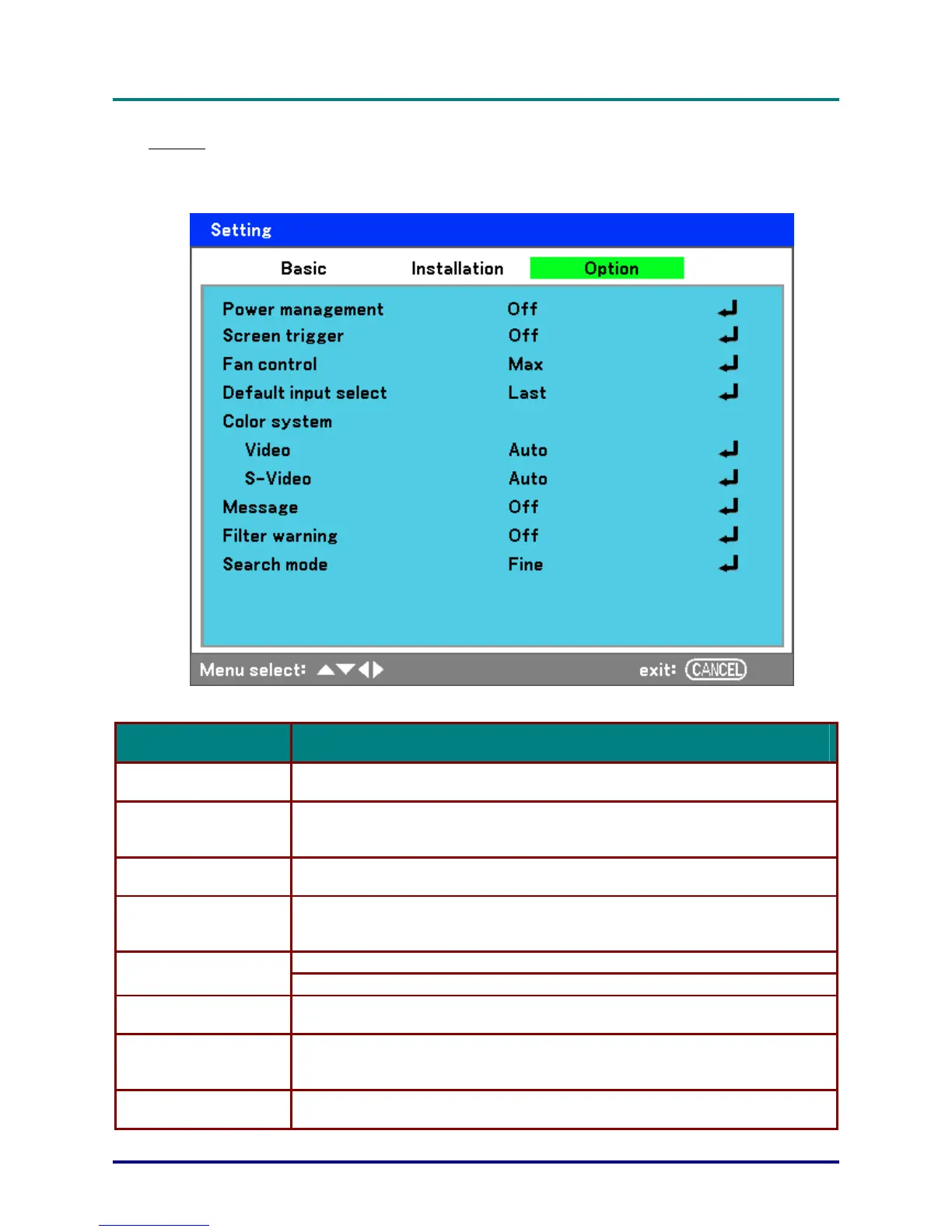
The Option tab contains miscellaneous setup menu settings such as Power management and De-
fault input select and can be accessed by using the Setting menu.
The following table lists all functions with a description and the default setting.
LABEL DESCRIPTION
Power management
Select the amount of time the projector remains idle before powering down.
Range: Off, 0:05, 0:10, 0:20, 0:30
Screen trigger
Set this item to On to enable the projector to automatically lower the projection
screen when powering on.
Range: On or Off
Fan control
Select Fan control.
Range: Normal or Max (see Fan control page 69)
Default input select
Select the default input for projection.
Range: Last, Auto, Computer1, Computer2, Computer3, Component, Video, S-
Video
Video—select the Video Color System from Auto, NTSC, PAL, and SECAM.
Color System
S-Video— select the S-Video Color System from Auto, NTSC, PAL, and SECAM.
Message
This option turns on or off messages.
Range: Off or On
Filter warning
Set this item to on to have the projector display a message when the air filter
needs servicing.
Range: Off, 100[H], 200[H], 500[H], 1000[H]
Search mode
This feature sets the Auto Adjust mode.
Range: Normal, Fine
– 68 –



 To Next Page