D
D
D
L
L
L
P
P
P
P
P
P
r
r
r
o
o
o
j
j
j
e
e
e
c
c
c
t
t
t
o
o
o
r
r
r
—
—
—
U
U
U
s
s
s
e
e
e
r
r
r
’
’
’
s
s
s
M
M
M
a
a
a
n
n
n
u
u
u
a
a
a
l
l
l
– 18 –
Note:
Failure to follow the above steps may not activate the digital output of the graphics card resulting in
no picture being displayed. Should this happen, restart your PC.
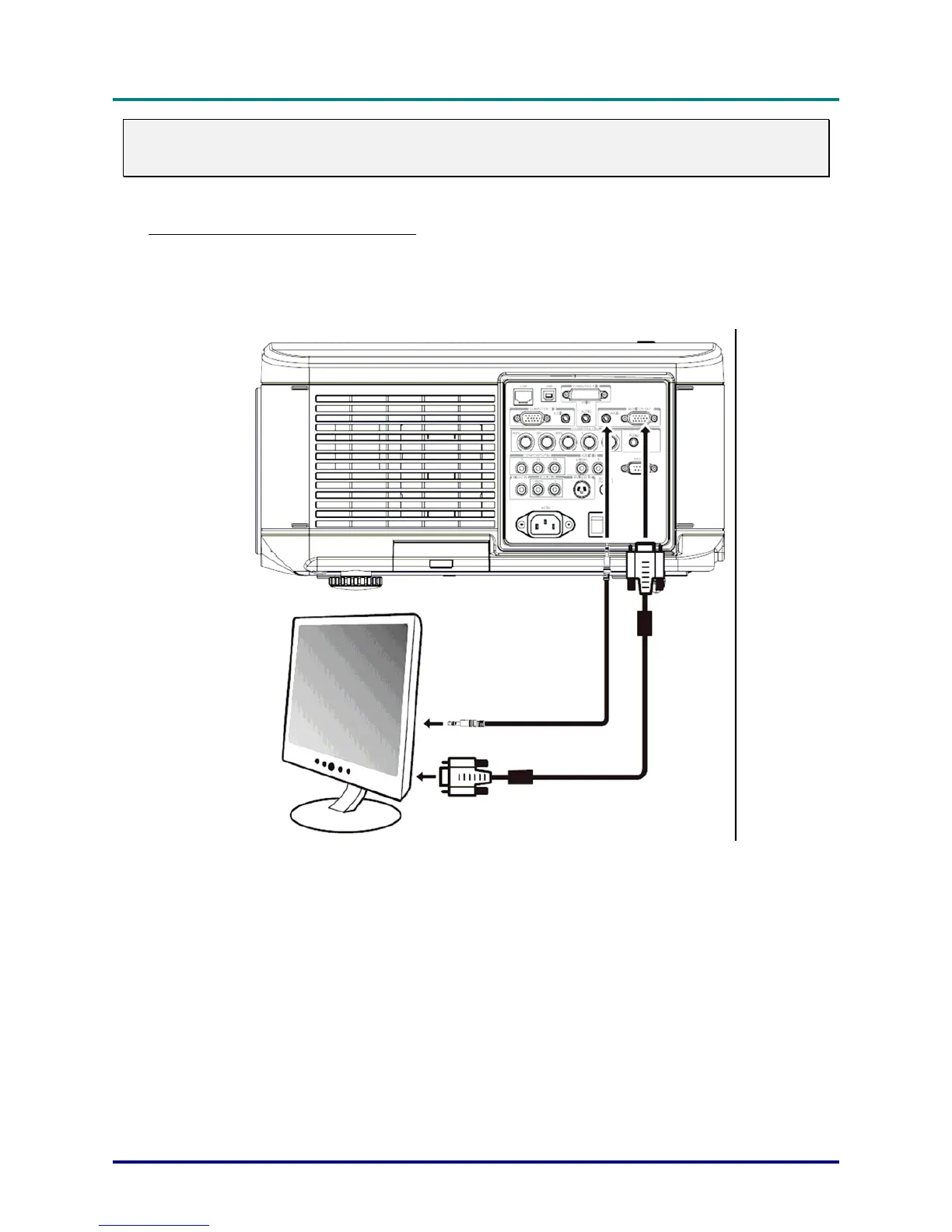
Connecting an External Monitor
Connect an external monitor to the projector through RGB out connections as shown below
(see Terminal Panel Features on page 5).



 To Next Page