D
D
D
L
L
L
P
P
P
P
P
P
r
r
r
o
o
o
j
j
j
e
e
e
c
c
c
t
t
t
o
o
o
r
r
r
—
—
—
U
U
U
s
s
s
e
e
e
r
r
r
’
’
’
s
s
s
M
M
M
a
a
a
n
n
n
u
u
u
a
a
a
l
l
l
Top Features
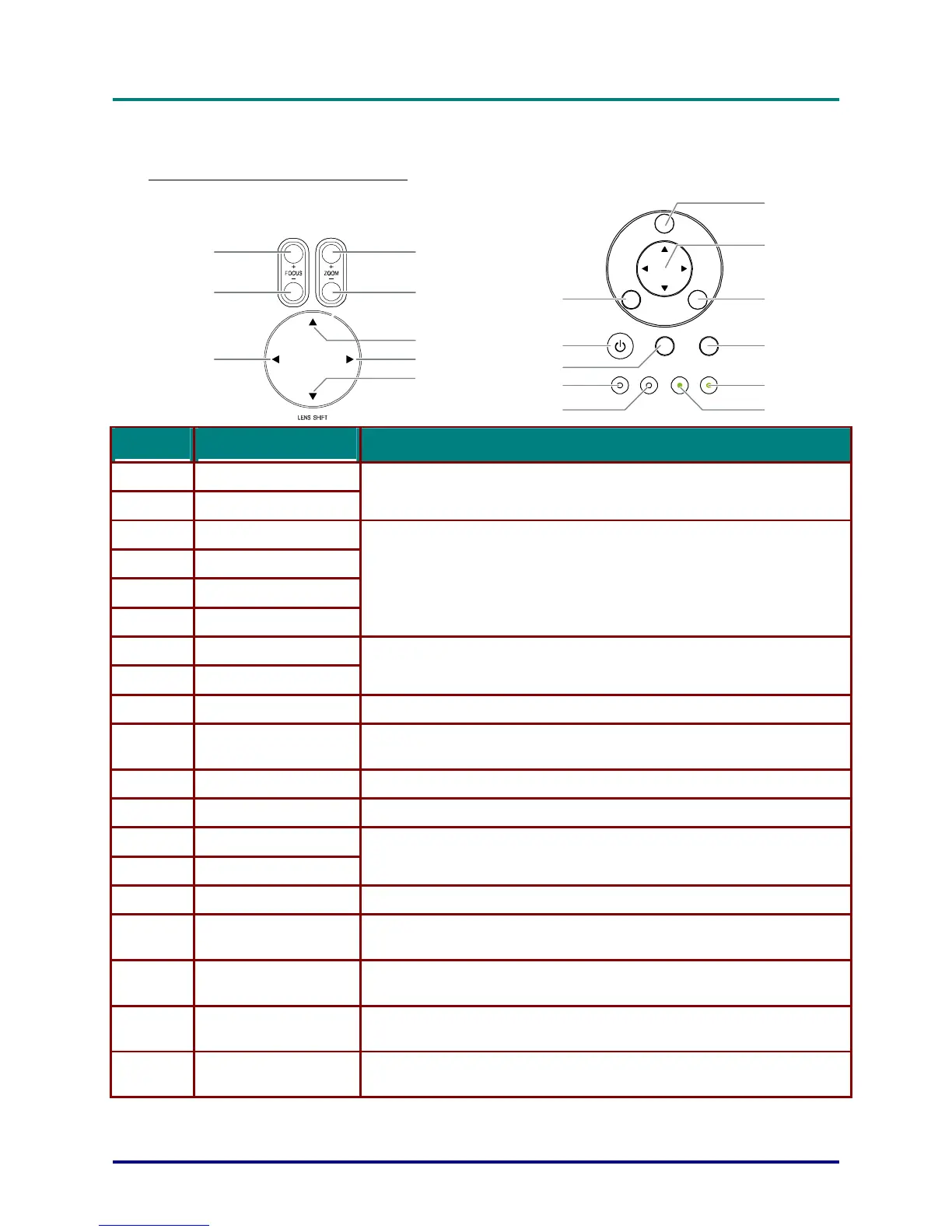
OSD Controls and Status LEDs
MENU
ENTER
POWER WARNING LAMP1 LAMP2
SOURCE AUTO
CANCEL
(1)
(2)
(8)
(7)
(3)
(4)(6)
(5)
(9)
(10)
(11)
(12)
(15)
(16)
(17)
(13)
(14)
(18)
(19)
ITEM LABEL
DESCRIPTION
1.
ZOOM+
2.
ZOOM-
Increase/decrease projected image size
3.
UP CURSOR
4.
RIGHT CURSOR
5.
DOWN CURSOR
6.
LEFT CURSOR
Move image left, right, up, or down
7.
FOCUS-
8.
FOCUS+
Focus the projected image
9.
MENU Open / Close the OSD
10.
UP/ DOWN/ LEFT/
RIGHT BUTTONS
Navigate and change settings in the OSD
11.
CANCEL Exit the On-Screen Display (OSD)
12.
AUTO Optimize image size, position, and resolution
13.
LAMP 2 (LED)
14.
LAMP 1 (LED)
Green / Flashing, See Indicator Messages
15.
ENTER Select or change settings in the OSD
16.
POWER
Turn the projector on or off (main power switch must be turned on first).
Press to
mode.
17.
SOURCE Detects the input device
18.
POWER (LED)
Green / Orange / Flashing
See Indicator Messages
19.
WARNING (LED)
Green / Red / Orange / Flashing
See Indicator Messages
– 4 –



 To Next Page