D
D
D
L
L
L
P
P
P
P
P
P
r
r
r
o
o
o
j
j
j
e
e
e
c
c
c
t
t
t
o
o
o
r
r
r
—
—
—
U
U
U
s
s
s
e
e
e
r
r
r
’
’
’
s
s
s
M
M
M
a
a
a
n
n
n
u
u
u
a
a
a
l
l
l
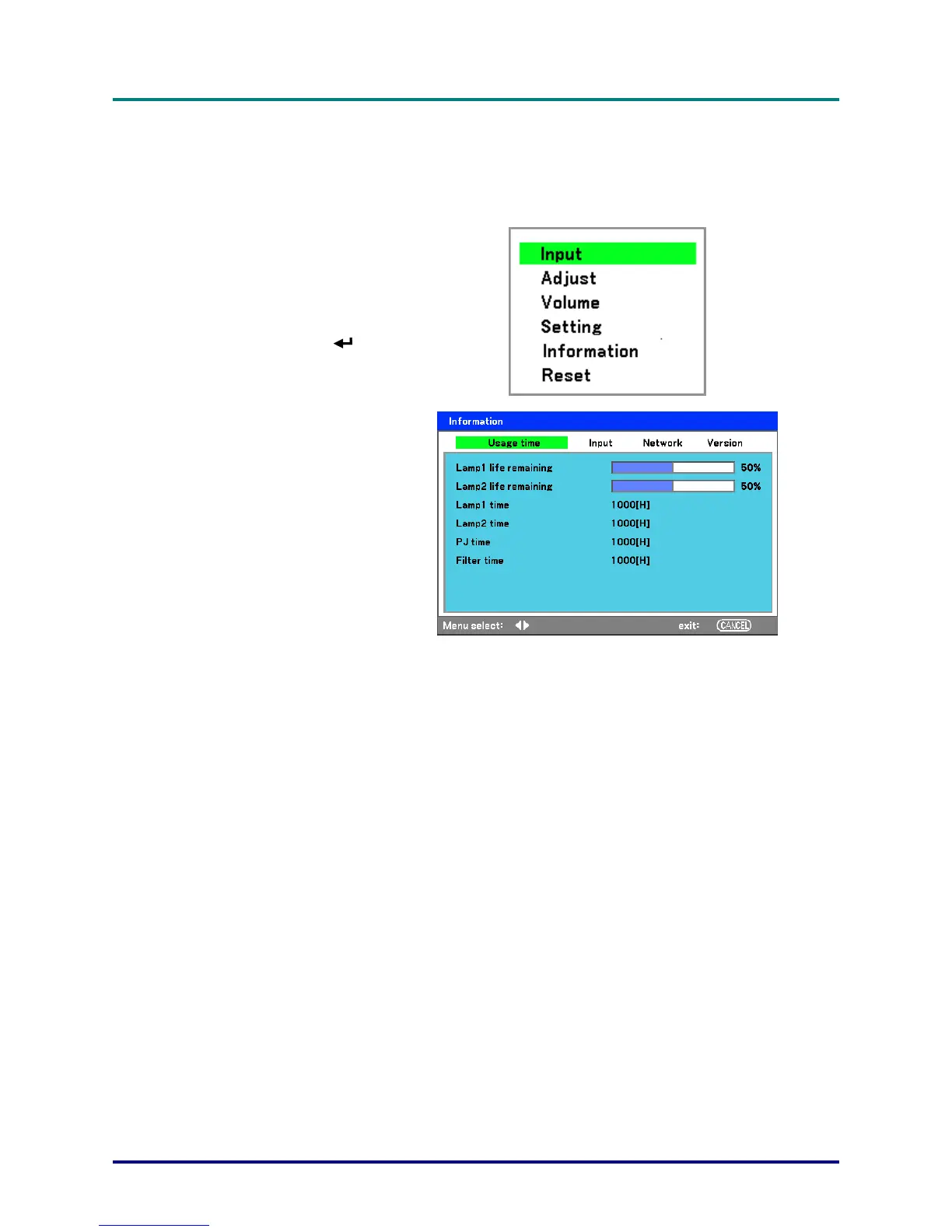
Getting Information
The Information screen provides details on the life of consumable items within the projector as well as
other information such as software version. To access the Information screen, refer to the following
guide.
1.
Press Menu on the projec-
tor's OSD control panel or
remote control to display
the Main Menu. Scroll to
the Information menu us-
ing ▲or▼ and press
.
2.
The Usage time menu is
displayed as the default
view. The menu items in
this screen are for display
and cannot be modified.
3.
Press Cancel or Menu to
return to the projected im-
age.
– 36 –



 To Next Page