D
D
D
L
L
L
P
P
P
P
P
P
r
r
r
o
o
o
j
j
j
e
e
e
c
c
c
t
t
t
o
o
o
r
r
r
–
–
–
U
U
U
s
s
s
e
e
e
r
r
r
’
’
’
s
s
s
M
M
M
a
a
a
n
n
n
u
u
u
a
a
a
l
l
l
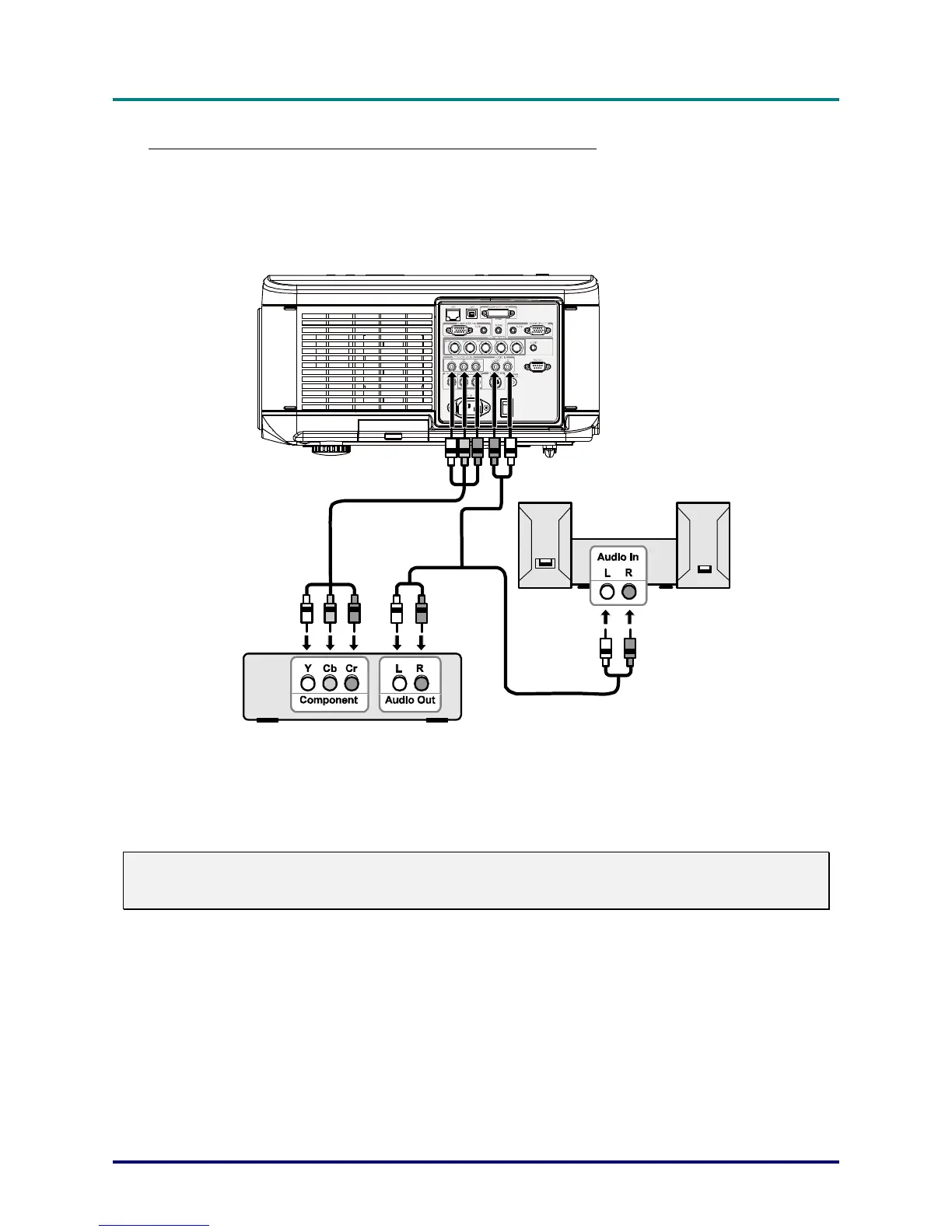
Connecting Your DVD Player with Component Output
To connect a DVD Player to the projector, refer to the following guide.
1. Connect the DVD Player to the projector as shown below before turning on the Player or the pro-
jector.
2. Turn on the projector and select Component from the source menu before turning on the DVD
Player (see Selecting an Input Source on page 23).
3. Turn on the DVD Player.
Note:
Refer to your DVD player's user's manual for more information about your DVD player's video output
requirements.
– 19 –



 To Next Page