D
D
D
L
L
L
P
P
P
P
P
P
r
r
r
o
o
o
j
j
j
e
e
e
c
c
c
t
t
t
o
o
o
r
r
r
—
—
—
U
U
U
s
s
s
e
e
e
r
r
r
’
’
’
s
s
s
M
M
M
a
a
a
n
n
n
u
u
u
a
a
a
l
l
l
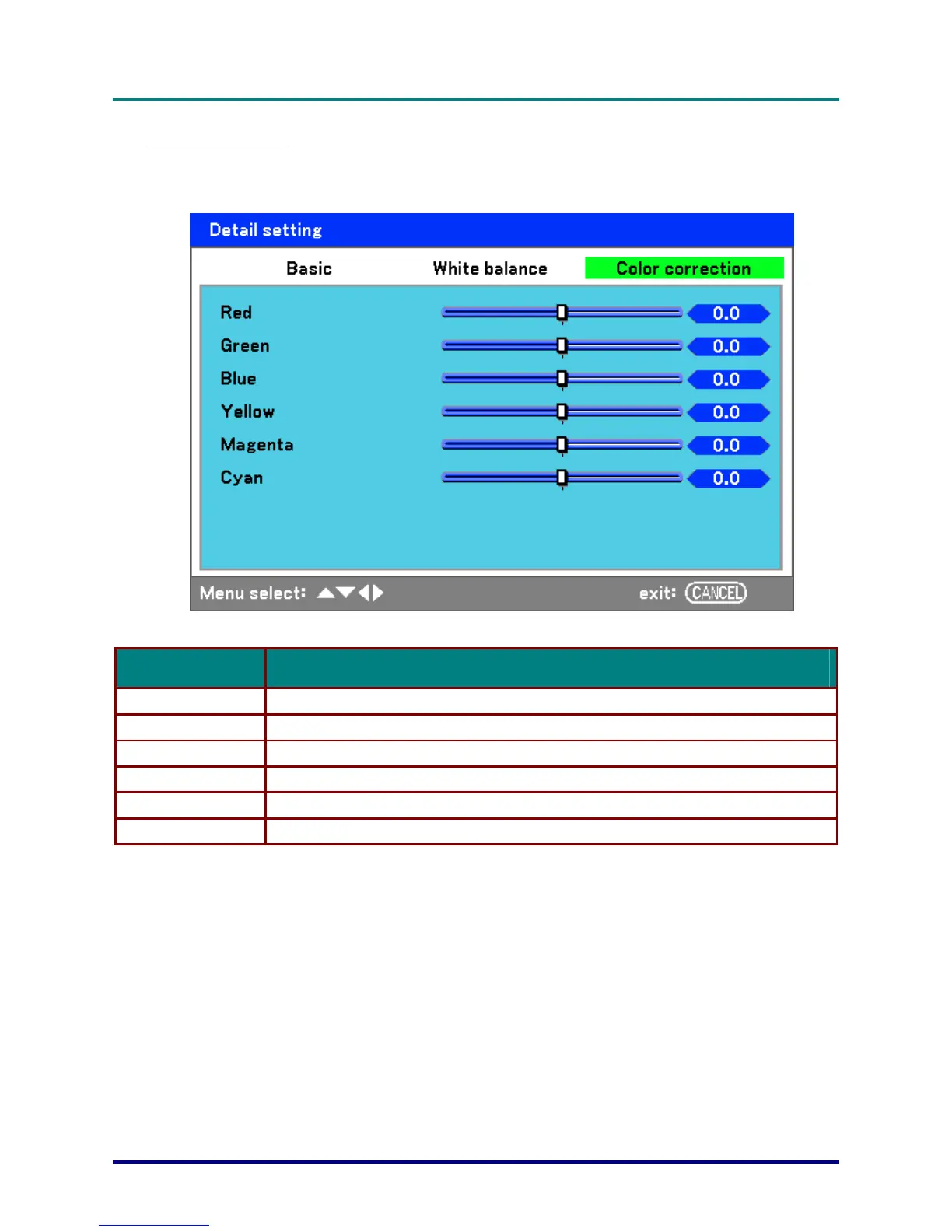
Color correction
The Color correction tab enables the adjustment of color values in an image to remove unwanted
effects, improve color, characteristics or add more of a particular color.
The following table lists all functions with a brief description.
LABEL DESCRIPTION
Red Increase or decrease the amount of red in the projected output using ◄ and ►.
Green Increase or decrease the amount of green in the projected output using ◄ and ►.
Blue Increase or decrease the amount of blue in the projected output using ◄ and ►.
Yellow Increase or decrease the amount of yellow in the projected output using ◄ and ►.
Magenta Increase or decrease the amount of magenta in the projected output using ◄ and ►.
Cyan Increase or decrease the amount of cyan in the projected output using ◄ and ►.
– 58 –



 To Next Page