D
D
D
L
L
L
P
P
P
P
P
P
r
r
r
o
o
o
j
j
j
e
e
e
c
c
c
t
t
t
o
o
o
r
r
r
–
–
–
U
U
U
s
s
s
e
e
e
r
r
r
’
’
’
s
s
s
M
M
M
a
a
a
n
n
n
u
u
u
a
a
a
l
l
l
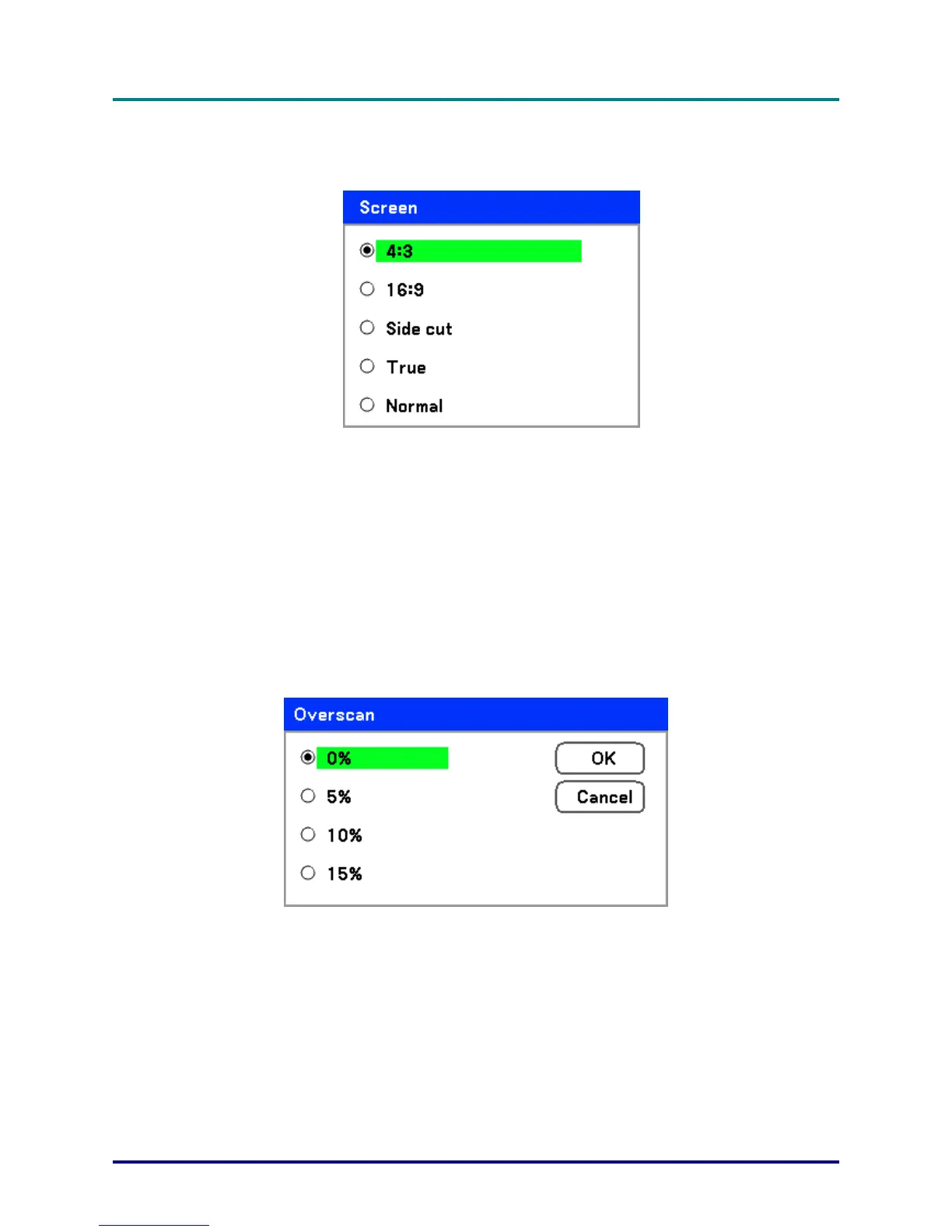
Screen
The Screen option allows for the adjustment of the aspect ratio to alter the appearance or ratio of the
projected image.
4:3 – Standard TV screen (4:3), proportionally four units wide for every three units high, no matter the
size of the screen.
16:9 – A wide-screen aspect ratio for video.
Side cut – Crops the image.
True – Displays the current image in its true resolution.
Normal – Displays the current image in its aspect ratio.
Overscan
Video images normally exceed the size of the display screen. The edge of the picture may or may not
be displayed correctly. The border area that is cropped can be adjusted by using the Overscan option.
Set the overscan percentage between 0 – 15% to compensate for different screen sizes.
– 51 –



 To Next Page