VIVOTEK - Built with Reliability
10 - User's Manual
Avoid touching the hard drive's circuit board or connector pins. Doing so can damage the hard
drive by electro-static discharge.
IMPORTANT:
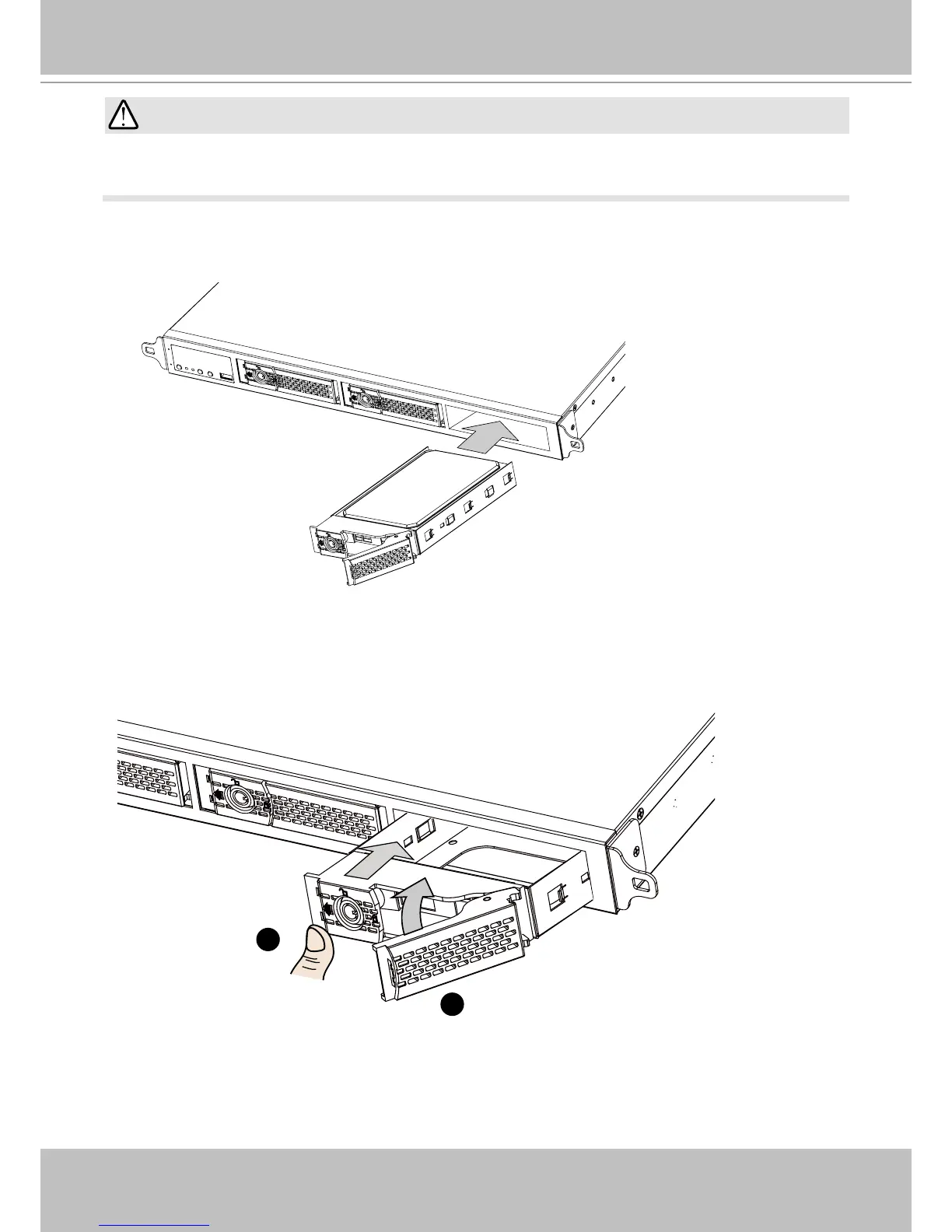
3. Insert the hard drive into drive bay.
4. 4-1. Push the hard drive into bay until you feel the contact resistance.
4-2. Close the bezel lever to connect the hard drive to the back-end connector.
4-3. You should always lock the drive bezel when the drive bay is populated. This ensures the
hard drive is securely installed.
2
1
5. Repeat the process above to install more hard drives.



 To Next Page