VIVOTEK - Built with Reliability
User's Manual - 43
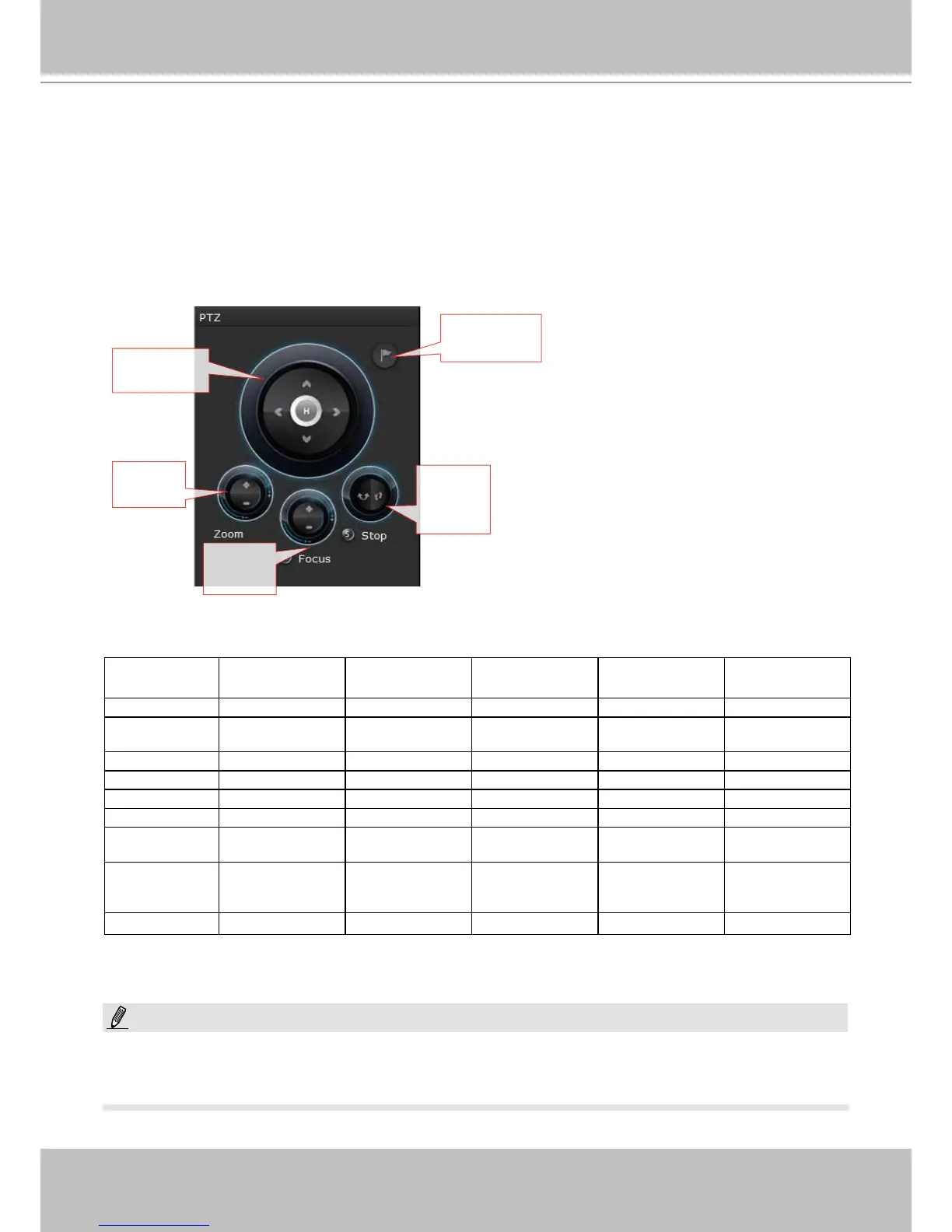
2-2-6. PTZ panel
The PTZ panel takes effect for cameras that come with mechanical PTZ functions. It does not
support digital PTZ functions. To utilize its functions, select a view cell populated by a PTZ
camera, such as a speed dome.
Depending on the individual functions that come with PTZ cameras, some functions will not be
available for every cameras. For example, the zoom controller will not apply for a PTZ camera
that comes without a mechanized zoom module, such as PD8136 and PT8133.
Pan/Tilt
controller
Preset locaon
selector
Zoom
controller
Auto
pan/patrol
controller
Focus
controller
Model (series) Pan/tilt
controller
Preset location Zoom controller Focus controller Auto Pan/Patrol
controller
PT Yes Yes No No Yes
VS (VS8102
and earlier)
* Depends Depends Depends Depends No
VS84xx/88xx Depends Depends Depends Depends Depends
PZ series Yes Yes Yes Yes Yes
SD8xxx
Yes Yes Yes Yes Yes
SD7xxx Yes Yes Yes Yes Yes
IP7xxx/8xxx box
camera
Depends Depends Depends Depends Depends
IP6xxx/3xxx/
2xxx box
camera
No No No No No
IZ series
Depends Depends Yes Yes Depends
Listed below are the camera models and the types of supported PTZ controls:
* If the analogue cameras connected through the video server support PTZ mechanism.
On the the Liveview window, currently the Continuous Move and the Click-on-image functions
for PTZ cameras are not supported. Neither can you zoom in/out using the mouse wheel.
NOTE:



 To Next Page