VIVOTEK - Built with Reliability
User's Manual - 53
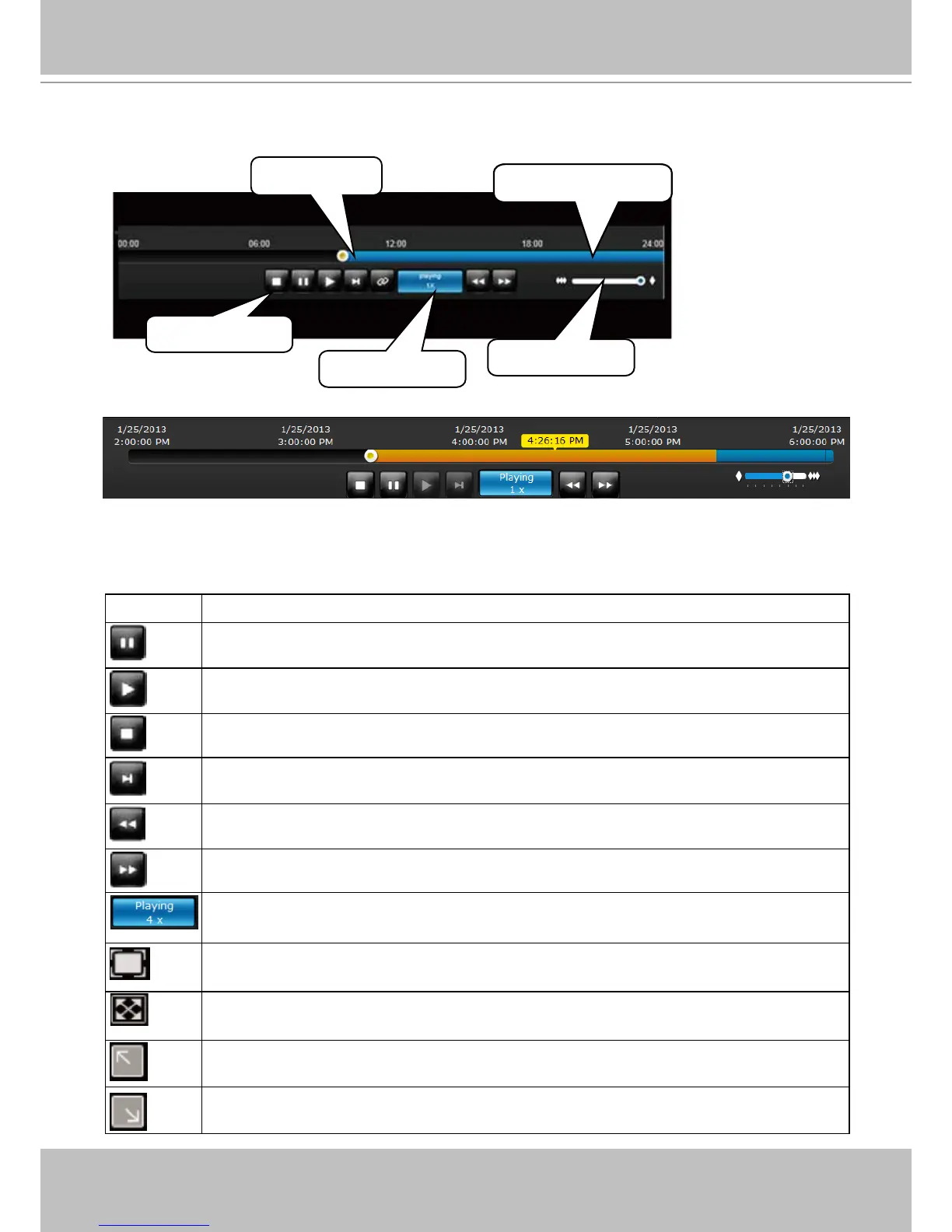
Playback control panel
The time slide bar enables quick skimming through the recording. Its functional buttons are
described as follows:
Buttons Description
Pause
Play. This button is available after you manually paused a playback.
Stops the current playback.
Next frame. After you paused a playback, use this button to browse video frame by
frame.
Speeds down by 1/2. The slowest speed is 1/8.
Speeds up. Increases the playback speed, to 2x, 4x, 8x, 16x, 32x, and then to a
maximum of 64x.
Displays the current playback status, such as Playing, Pause, or Stop.
Restores the view cell's original position on the liveview panel.
Maximizes the size of current view cell.
Activates the PiP function.
Disables digital zoom (PiP).
Timeline slider
Timeline zoomer
Playback info
Control buttons
Span of existing
recording



 To Next Page