VIVOTEK - Built with Reliability
User's Manual - 23
Attaching Foot Pads
If you intend to place your chassis on a shelf or desktop, attach the foot pads
to the bottom of the chassis where you can nd corner marks for reference.
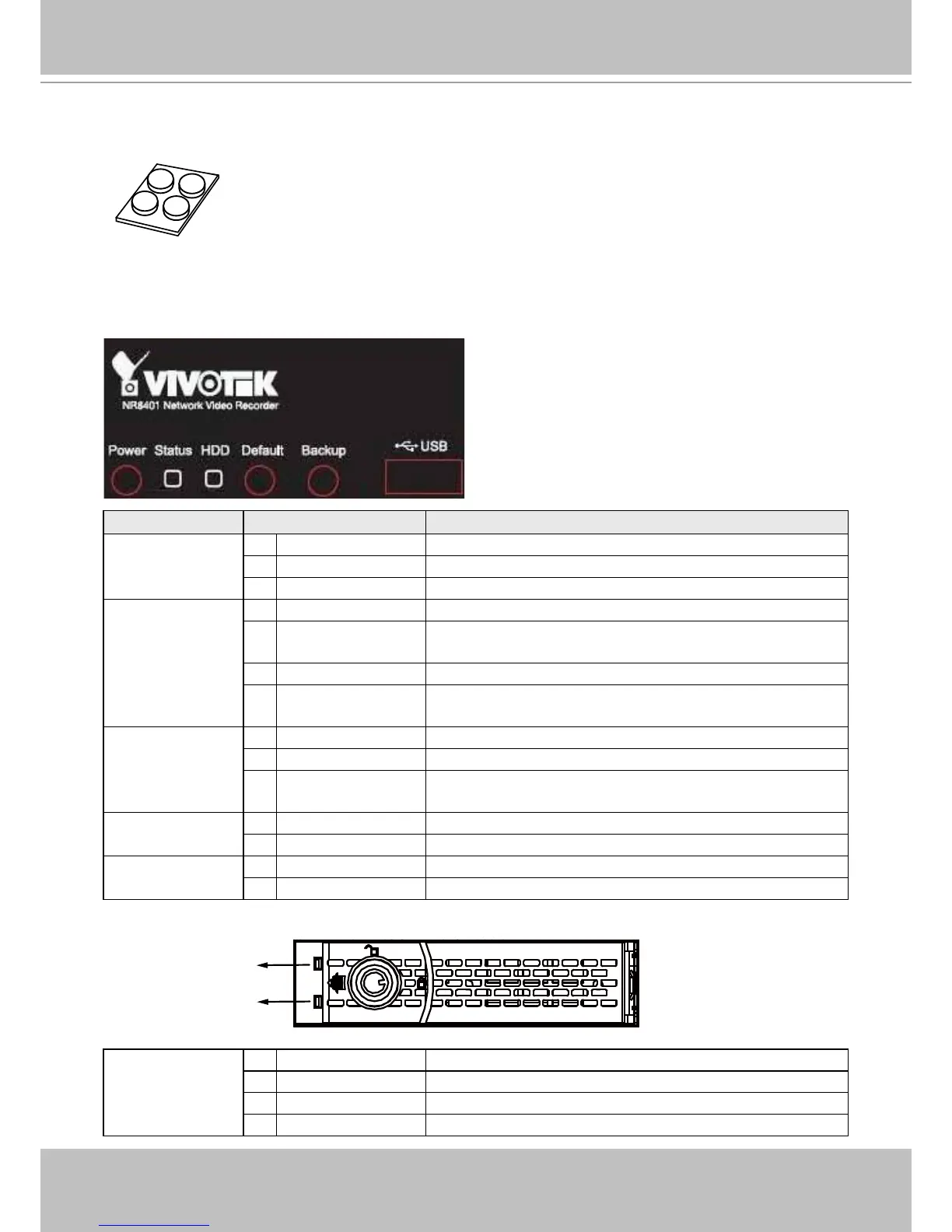
LED Indicators
Name Behavior Denitions
Power button
LED
1 Off Powered down
2 Flashing Red Powering on
3 Constant Red System is on
Status LED 1 Constant Green System is ready
2 Flashing Green Booting, proceeding with backup, restore, or restoring
default
3 Constant Orange System errors, system buzzer will also be sounded
4 Flashing Orange Errors occurred with backup, restore, or restoring
default
HDD LED 1 Constant Green Recording software is up and running
2 Flashing Green Recording videos
3 Flashing Red Connection errors, cameras disconnected, or no
volume is available.
Default button
LED
1 Off Not functioning
2. Flashing Green Restoring system defaults
Backup button
LED
1 Off Not functioning
Flashing Green Backing up system conguration
HDD tray LED (2) 1 Constant White Hard disks are ready and congured into a volume
2 Off No hard disk is present
3 Flashing Blue Read/write activities on hard disks
4 Constant Blue Drive is connected
HDD tray LEDs
Volume status
Read/write status



 To Next Page