VIVOTEK - Built with Reliability
User's Manual - 9
Hardware Installation
For a RAID volume conguration, it is recommended you use hard drives of the same model
featuring the same capacity and rotation speed. It is also preferred that these drives are running
the same version of rmware.
IMPORTANT:
SATA hard disk(s) are user-supplied. The network video recorder can readily accommodate
most of the off-the-shelf SATA hard drives.
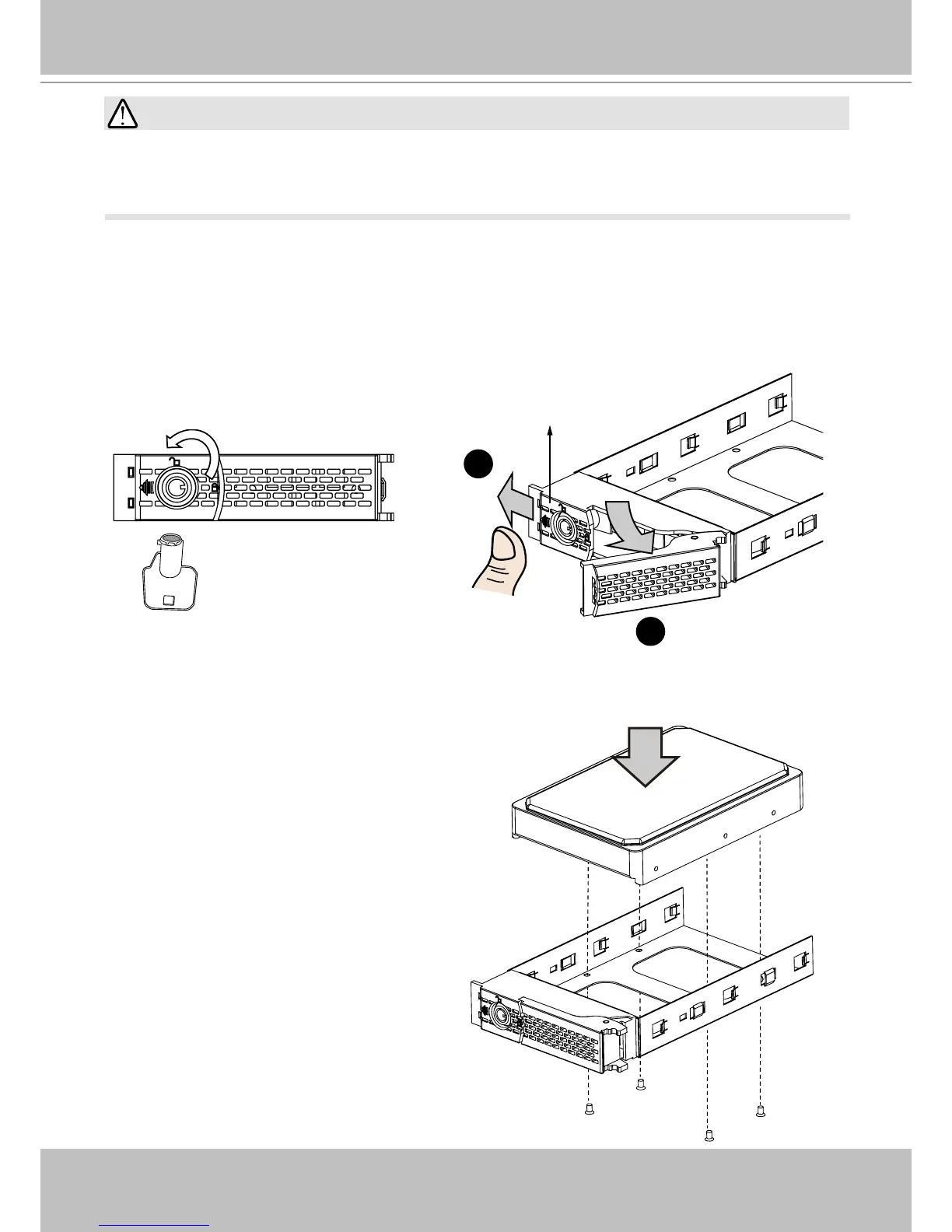
1. Use the included bezel key to unlock the rotary bezel lock. Open the drive bay bezel by pull-
ing the door latch to the side.
2
1
Bezel Lever
Bezel Lock Door Latch
2. Install your hard disk to the drive tray. Gently put the hard disk into drive tray with its label
side facing up and the connector side facing
the inside of the chassis. Secure the hard
disk by driving screws from the bottom.



 To Next Page