VIVOTEK - Built with Reliability
18 - User's Manual
Rack-mounting
If you need to install the NVR system into a rack cabinet,
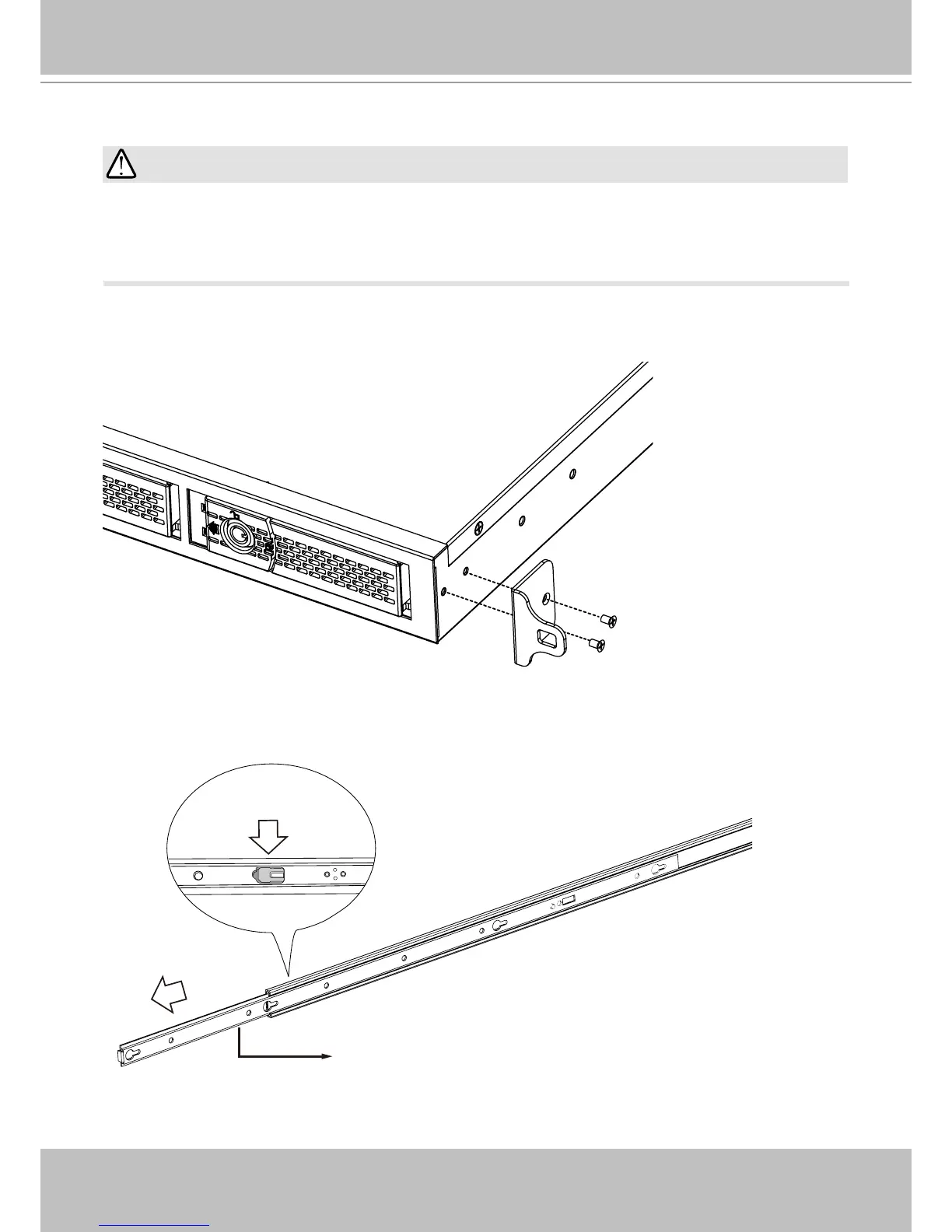
1. Install chassis ears to the sides of chassis using the included athead screws. The rack-
mount rails are separately purchased.
2. Unpack the rack-mount rails' package, and detach the inner rails from the rail assembly.
Detach the inner rail by pressing on the release tab.
Inner rail
Release tab
If you have either a round-holed or square-holed rack, install cage nuts or clip nuts to the
desired positions on the rack posts.
The instructions below are based on the installation to a 4-post equipment rack.
IMPORTANT:



 To Next Page