VIVOTEK - Built with Reliability
30 - User's Manual
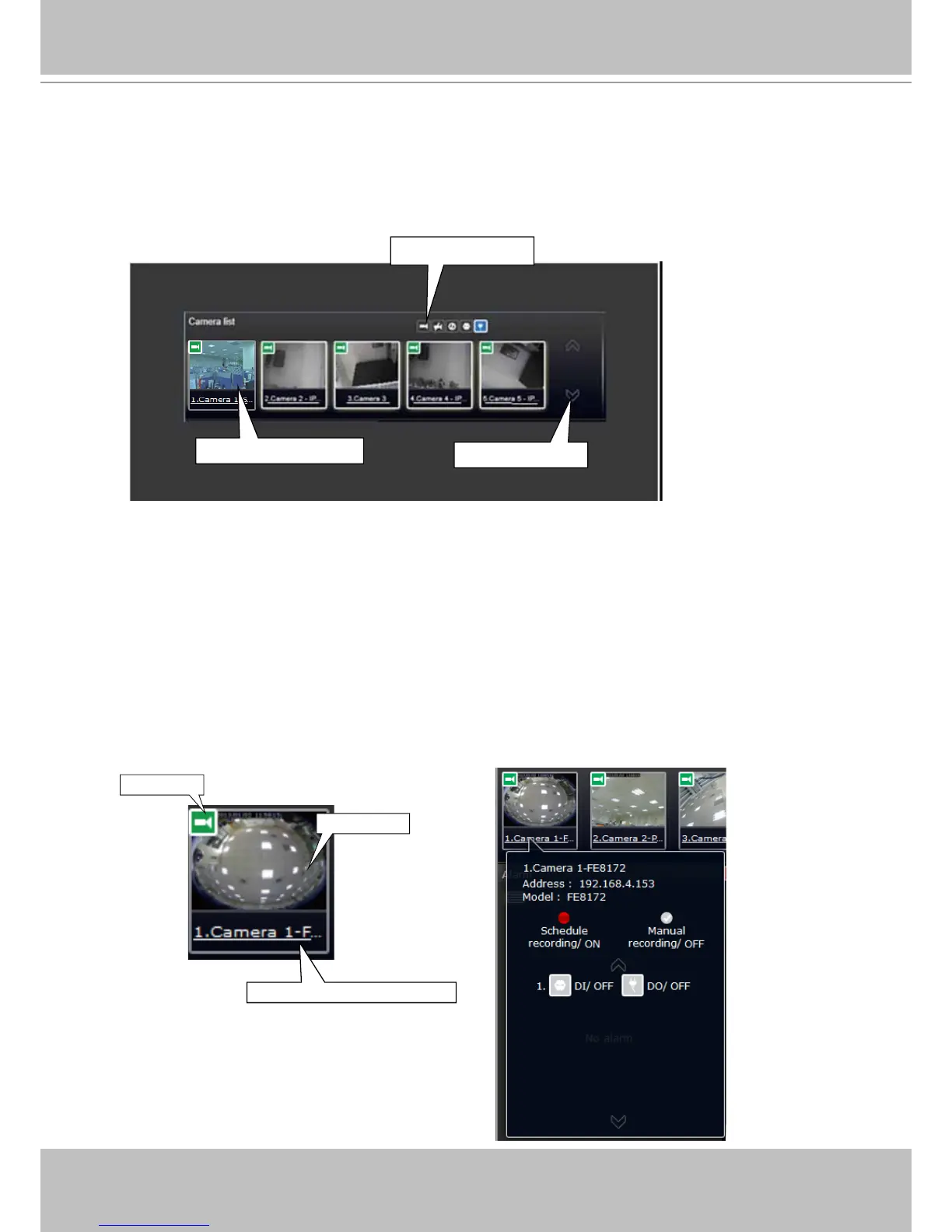
2-2-1. Camera List Panel
The camera list displays the 16 recruited cameras by the sequential numbering order you
congured in the System Settings utility.
Sorting criteria
Page switcher
Camera thumbnails
Depending on the size and screen resolution of your monitor, the snapshots of 5 or 9 cameras
are displayed in this panel, and you should use the Page switcher buttons to see the rest of the
cameras. If a user logged in using a credential of a limited access, he may only see cameras
that he can access instead of all of the cameras.
To arrange a view cell layout, users can click and drag a camera to a view cell. Once connected,
a camera's video stream is displayed.
Camera Thumbnail:
A mouse click on the camera name under the thumbnail brings forth the summary of IP address,
model name, recording setup and DI/DO information.
Camera index and camera name
Snapshot
Status



 To Next Page