VIVOTEK - Built with Reliability
12 - User's Manual
Network Deployment
1.
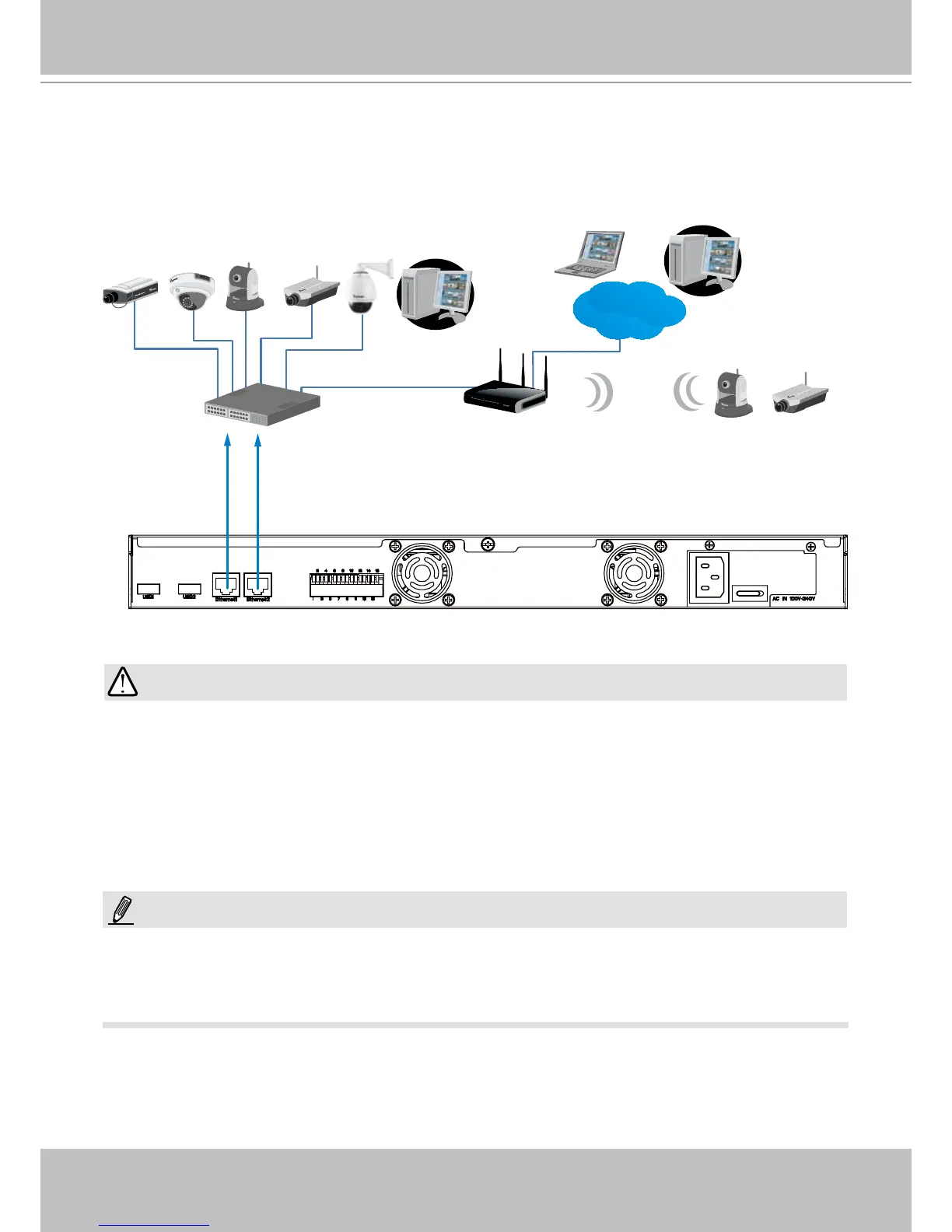
Connect network cameras to the NVR’s LAN ports.
2. Internet access to the NVR is made through the TCP port 80 and RTSP streaming via port
554.
Router
Internet
Router
16x
LAN
Switch
Router / Wireless AP
Clients
1. The two LAN ports can be congured into the same or different subnets, or into a failover or
load-sharing trunk group.
2. Client computers should support IE8 browser at a minimum of 1280x960 resolution or higher.
NOTE:
1. The two LAN ports must not be managed by different DHCP servers or routers.
2. It is recommended all network cameras use static IPs. If you let a DHCP server assign IPs to
these cameras, IPs may be changed later and the NVR may not recognize them.
3. The NVR only receives H.264 and MPEG-4 video streams. If your cameras are congured to
deliver MJPEG streams, please change their video stream conguration.
4. The maximum recording bandwidth is 96Mbps using single disks or RAID0/1, and 48Mbps
using a RAID5 volume.
IMPORTANT:



 To Next Page