VIVOTEK - Built with Reliability
User's Manual - 31
* Snapshot: the camera's image snapshot is replenished every 5 minutes. If a camera is
disconnected, the last image taken will be used to represent a camera.
* Camera index & Camera name: Placing the mouse cursor on top of a camera text displays
the camera index number and the camera name. You can click on the camera index to display
the information box.
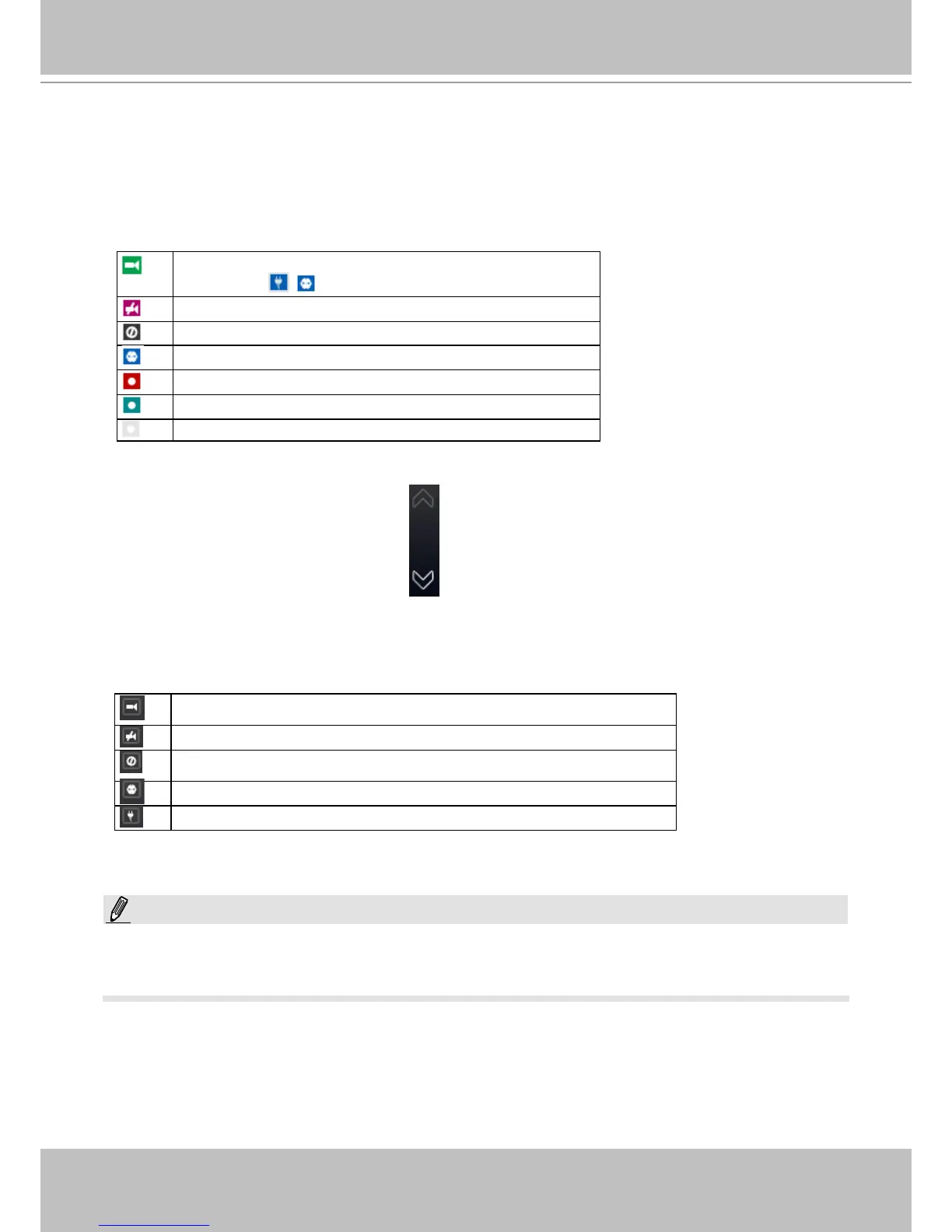
* Status:
Online: the online status can be accompanied by the
DI/DO icon
Ofine: camera is disconnected.
An uncongured camera instance
Digial input is triggered
Connected and recording video to system storage
Connected with live streaming
Disconnected or trying to establish a connection
* Page switcher: Moves to the next page on the Camera list panel. The button will be grayed-
out if the end of the list is reached.
Sorting criteria
Use the sorting buttons to re-arrange the order of the cameras on the list. Cameras that match
the condition will be brought to higher places on the list (front of the order) regardless of its
original camera index.
Online: the online cameras.
Ofine: the ofine cameras.
Uncongured camera instance
Cameras whose Digial inputs have been triggered
Cameras whose Digial outputs have been triggered
For online cameras, the snapshots on the camera list are refreshed by every 5 minutes, and
therefore may not represent the latest occurrences on the surveillance areas.
NOTE:



 To Next Page