VIVOTEK - Built with Reliability
User's Manual - 17
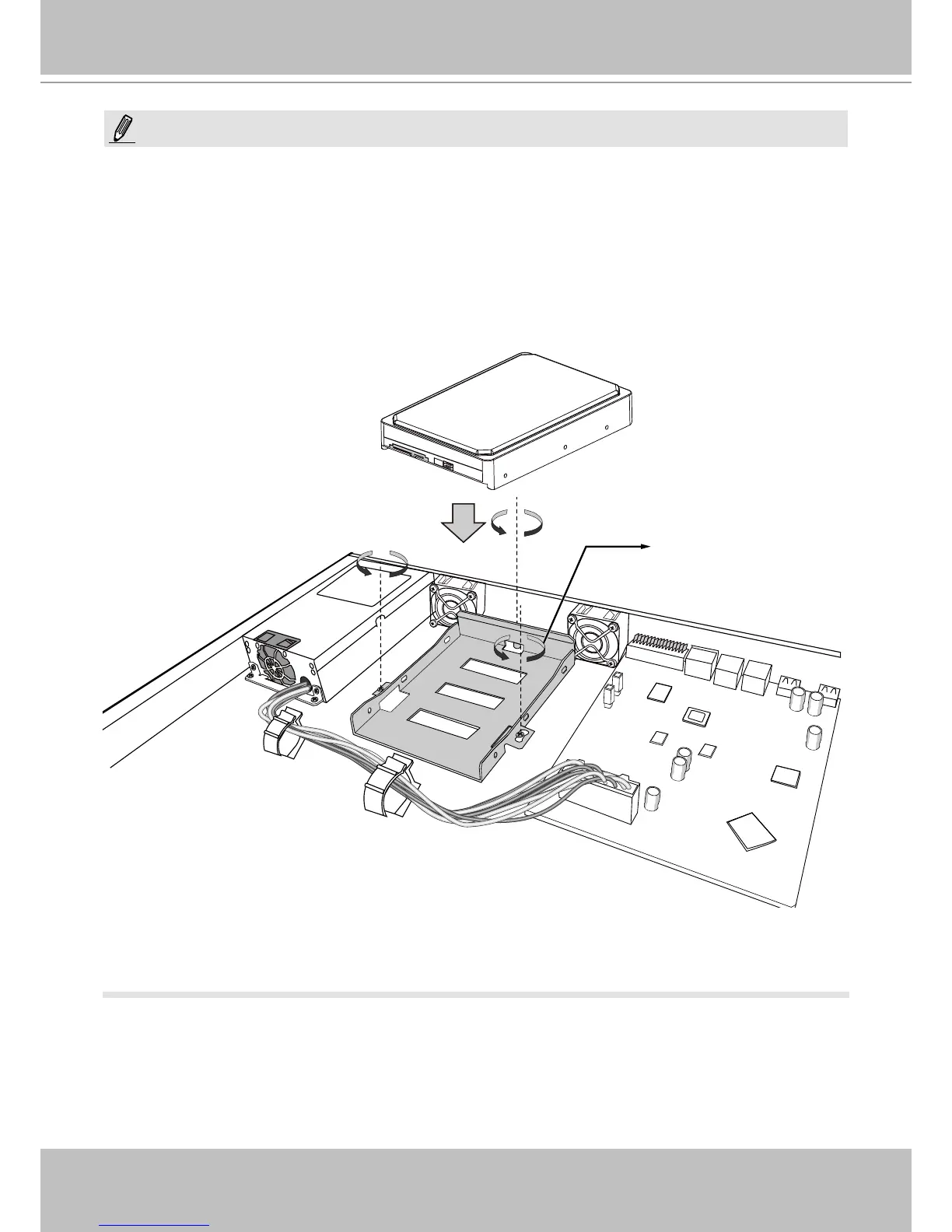
If you need to install 4 hard drives,
1. Power down the system and disconnect the power cord.
2. Open the chassis top cover by removing 4 screws from the sides, and then the hand screw at
the rear side of the chassis.
3. Remove the drive bracket by loosening 3 screws.
4. Orient the hard drive with its label side facing up and the connector side facing the front of
chassis.
5. Connect the SATA connector and SATA power.
6. Secure the hard drive to the bracket by driving screws from the sides.
NOTE:
#4 Drive Bracket
7. Install the drive bracket (along with the hard drive) back to the original location.
8. Re-install the chassis cover.



 To Next Page