VIVOTEK - Built with Reliability
54 - User's Manual
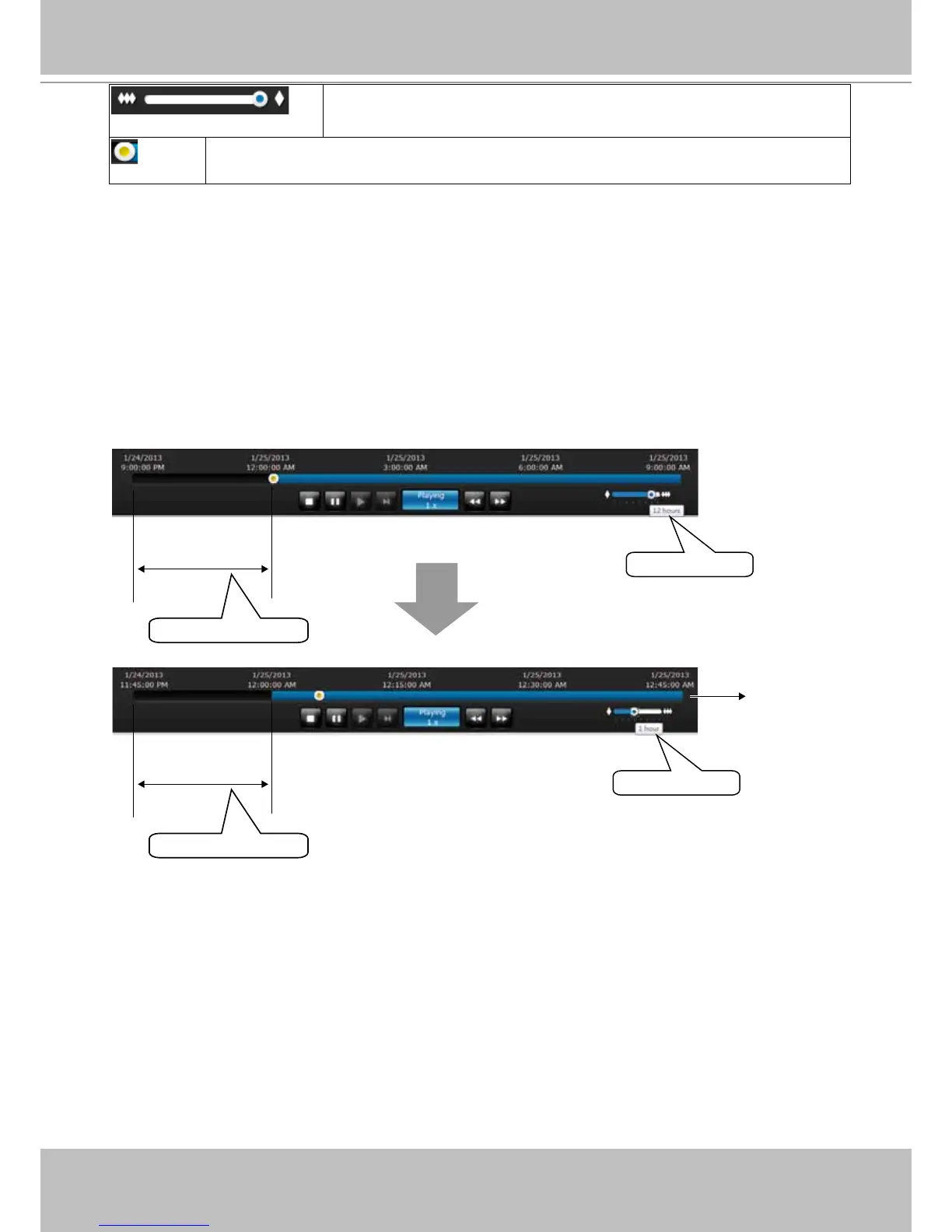
Timeline zoomer. Use the zoomer to zoom in for more precise
skimming.
Timeline slider thumb. Click and drag this thumb button to move along and reach
a specic point in time. A click on the time line will also work.
Time span =12 hrs
Time span =1 hrs
Each section =15 mins
Each section =3 hrs
Total time span
The time line shows the length of existing recording taken on a specic time span. You can use
the timeline zoomer to scale down the span of time. For example, if the time span is reduced
to 1 hour, then each section on the time line represents 15 minutes of recording. The total time
span of a timeline starts from the minimal of 4 minutes, 20 minutes, 40 minutes, 1 hour, and up
to a maximum of 24 hours.
In Synchronous play mode, a change to the zoomer will be reected by all synchronously
playing view cells.
If recordings take place by an event-triggered recording, the intervals between recordings can
be down to 1 minute, and the individual recordings will not be easily discernible. In this situation,
you can mouse over the timeline to pinpoint individual recording instances.



 To Next Page