VIVOTEK - Built with Reliability
108 - User's Manual
1
2
3
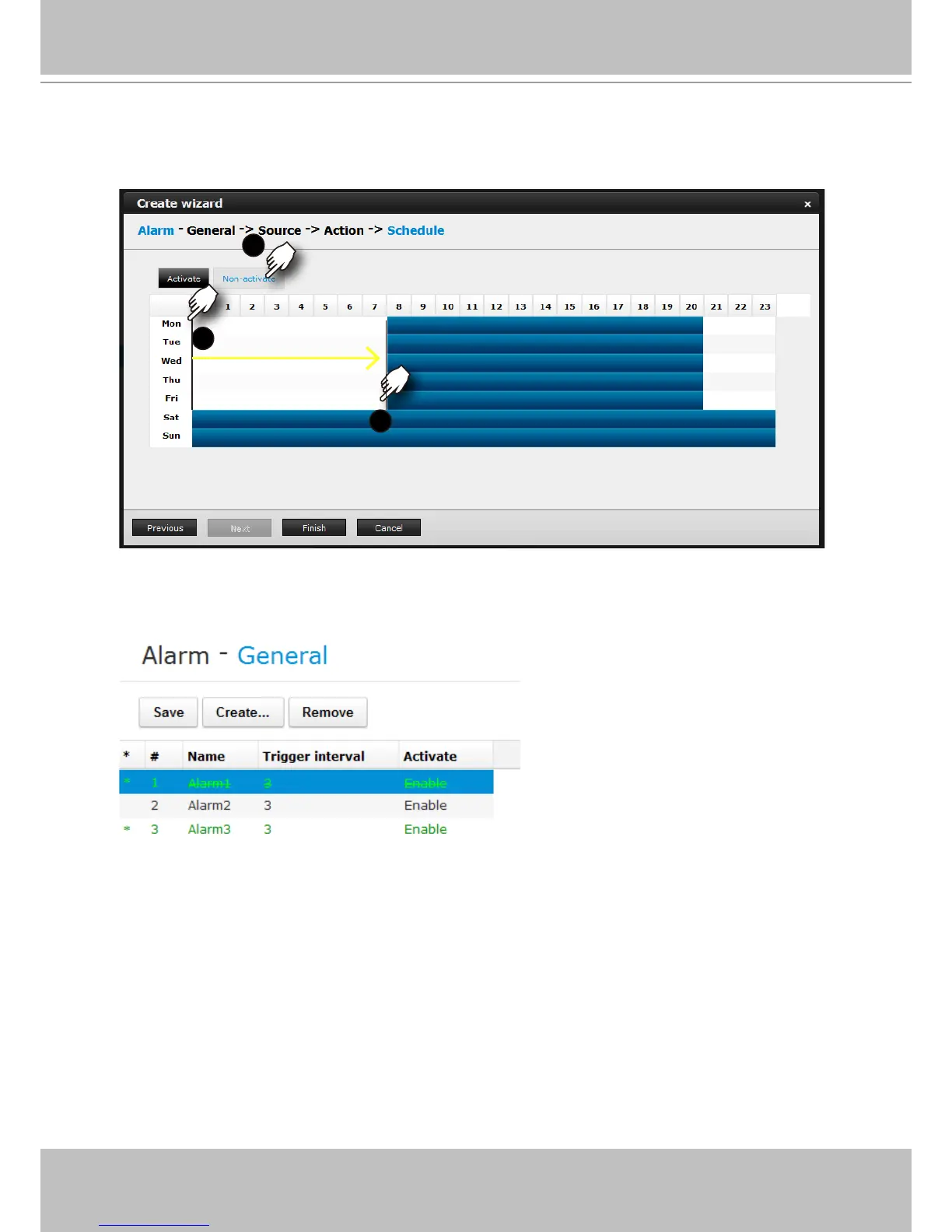
5. On the Schedule page, you can select to activate or de-activate alarm triggers throughout a
specic time. For example, in some situations you can disable the alarm triggers during the
ofce hours, and choose to enable the triggers only during the off-ofce hours.
6. Click Finish to end the conguration. A congured instance will appear in lighter color and an
asterisk mark in front to distinguish it as a changed entry that has not been applied.
7. Click Save to preserve and enable your alarm setting.
8. Repeat the process above to create more alarms according to the needs in your surveillance
deployment.



 To Next Page