VIVOTEK - Built with Reliability
User's Manual - 115
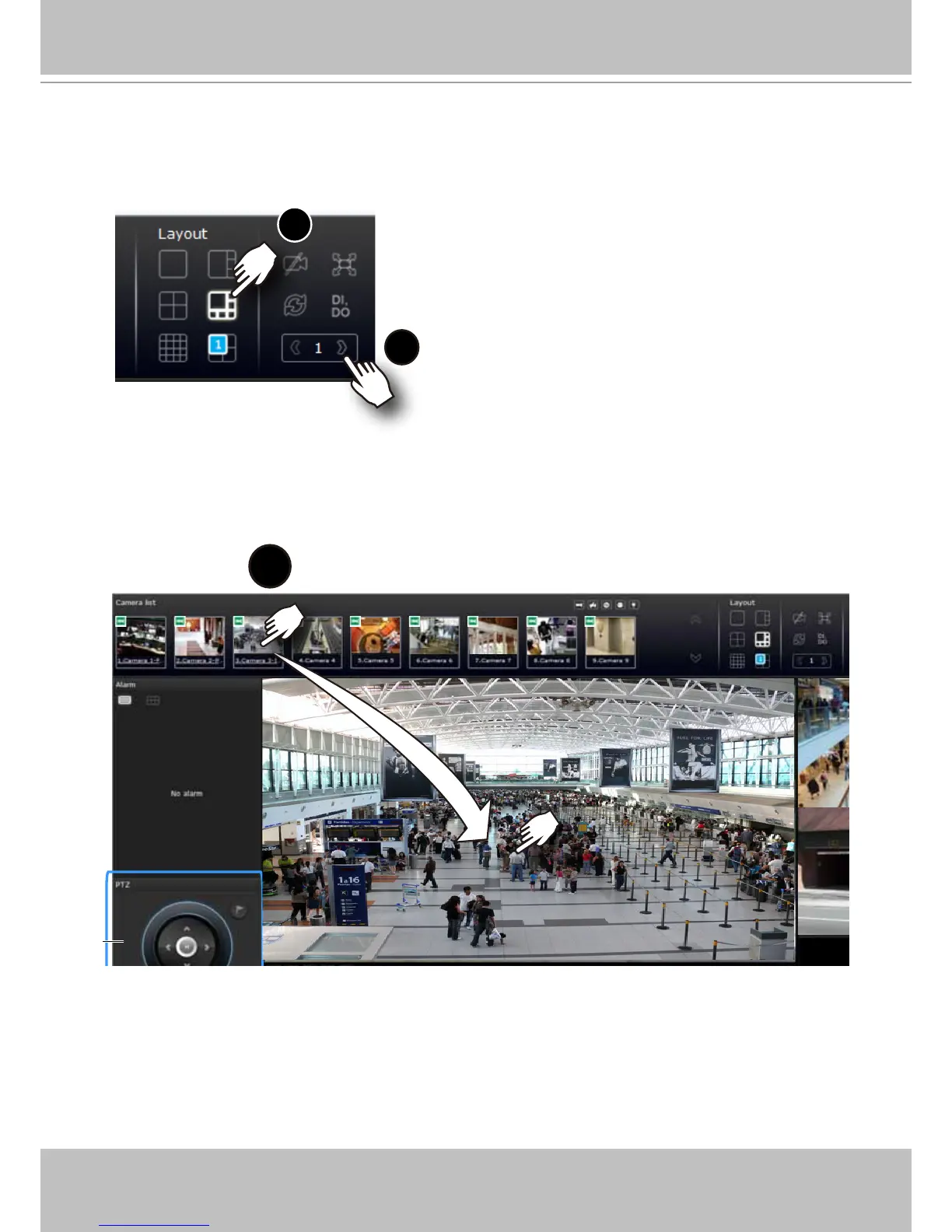
2. Click and drag cameras from the Camera list to empty cells on your layout. Repeat the
action until you placed all your cameras into the layout. You may also double-click on a
camera's thumbnail to ll it into the rst unoccupied view cell.
To begin the design of your layout,
3
1. Select a layout pattern by a single click. The options are: 1x1, 1+3, 1+5,
2x2, and 4x4.
Camera list
2
3. When you lled up the current layout, e.g., 6 camera into the 1+5 layout, click the page
switch button to continue on the next layout page.



 To Next Page