VIVOTEK - Built with Reliability
46 - User's Manual
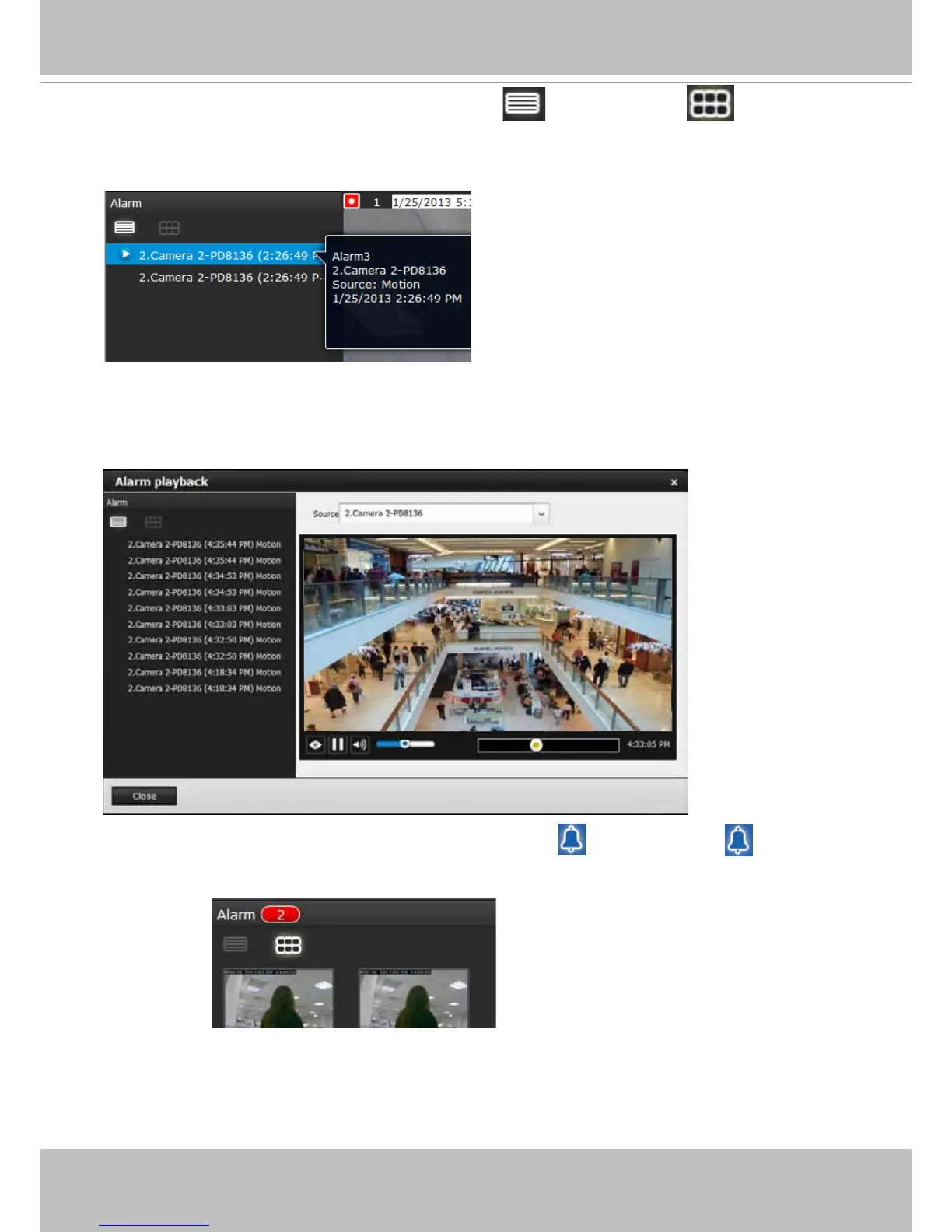
The alarm panel is displayed either in the list mode or the icon mode .
If an event is congured with a recording action, or the alarm is triggered when the associated
camera was recording to the NVR, there will be a play button to the left of the alarm message.
Click and read a text-only alarm will turn off the alarm icon . The alarm icons indicate
unread alarms. The number of unread alarms will be listed on the title bar.
The alarm playback window will begin playback of footage from 10 seconds before the alarm.
The playback of an alarm-triggered recording will normally last for one minute. If, however, you
congured a shorter pre- and post-alarm recording time, your alarm recording may be slightly
shorter. The defaults for pre- and post-alarm buffer time are 5 seconds and 20 seconds.



 To Next Page