VIVOTEK - Built with Reliability
68 - User's Manual
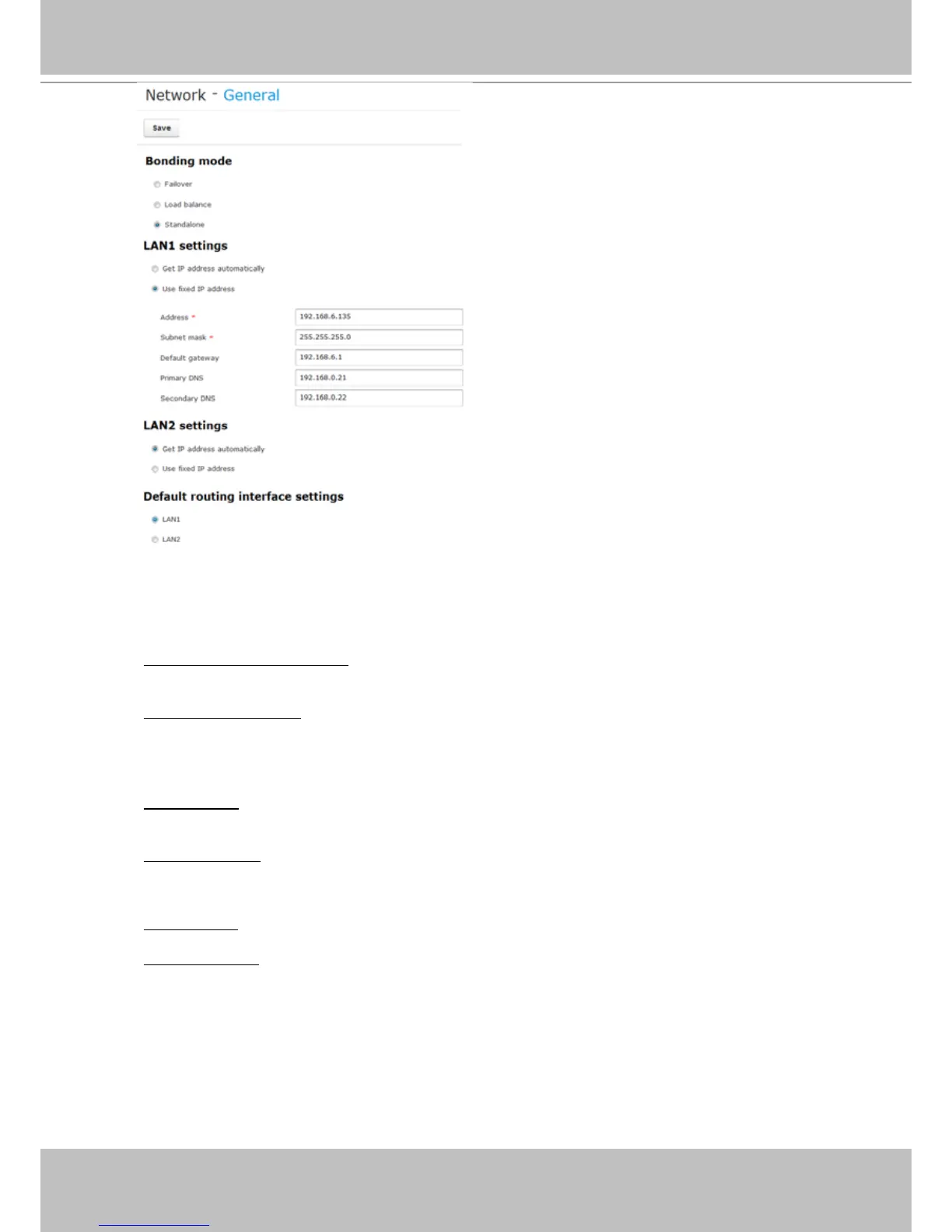
2. Address settings:
Primary DNS: The primary domain name server that translates hostnames into IP addresses.
Secondary DNS: Secondary domain name server that backups the Primary DNS.
Get IP address automatically: Select this option to obtain an available dynamic IP address assigned
by the DHCP server each time the system is connected to the LAN.
Use fixed IP address: Select this option to manually assign a static IP address to the Network
Camera.
Enter the Static IP, Subnet mask, Default router, and Primary DNS provided by your ISP.
Subnet mask: This is used to determine if the destination is in the same subnet. The default value
is “255.255.255.0”.
Default gateway: This is the gateway used to forward frames to destinations in a different subnet.
Invalid router setting will fail the transmission to destinations in different subnet.
When nished with the network settings, click on the Save button.



 To Next Page