VIVOTEK - Built with Reliability
User's Manual - 77
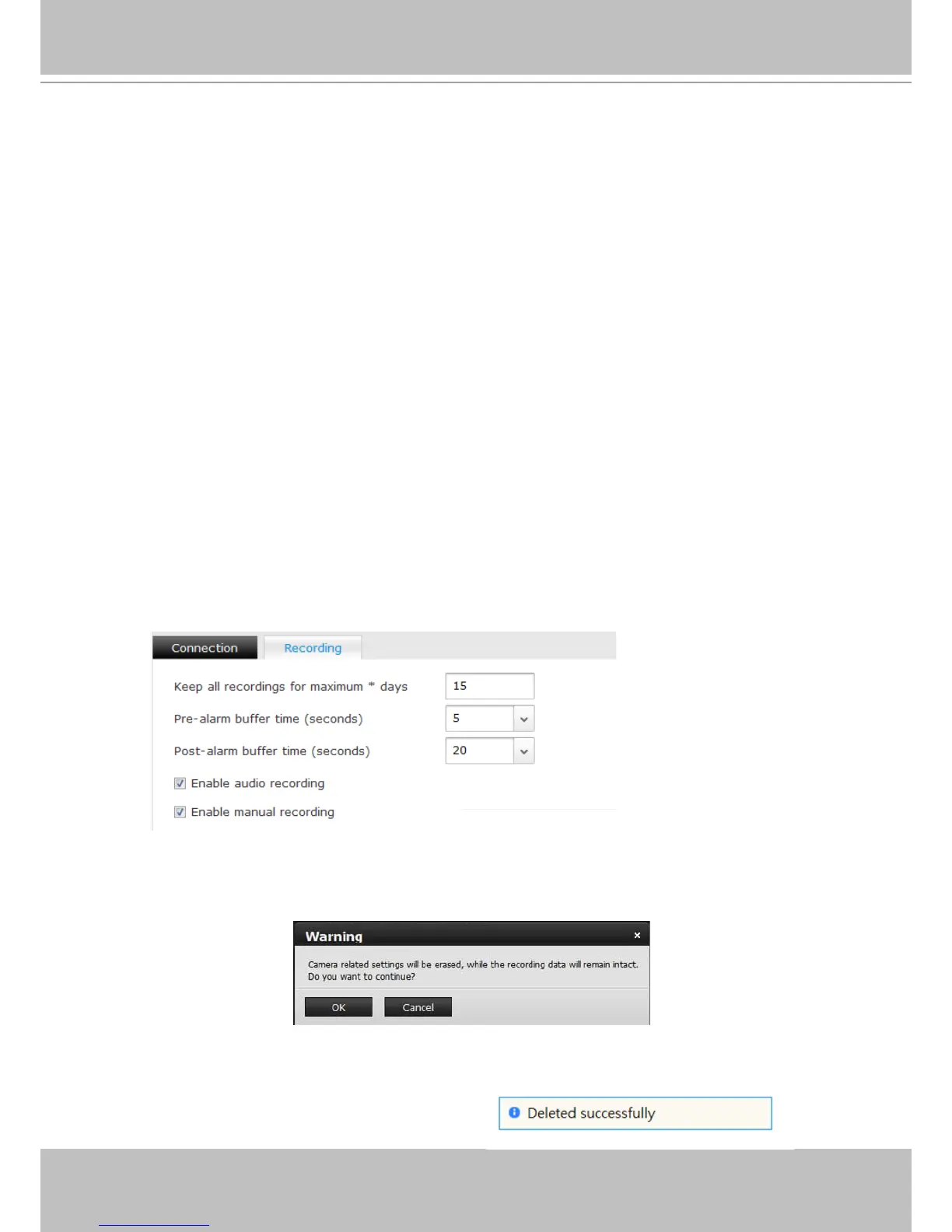
2. Recording:
2-1. Keep all recordings for maximum * days - determine the life span of recordings in your
system. Usually old recordings will be erased when the storage volumes become full.
When a storage volume is 90% full, the recorded videos taken on the oldest day (from
every camera) will be erased. Deletion of old les will stop when the used space falls
under 85% again.
When recycling takes place, the system buzzer will be triggered, and the recording task
can be halted temporarily until more storage space is regained.
2-2. Pre-alarm buffer time (seconds) - if the alarm-triggered recording is preferred, set up
a pre-alarm buffer for the system to record video before the occurrence of an alarm. The
congurable options are 3, 5, 10, 15, and 20 seconds. A 20MB memory space is reserved
for each camera, and therefore the pre-alarm buffer time can be shorter if the camera
video is recorded using a higher resolution.
2-3. Post-alarm buffer time (seconds) - if the alarm-triggered recording is preferred, set
up a length of time for the system to record video after the occurrence of an alarm. The
congurable options are: 10, 20, 30, 40, and 60 seconds.
2-4. Enable audio recording - Selected by default. Audio input is also recorded along with
the video. However, audio can be muted by default on some cameras. For example, a
speed dome camera requires the connection to an external microphone, and the audio
function is manually turned on through a managment session with the camera.
2-5. Enable manual recording - If this checkbox is deselected, you will not be able to enable
or disable manual recording from the Liveview view cells.
3. Delete:
To remove a camera from your list, left-click to select a camera on the list, and then click the
Delete button.
Note that once a camera is removed, all alarm settings related to the camera, such as DO and
preset location settings, will be erased.



 To Next Page