Screen 1.1
Screen 4
Instruments and controls
Instrument panel
55
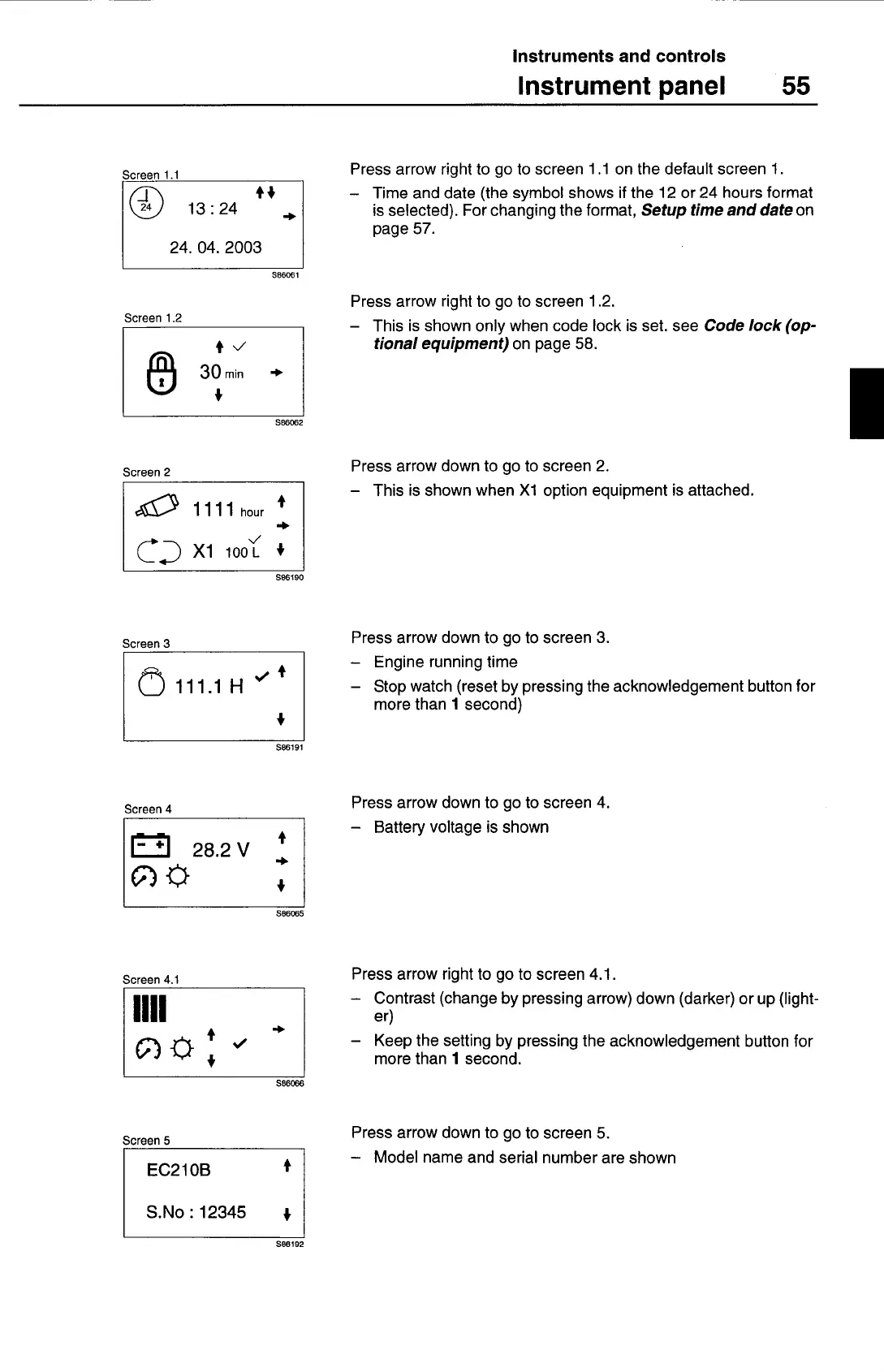
Press arrow right to go to screen 1 .1 on the default screen 1.
— Time and date (the symbol shows if the 12 or 24 hours format
is selected). For changing the format,
Setup time and date
on
page 57.
S86061
Screen 1.2
3Om
+
S86062
Screen 2
illihour
+
+
CD
xi
ioo( +
S86190
Screen 3
111.1 H ' +
+
S86191
Press arrow right to go to screen 1 .2.
— This is shown only when code lock is set. see
Code lock (op-
tional equipment)
on page 58.
Press arrow down to go to screen 2.
— This is shown when Xl option equipment is attached.
Press arrow down to go to screen 3.
— Engine running time
— Stop watch (reset by pressing the acknowledgement button for
more than 1 second)
Press arrow down to go to screen 4.
— Battery voltage is shown
S86065
Screen 4.1
H"
+
+
S86066
Screen 5
EC2 lOB
+
S.No: 12345
I
S86192
Press arrow right to go to screen 4.1.
— Contrast (change by pressing arrow) down (darker) or up (light-
er)
— Keep the setting by pressing the acknowledgement button for
more than 1 second.
Press arrow down to go to screen 5.
— Model name and serial number are shown



 To Next Page