Operator Manual / 4. Interface
51
4.7.1 Send
When a USB data storage device is available; clicking creates a folder on the device that contains each
scanned view and a digital picture of the item currently displayed on the screen. A report is also created with all the
information about the operator and the time and date of the scan.
NOTE
A prompt appears to insert an external device if none is detected.
4.7.2 Detect
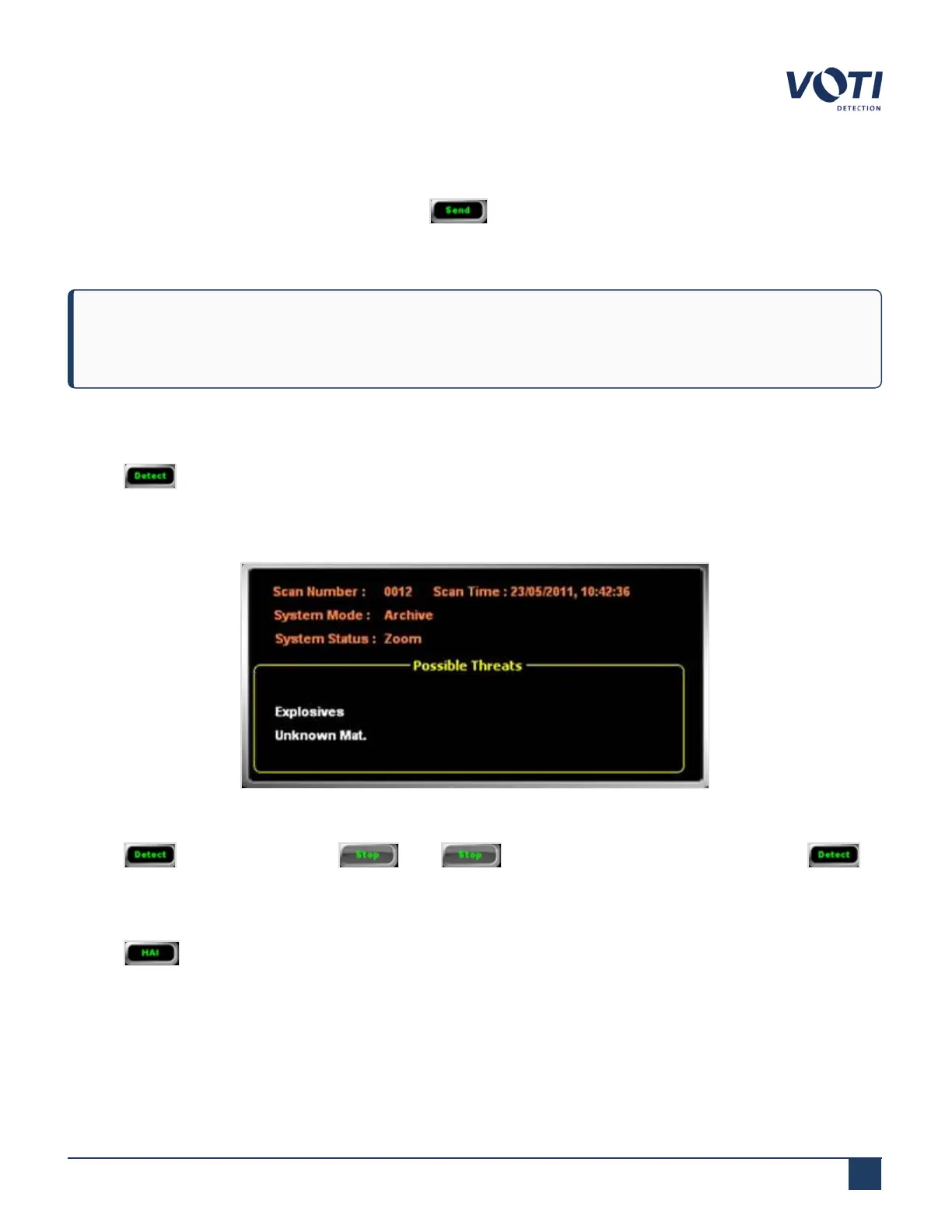
Clicking toggles the threat detection assist function on or off. A list of possible threats appears in the System
& Operator Messages pane. The list of the possible threats that are identified are stored in the configuration file. The
list of items to be detected is customizable for explosives and narcotics on request. An existing list can be further
customized using the Material Classification section of the administration module.
Figure 38 - Material Classification Window
Clicking changes the button to . Click to end threat detection assist and revert to .
4.7.3 HAI
Clicking (Highlight Area of Interest) toggles the function on or off. The HAI function highlights the possible
threats (except sharp objects) on the screen and the area of interest flashes to attract the operator’s attention.
© VOTI2020 / 900116-001


 To Next Page
 Loading...
