Operator Manual / 6. Administration module
82
future scanned item’s images will overwrite older files (similar to the Erase oldest file option). The default setting is
Make a backup copy.
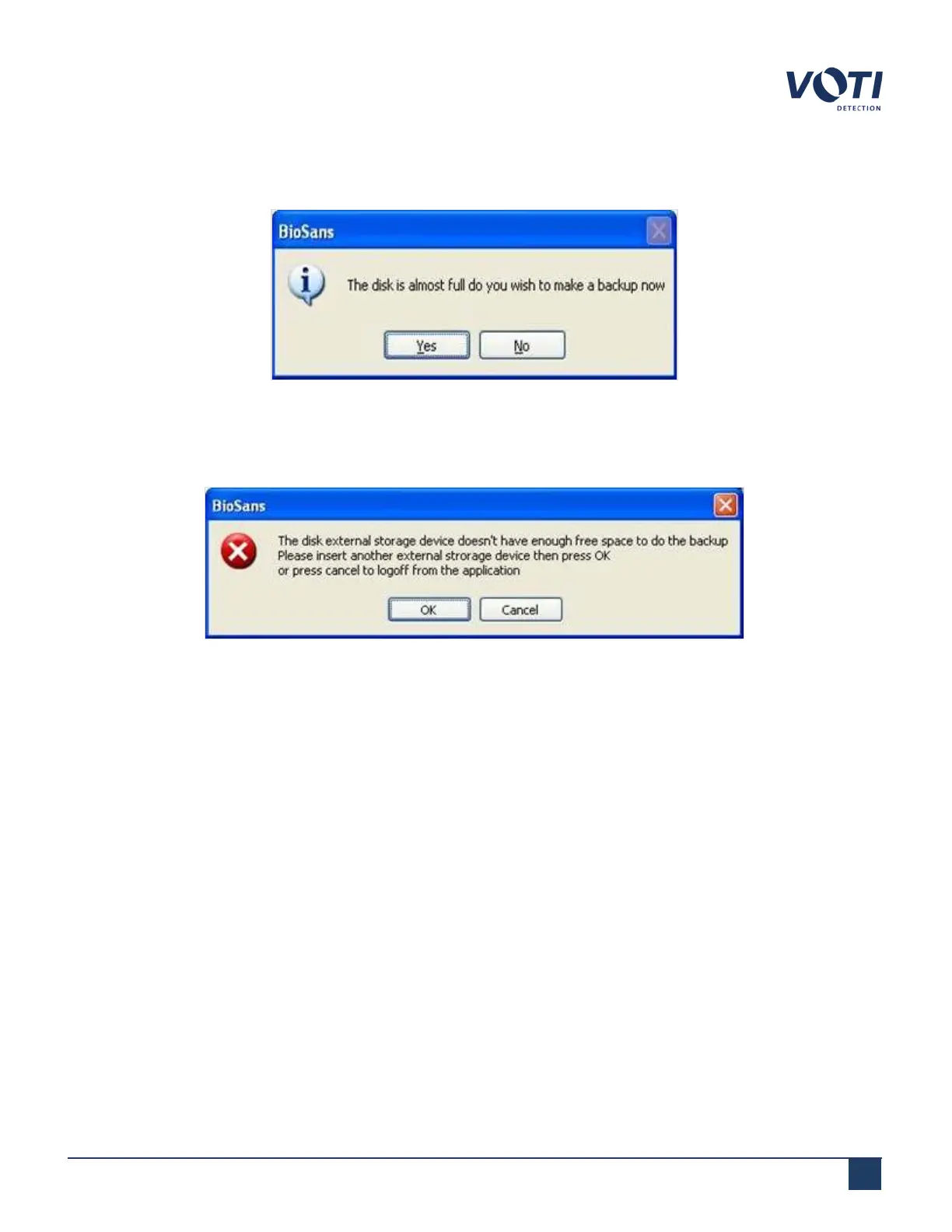
Figure 73 - Warning Message - Memory Almost Full, Make a Backup
The system checks that the external device has sufficient memory to back up at least 10% of the total allotted
memory space.
Figure 74 - Warning Message - Disk is Full
l
Apply – After setting the new parameters, clicking Apply sets the parameters for the current operation only.
After the system is restarted, the parameters reset to the default factory settings. To use this setting for all
operations also use Default.
l
Default – Set the parameters as the new default settings.
6.4.2 Creating a backup
To create a backup, you must have administrator privileges. Backing up the data to an external device moves the data
to the external device and deletes the data from the scanner database.
To create a backup:
1.
At the prompt, insert an external storage device into the USB port. The system automatically detects the
external device. A Data Transfer dialog opens.
© VOTI2020 / 900116-001



 To Next Page