Operator Manual / 6. Administration module
83
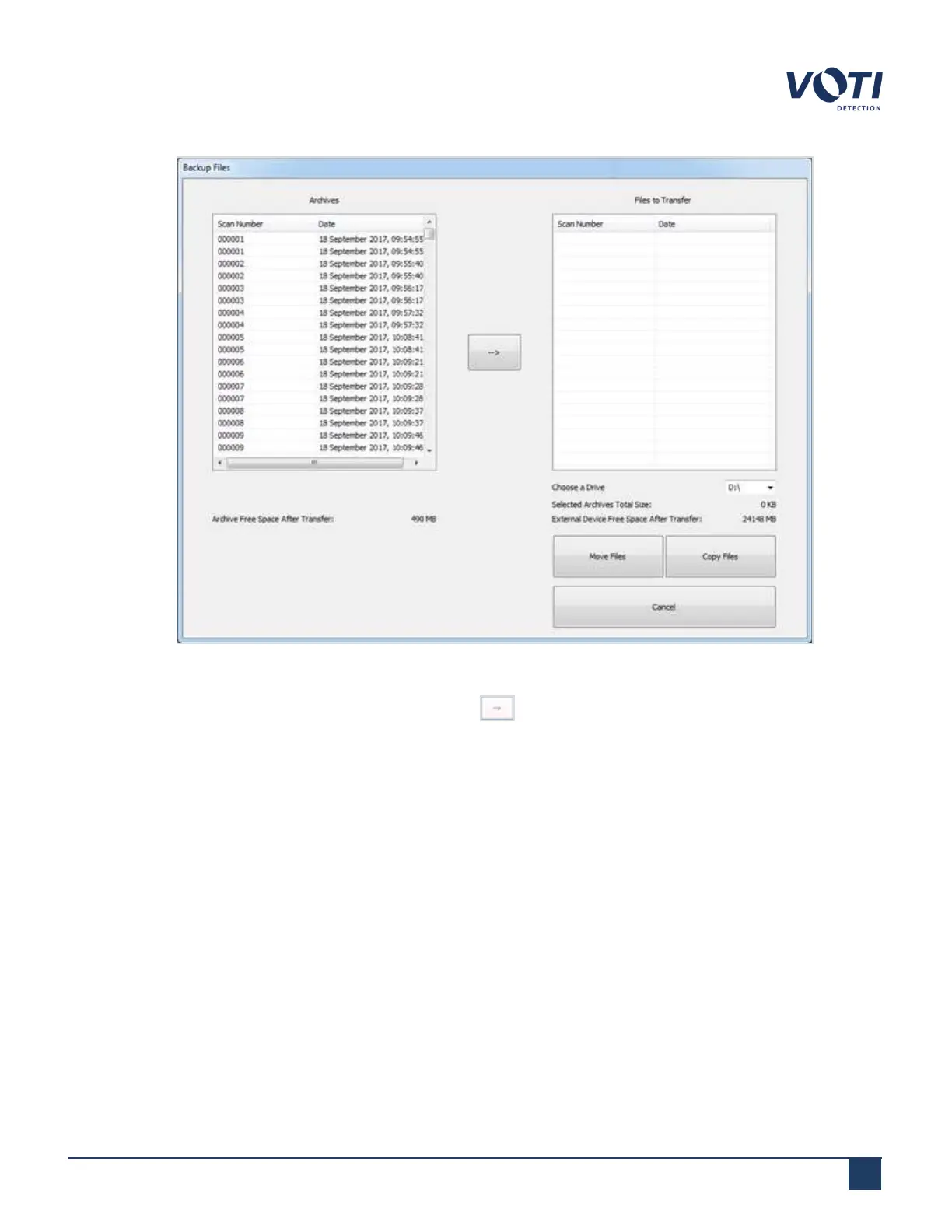
Figure 75 - Backup Archives
2.
Select the files to back up and click the transfer arrow .
3. The selection will appear in the Files to Transfer pane. Choose a transfer type:
o
Copy Files: The files will be transferred to the storage device, but they will remain on the hard drive of the
unit.
o
Move Files: The files will be transferred to the storage device and erased from the hard drive of the unit.
4. The selected files are transferred to the external device. A folder called Backup_Archive_Date_Time will appear
on the external device.
5. Click Cancel to exit the File Transfer dialog.
© VOTI2020 / 900116-001



 To Next Page