Operator Manual / 6. Administration module
86
6.6.1 Adding or editing a material
As required, materials to be detected can be added or modified. To add or edit an existing detection material setting:
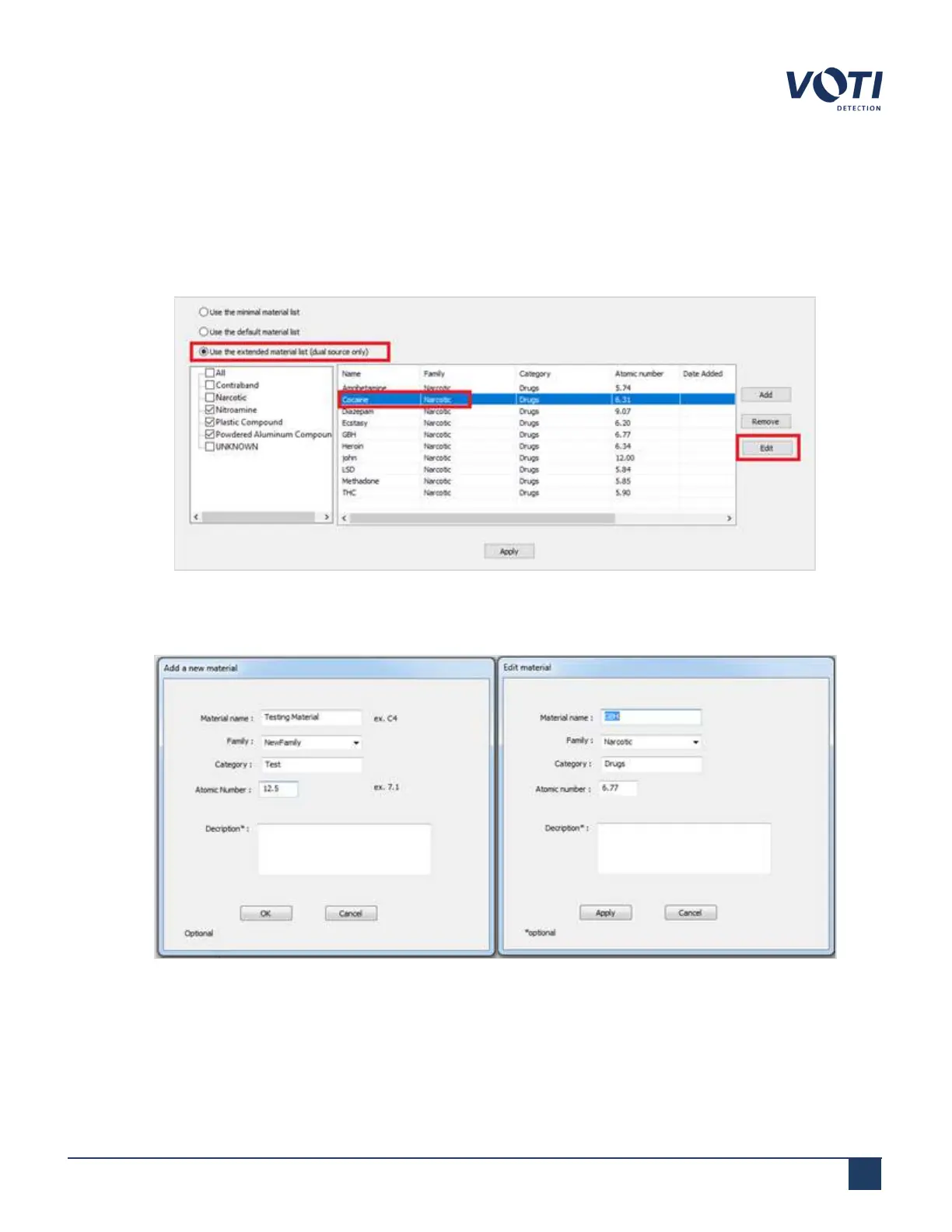
1. Select Use the extended material list.
2. Click Add or click on an item in the grid and click Edit.
Figure 78 - Editing a Material
3.
Enter or edit the information (e.g. name, family, and atomic number).
Figure 79 - Edit Material Details
© VOTI2020 / 900116-001



 To Next Page