Operator Manual / 6. Administration module
87
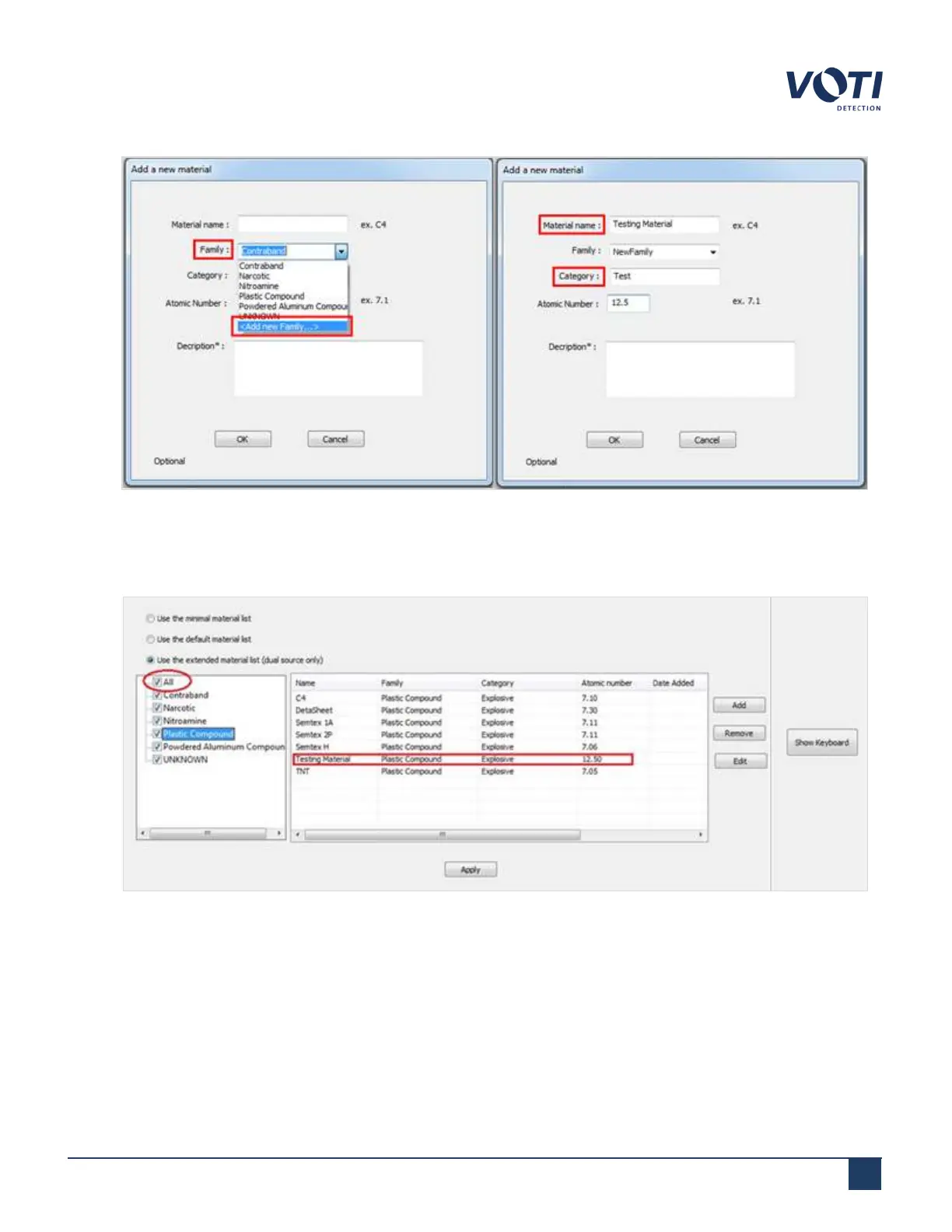
Figure 80 - Add New Material With Details
4. Click OK to accept the new material or click Apply to accept the changes to an existing material. The new item
or changes appears in the table.
Figure 81 - Material Added in the List
5. Check the box next to All. If the check box is not checked, the material remains in the material list; however, it
will not be detected during a scan.
© VOTI2020 / 900116-001



 To Next Page