Operator Manual / 6. Administration module
88
6. Click Apply to confirm the information.
6.6.2 Removing a material from detection
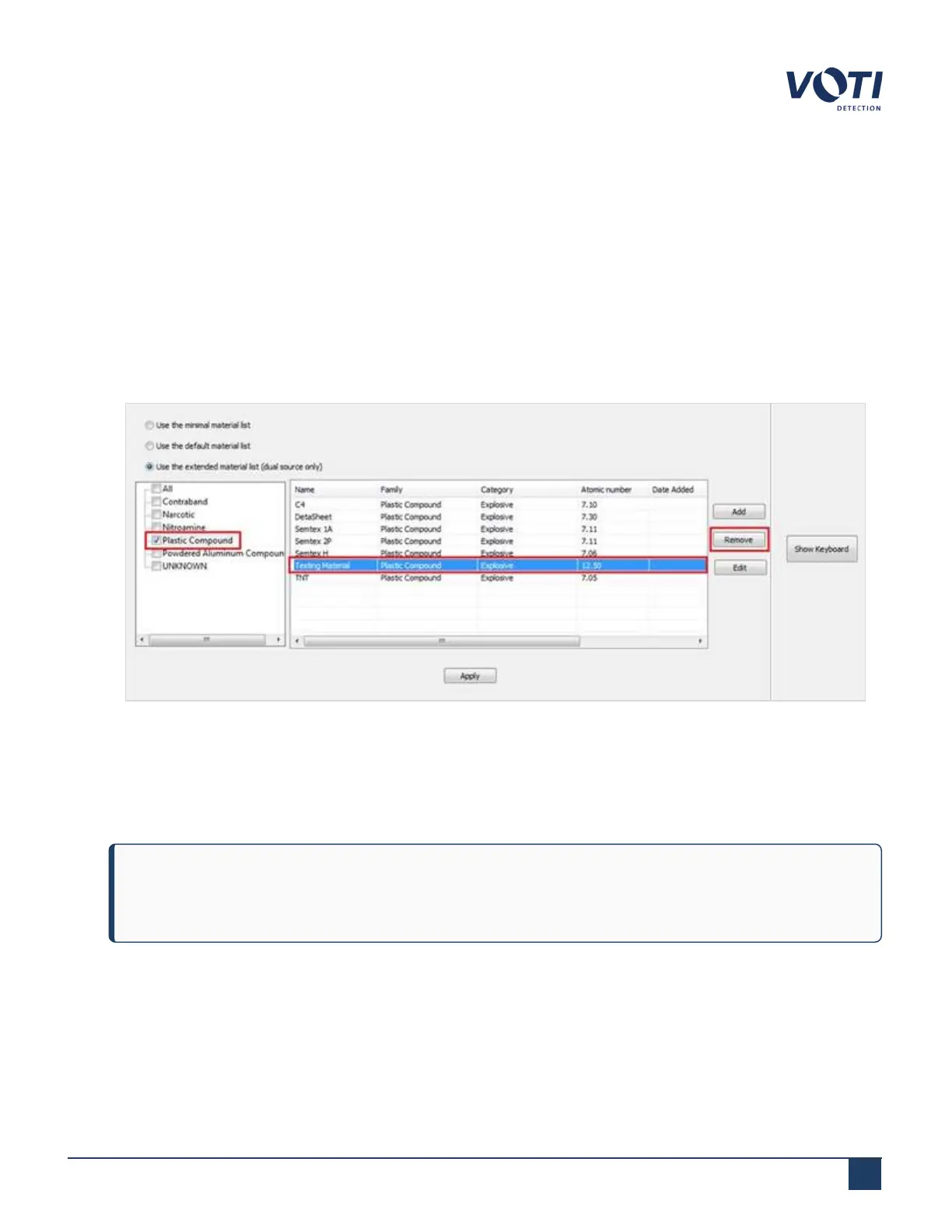
If there is no requirement to scan for a specific material, delete the material from the list. To remove the material from
the list of detectable material:
1. Select Use the extended material list.
2. Select a family, such as Plastic Compound.
3. Select a material to delete and click Remove.
Figure 82 - Remove Material
4. A confirmation dialog box will appear. Click OK to acknowledge the delete request. The material no longer
appears in the list.
5. Click Apply to confirm the information.
NOTE
After the last item in the family group is removed, the family group name is also removed.
© VOTI2020 / 900116-001



 To Next Page