78
Warning and Status Messages
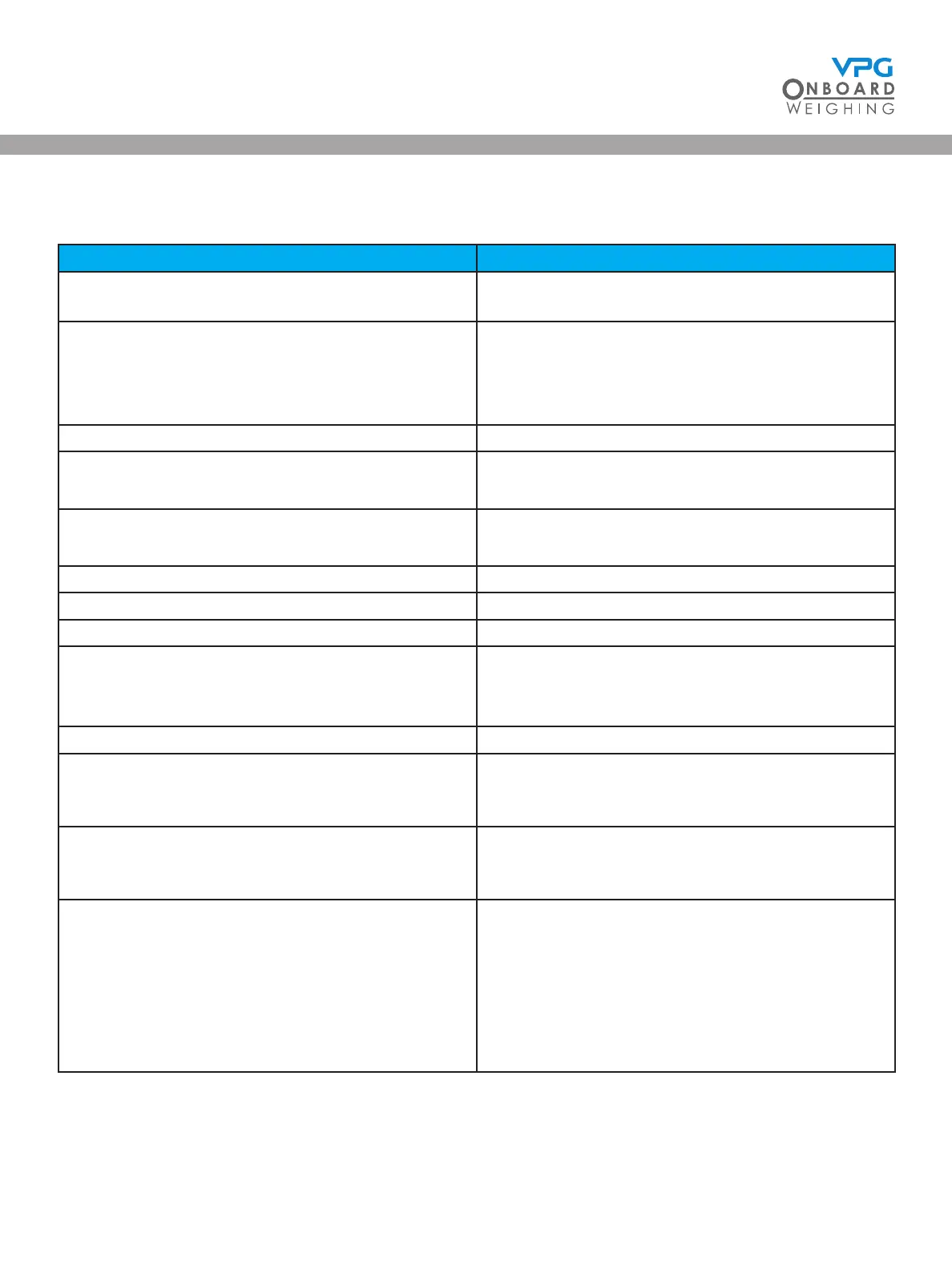
WARNING / MESSAGE DESCRIPTION
Initialising… This is the rst message the screen displays in
the power on sequence.
Waiting for Junction boxes… The system is searching for the junction box
during the power on sequence.
This message will clear once the junction box
has been found.
JBox detected New Junction Box found System has found the junction box.
Junction Box Removed Communication lost to junction box.
Check connections.
No junction box detected Unable to detect a junction box.
Check connections.
Access Denied Pin needed.
Invalid Pin Wrong pin number used.
Access Granted Correct pin number used.
JBox Reset Please Wait… System is saving settings to the junction box.
Important: Do not power down when this
message is displayed.
Junction Box Update Complete Settings now saved to the junction box.
Update Cong Save New Setting? The system is asking if the new settings need
to be saved. Tap Yes to save or No to revert to
previous settings.
Settings Changed Continue? The system has detected a change in the
settings with no save icon tapped. Tap Yes to
save or No to revert to previous settings.
Powering Down… Ignition power has been removed and the
power o timer has elapsed. System will now
power down.
Tap cancel to stop power down sequence.
Tap OK to power down immediately or wait for
system to power down automatically after 10
seconds.
VanWeigh
®


 To Next Page