88
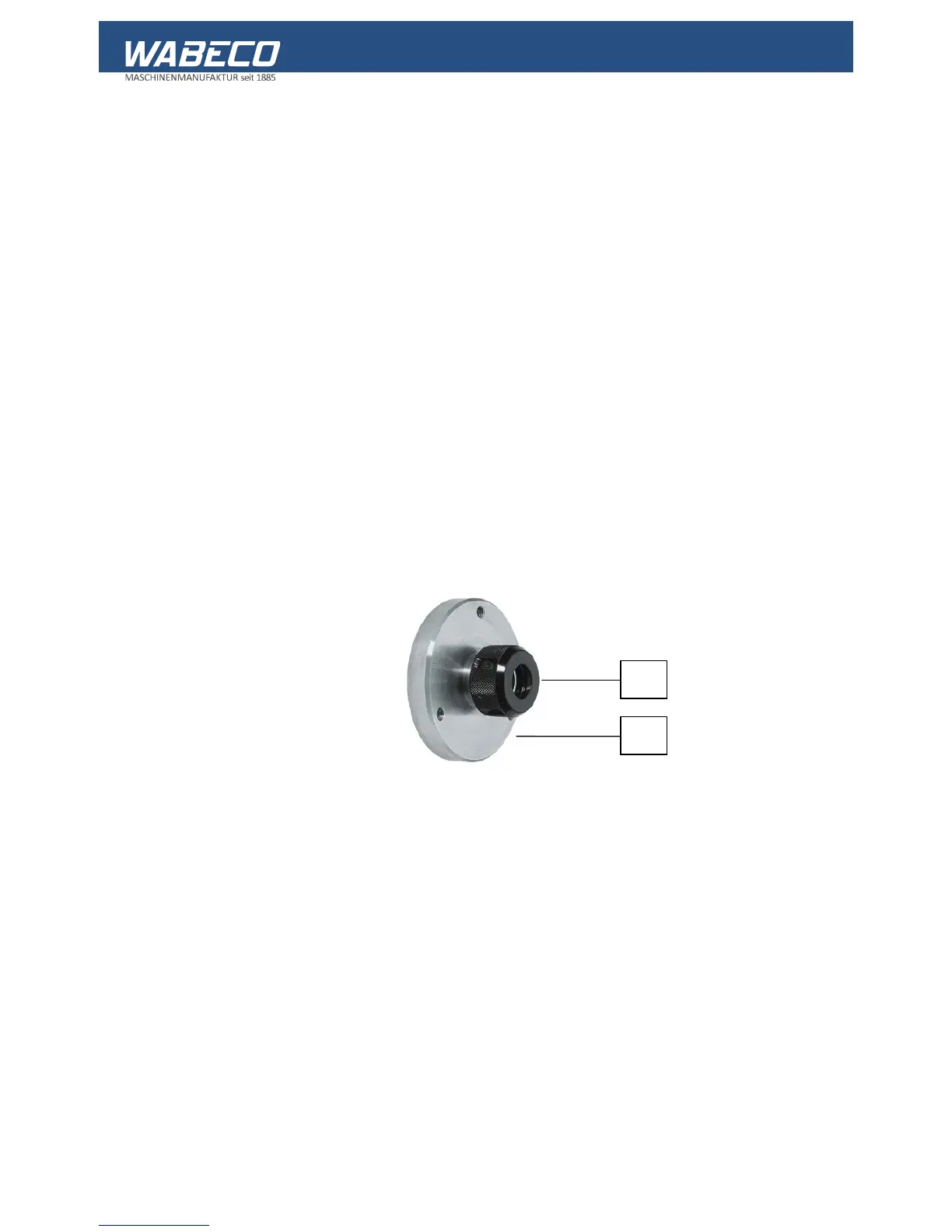
22. Collet chuck (optional)
Only use work pieces that correspond to the nominal diameter of the collet.
22.1 Mounting the collect chuck
1. Remove the lathe chuck from the main spindle. To do this, undo the 3 fixing screws using a
wrench.
2. Remove the lathe chuck from the centring flange of the main spindle.
3. Secure the collet chuck in the same way as the lathe chuck.
4. Remove the cap nut (1) from the collet chuck (2).
5. Insert the required collect into the cap nut
(see installing and removing collets) and screw back onto the collet chuck.
6. Insert the work piece or tool into the collet.
7. Tighten the cap nut with the appropriate wrench.
8. Permitted revolution range up to a maximum of 5000 rpm.
22.2 Drawing and legend
Part No. Items Order No. Description


 To Next Page