3-76 OM 25-3503 us – Edition 4.1 * * 2503_3503b340.fm
Operation
Control lever on the right
Lowering the boom with the engine stopped
Lower the boom as follows:
☞ Ensure that no one is in the danger zone of the machine
☞ Turn the starting key to position “1”
☞ Press forward and hold the control lever (A and E)
➥ Until the boom is completely lowered
☞ Return the control lever to neutral
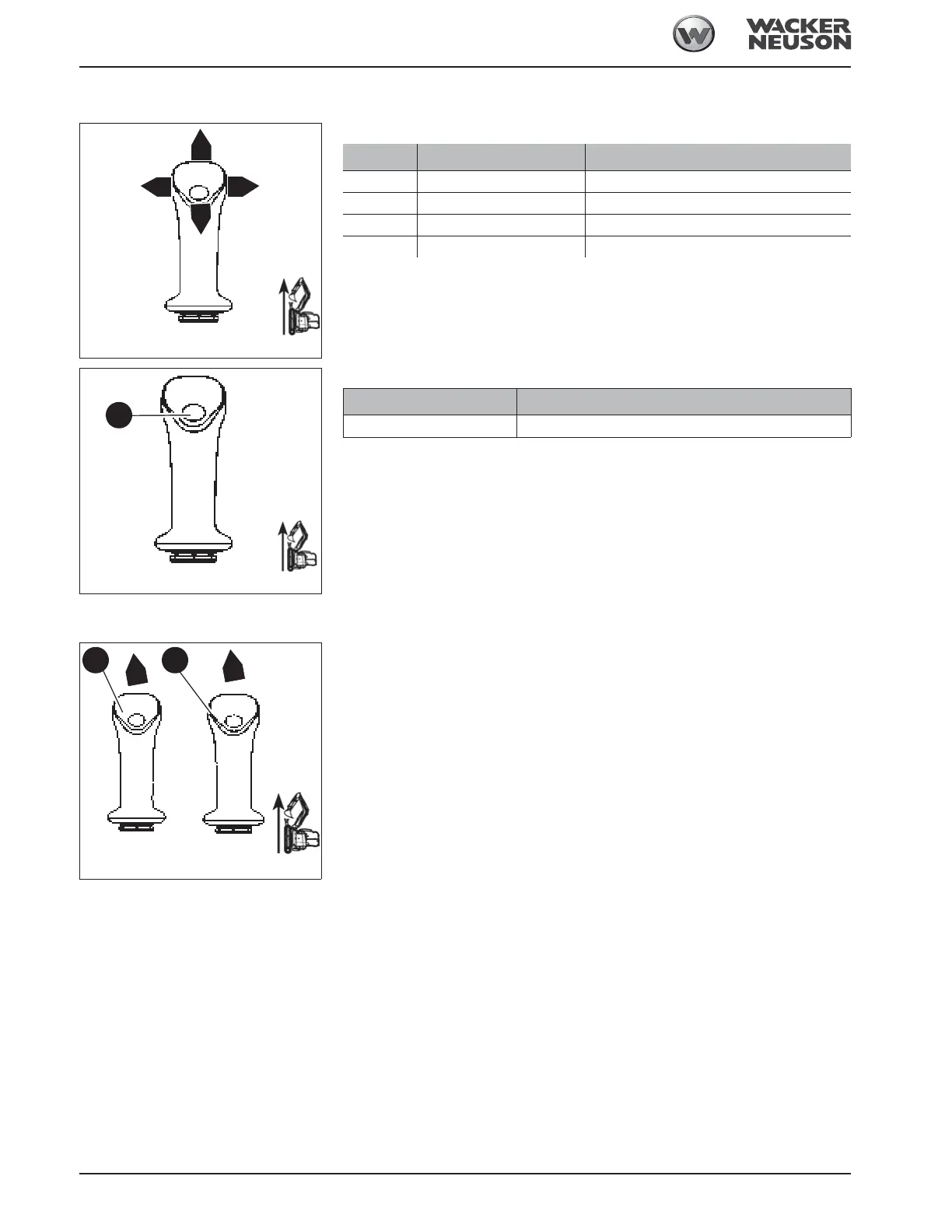
Fig. 181: Control lever on the right
H
G
E
F
Position Lever Function
•E ☞ Forward
➥ Boom is lowered
•F ☞ To the right
➥ Bucket is tilted out
•G ☞ Backward
➥ Boom is raised
•H ☞ To the left
➥ Tilt in the bucket
Fig. 182: Functions of control lever on the right
J
Button Function
☞ J
➥ Horn
Fig. 183: Lowering the boom with the engine stopped
A
E
1 2



 To Next Page