3-22 OM 25-3503 us – Edition 4.1 * * 2503_3503b330.fm
Operation
pera
on
3.8 Before starting the engine
☞ Operate the machine only on appropriately ventilated premises! Ensure sufficient venti-
lation on enclosed premises!
☞ Adjust seat position and rearview mirror
– see Seat adjustment on page 3-50
Information!
All controls must be within easy reach. You must be able to move the drive
levers to their limit positions!
☞ Fasten your seat belt
– see Seat belt on page 3-52
☞ Lower the control lever base on the left
☞ Check whether all levers and pedals are in neutral position
☞ Move the throttle to the center position (between minimum and maximum) if the engine
is cold
3.9 Starting the engine
• The starter cannot be actuated if the engine is already running (start repeat interlock)
• Do not run the starter for more than 10 seconds
• Wait about 1 minute so the battery can recover before trying again.
Procedure
Actuating the preheating system too long can damage the preheater.
• Never preheat the engine more than 20 seconds
After you have completed the starting preparations:
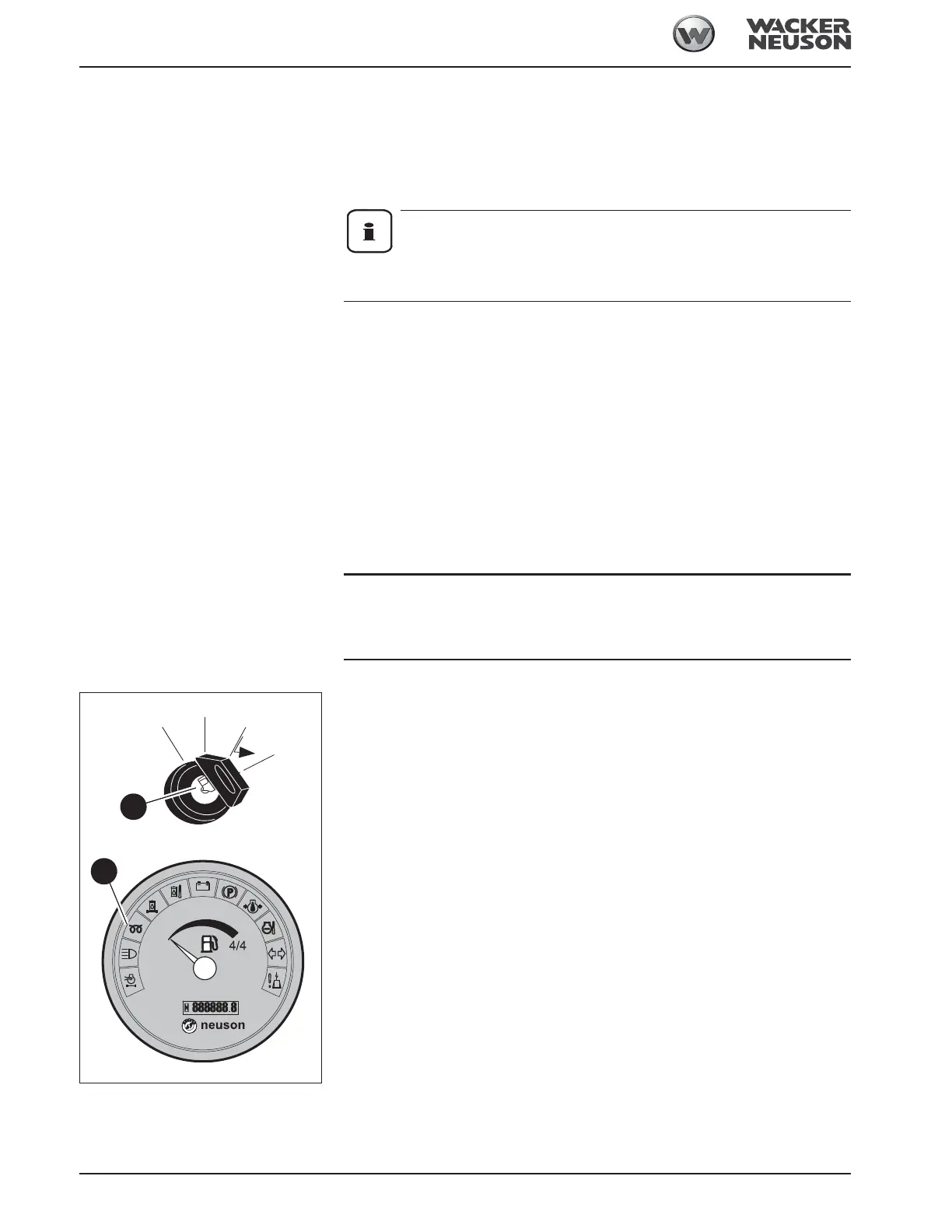
☞ Insert the starting key in preheating start switch 19
☞ Turn the starting key to position “1”
☞ Check whether all indicator lights illuminate:
☞ Replace malfunctioning indicator lights immediately.
☞ Turn the starting key to position “2” and hold it in this position until indicator light A goes out.
☞ Turn the starting key to position “3” and hold it in this position until the engine starts
➥ If the engine does not start after 10 seconds
☞ Interrupt the start procedure and try again after about 1 minute
➥ If the engine still does not start after the second try
☞ Contact a Wacker Neuson service center for troubleshooting
➥ As soon as the engine runs:
☞ Release the starting key
Fig. 89: Preheating start switch
19
Fig. 90: Indicator lights
A







 To Next Page