COMMISSIONING INSTRUCTIONS
TR05A140.B1107
36
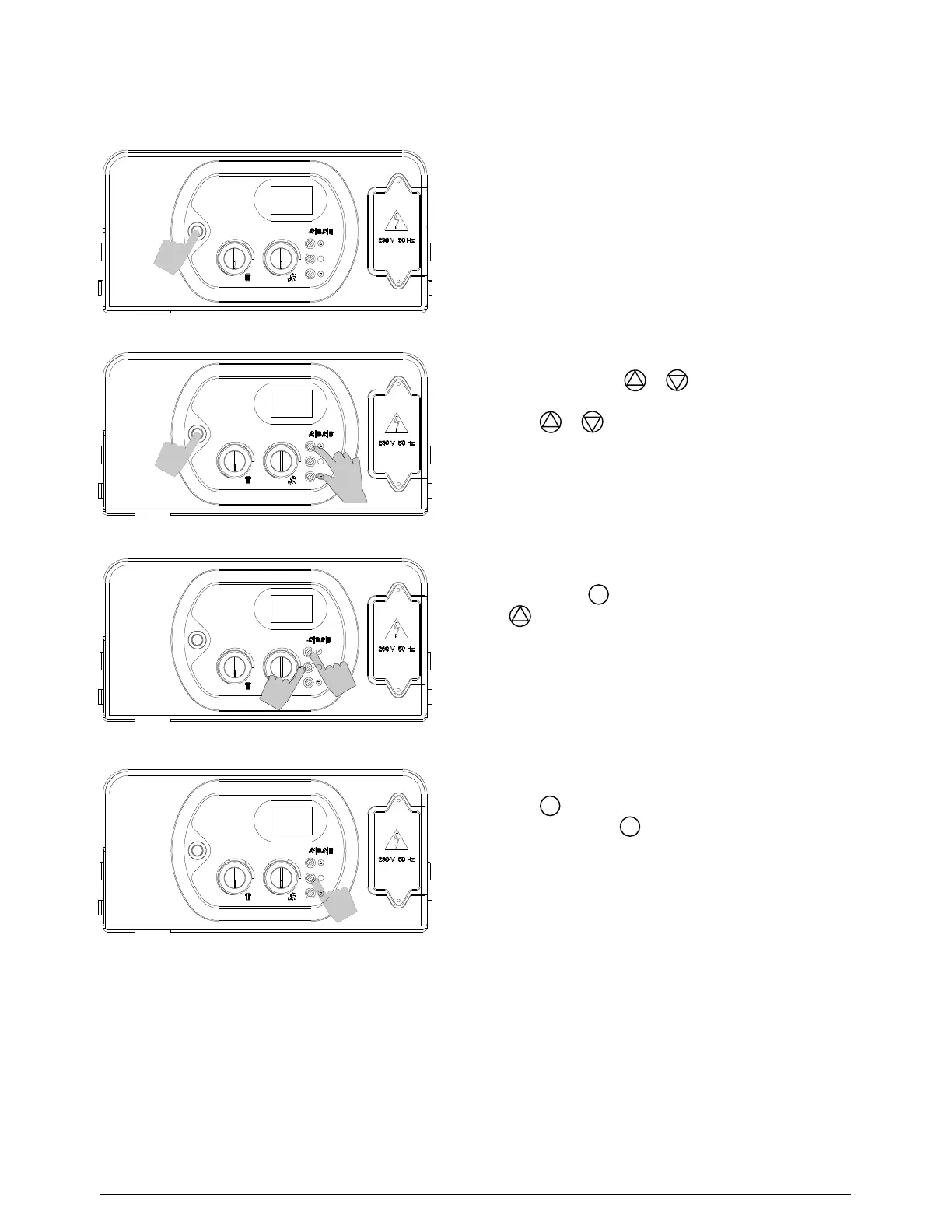
5.7 Control parameter adjustment
5.7.1 Accessing the parameters menu
Step 1:
Switch the appliance off using the ON/OFF button.
Step 2:
Press and hold both the & buttons.
Switch the appliance on using the
ON/OFF
button.
Release the & buttons.
Step 3:
Press and hold the
button.
Use the button to cycle up through the parameters.
Step 4:
Release the
button.
Press and release the
button again.
The value of the selected parameter will be displayed.
Follow the instructions in the following section (Section
5.7.2) to adjust parameter values.
PL
0
1
S
S
S
S
OFF



 To Next Page