GENERAL INFORMATION
TR05A140.B1107
3
1 USER INSTRUCTIONS
1.1 Boiler controls
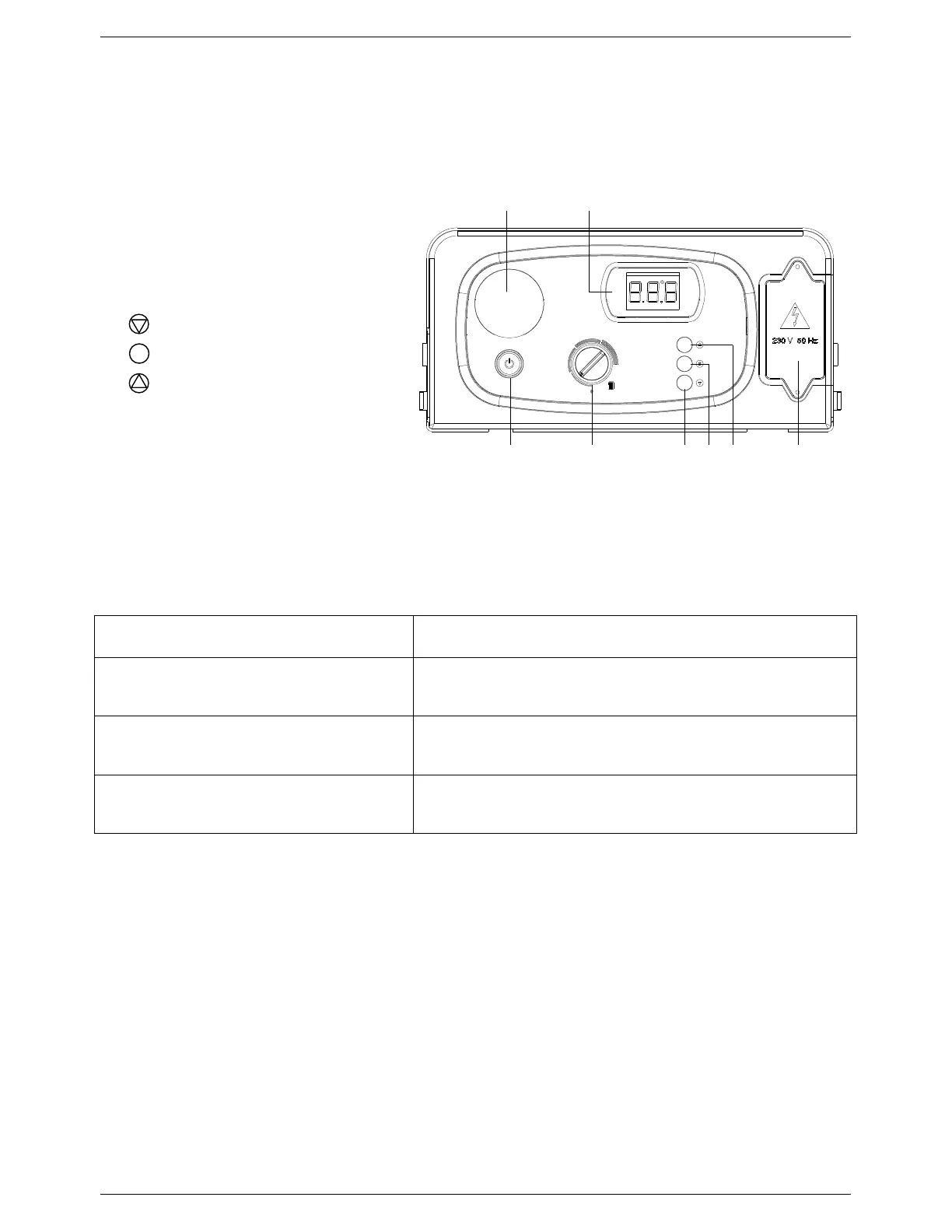
1.1.1 Control panel layout
1. ON/OFF button
2. Central Heating Control knob
3. button
4.
button
5. button
6. Mains supply terminal board
7. Digital LCD display
8. Programmer location (N/A)
1.1.2 Operating the appliance
Operation Instruction
Switching the boiler on
Press the ON/OFF button (1)
Adjusting the Central Heating temperature
Turn the Central Heating Control knob (2):
- the temperature setting will appear on the display
Switching the boiler off
Press the ON/OFF button (1)
Table 1: Control panel display
Figure 1: Control Panel
1 2
ON / OFF
3 4 5 6
78



 To Next Page