COMMISSIONING INSTRUCTIONS
TR05A140.B1107
37
5.7.2 Adjusting the parameters
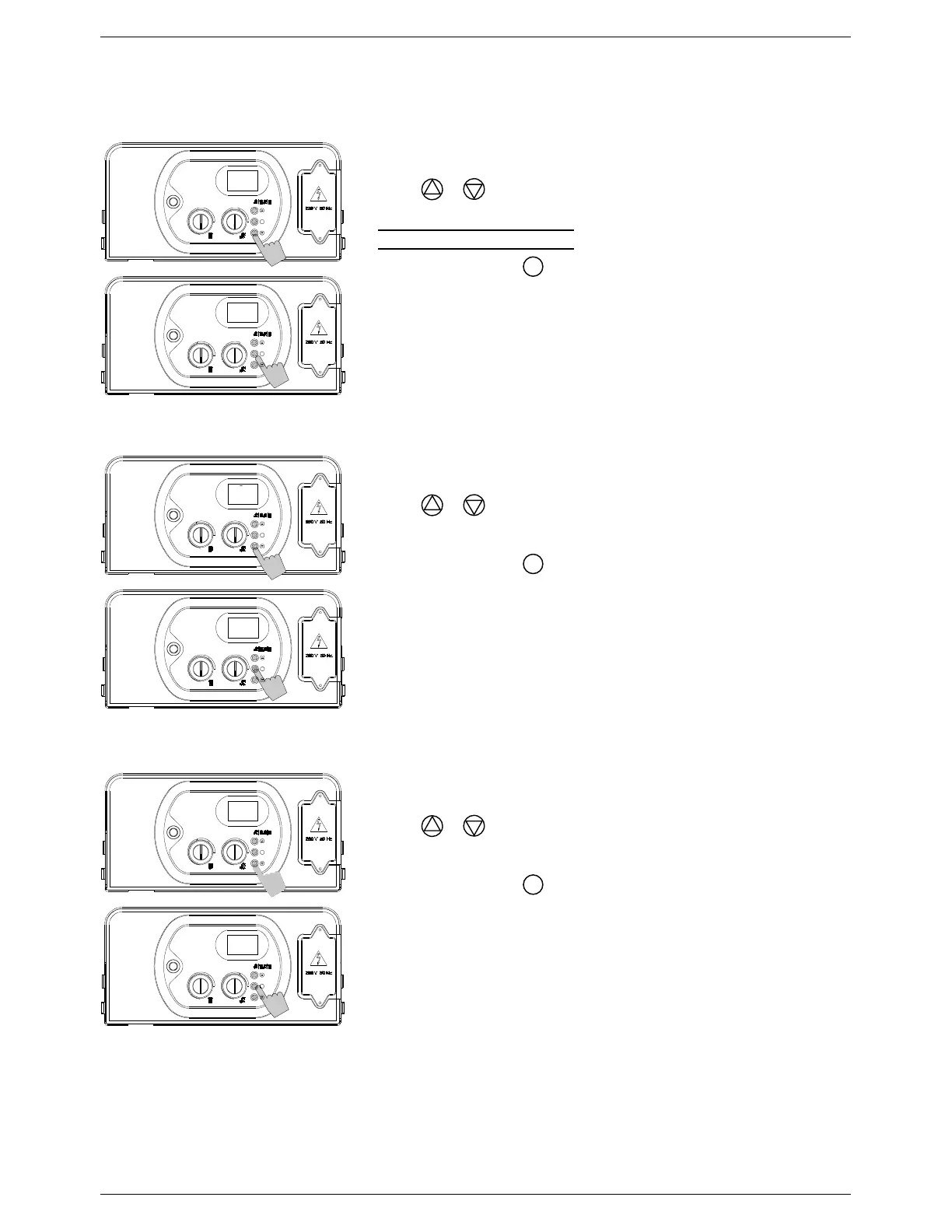
Parameter 1 – Boiler type
Access the parameters menu as described in Section 5.7.1.
Use the & buttons to adjust the parameter value:
00 = Non-storage boiler;
01 = Storage boiler (type 1);
02 = Storage boiler (type 2).
Press and release the
button.
The parameter number (1) will appear on the display.
To store your changes, switch the appliance off then on again using
the ON/OFF button.
Parameter 2 – Fuel type
Access the parameters menu as described in Section 5.7.1.
Use the & buttons to adjust the parameter value:
00 = Natural gas (Methane)
01 = LPG
Press and release the
button.
The parameter number (2) will appear on the display.
To store your changes, switch the appliance off then on again using
the ON/OFF button.
Parameter 3 – CH flow temperature
Access the parameters menu as described in Section 5.7.1.
Use the & buttons to adjust the parameter value:
00 = Standard (30 – 80°C) for radiators
01 = Reduced (25 – 40°C) for under-floor heating
Press and release the
button.
The parameter number (3) will appear on the display.
To store your changes, switch the appliance off then on again using
the ON/OFF button.
3
00
01
2
1
S
S
S
S
S
S
00



 To Next Page