Setting Up the Autoinjector 73
4.4.1 Accessing the Autoinjector Setup Screen
You set up the autoinjector through the Autoinjector Setup screen. To access the
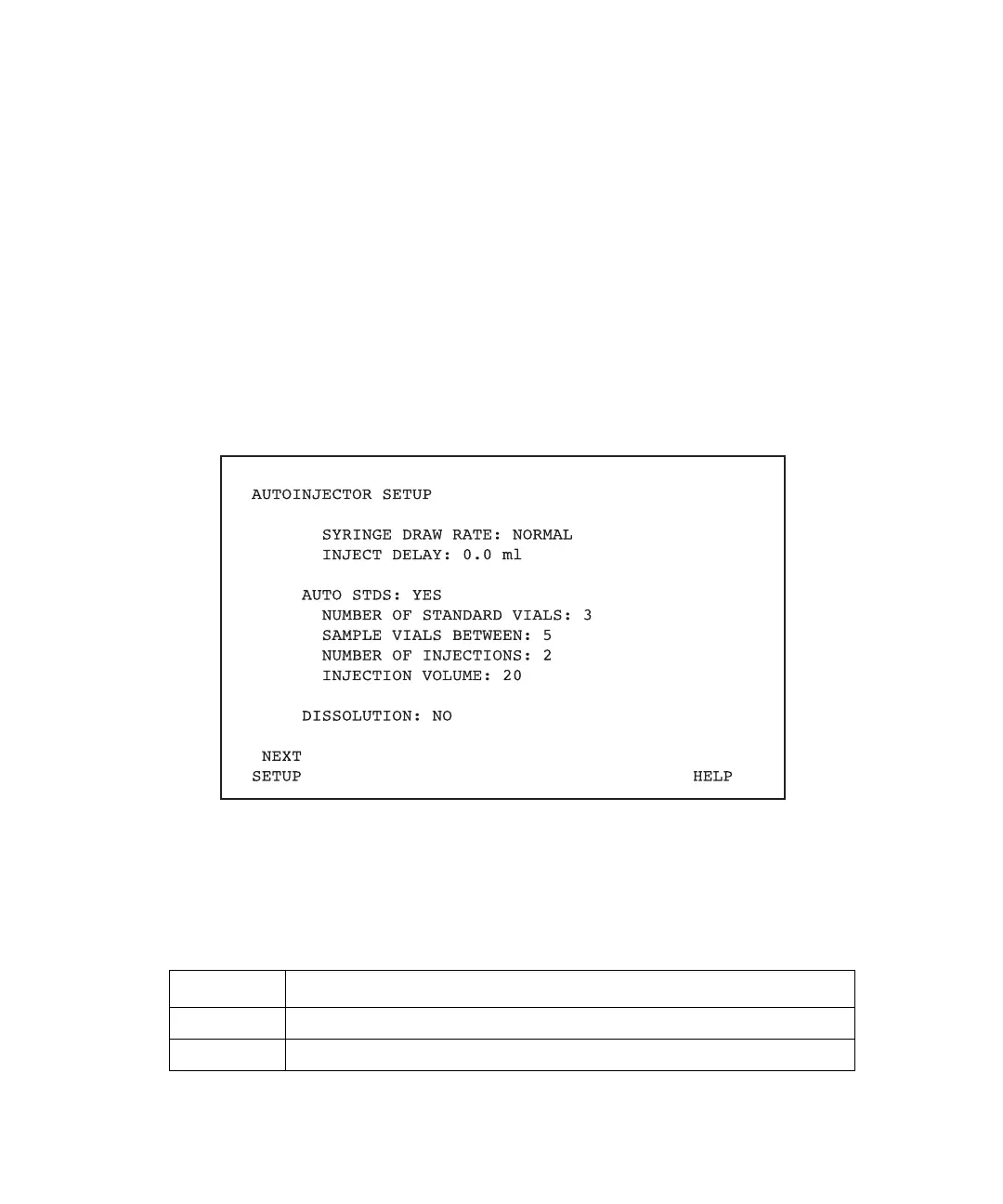
Autoinjector Setup screen (Figure 4-16):
1. Press the Set Up key to display the Pump Setup screen (Figure 4-13).
2. Press the Next Setup screen key to display the Autoinjector Setup screen
(Figure 4-16).
The Autoinjector Setup screen includes the following parameter selections:
• Syringe draw rate
• Inject delay
• Auto standards
Figure 4-16 Autoinjector Setup Screen
In addition to the parameters shown on the screen, the Autoinjector Setup screen displays
screen keys described in Table 4-3.
Table 4-3 Autoinjector Setup Screen Keys
Key Function
Next Setup Displays the Detector Setup screen.
Help Displays the Help screen for the Autoinjector Setup screen.



 To Next Page