88 Running PowerLine in Direct Control Mode
Accessing the Direct Control Screen
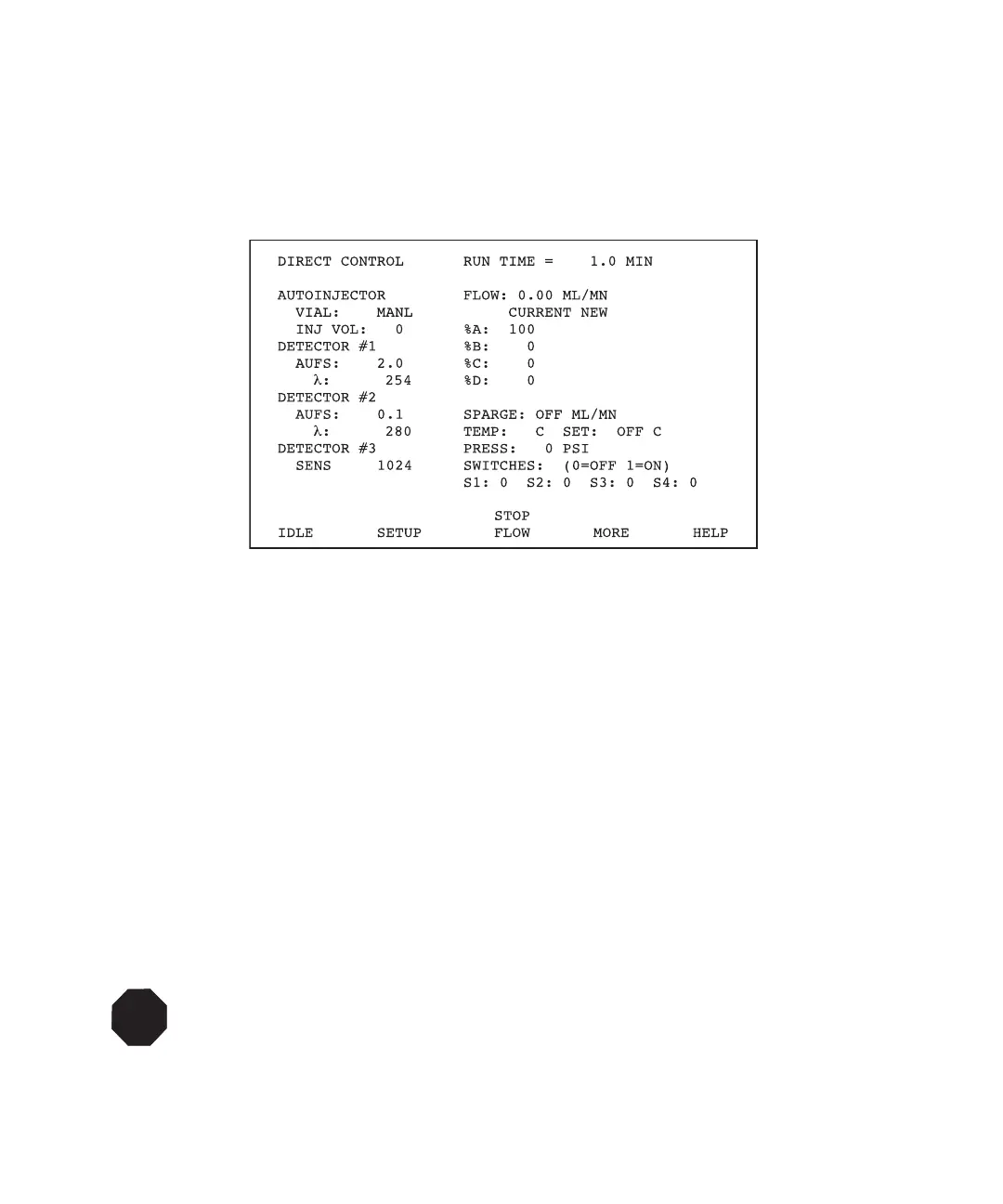
You set the run conditions from the Direct Control screen. To access the Direct Control
screen, press the Direct function key. The PowerLine Controller Direct Control screen
appears (Figure 5-2).
Figure 5-2 PowerLine Controller Direct Control Screen
Exiting the Direct Control Screen
To exit the Direct Control screen, press any function key to select another mode.
5.1.1 Setting Pump Parameters
Use the Direct Control screen (Figure 5-2) to make manual changes to pump parameters.
The pump parameters are:
•Flow
• %A, %B, %C, %D
•Sparge
•Temp
•Press
STOP
Attention: Be sure that the values for the maximum and minimum operating pressures
programmed on the Pump Setup screen are appropriate for your column. See
Section 4.3.2, Setting Pump Setup Parameters (for PowerLine Controller operation), or
Section 8.2.3, Exiting the Pump Setup Screen (for Gradient Controller operation). See
the Column Care and Use Manual for guidelines.



 To Next Page