158 Setting Gradient Controller Operating Parameters
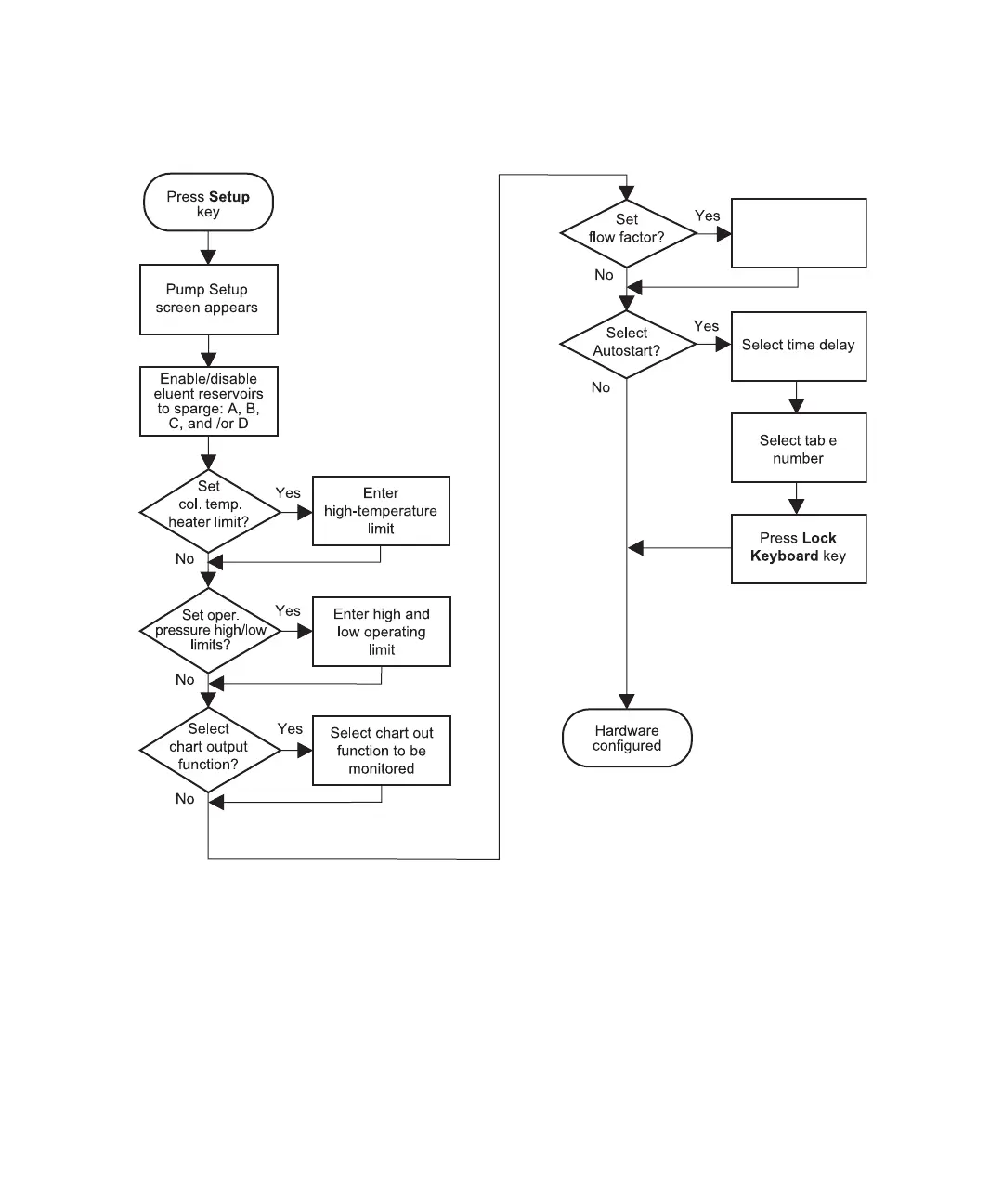
Figure 8-8 illustrates the steps for using the Pump Setup screen. Use Figure 8-8 as a quick
reference for setting the parameters on the Pump Setup screen.
Figure 8-8 Pump Setup Flowchart
8.2.1 Accessing the Pump Setup Screen
To access the Gradient Controller Pump Setup screen (Figure 8-9):
1. Press the Set Up function key from any screen except the Gradient Controller Pump
Configuration screen. The Gradient Controller Pump Setup screen appears
(Figure 8-9).
Enter Flow
Compensation
Factor



 To Next Page